


PIM vs PDM: Key Differences Explained
Updated October 2026
Short answer: PDM (product data management) manages engineering data while a product is designed: CAD files, drawings, bills of materials (BOMs), revisions and change approvals. PIM manages the product information customers see once it is ready to sell: descriptions, attributes, images and channel content. Choose PDM to control design data; choose PIM to sell the product across channels. Manufacturers often use both, with PDM data feeding the PIM.
PIM and PDM sound almost the same, and “product data management” is sometimes used loosely for any product data system. In software, though, PDM usually means the engineering tool that controls design files and revisions, and PIM means the commercial tool that prepares product information for sales and marketing. This guide explains what each one does, the key differences, and how data flows from PDM into PIM.
PIM vs PDM at a Glance
| PIM (Product Information Management) | PDM (Product Data Management) | |
|---|---|---|
| Main job | Prepare and publish product information for sales channels | Control engineering data during design and development |
| Typical data | Descriptions, marketing attributes, specifications for buyers, images, translations, channel content | CAD models, drawings, BOMs, part numbers, revisions, engineering change orders |
| Main users | Marketing, eCommerce, product content and sales teams | Engineers, designers, R&D and manufacturing engineering |
| When it is used | From launch through the selling life of the product | From concept through design release (and later engineering changes) |
| Outputs | Website, marketplaces, retailers, data sheets, catalogs | Released designs, BOMs and documents for manufacturing |
| Typical tools | Pimcore, Akeneo, Salsify, inRiver, Stibo STEP, Syndigo | PDM modules of CAD and PLM suites (for example SOLIDWORKS PDM or Autodesk Vault) |
What Is PIM?

A product information management (PIM) system is the central place where product information is collected, enriched, approved and published. It brings together data from the ERP, engineering and suppliers, lets marketing and eCommerce teams add descriptions, images and translations, and sends complete, channel-specific content to websites, marketplaces, retailers and print catalogs. Read what is PIM for a full introduction.
Still comparing vendors? Our PIM platform selection service gives you an independent recommendation.
How PIM works
- Import: product data arrives from the ERP, PDM/PLM, suppliers and spreadsheets.
- Model and validate: data is mapped to product families and attributes, and rules flag gaps and errors.
- Enrich: teams add descriptions, images, translations and channel-specific values.
- Approve: workflows and completeness scores make sure products are ready for each channel.
- Publish: the PIM sends content to every channel in the format it needs.

What Is PDM?

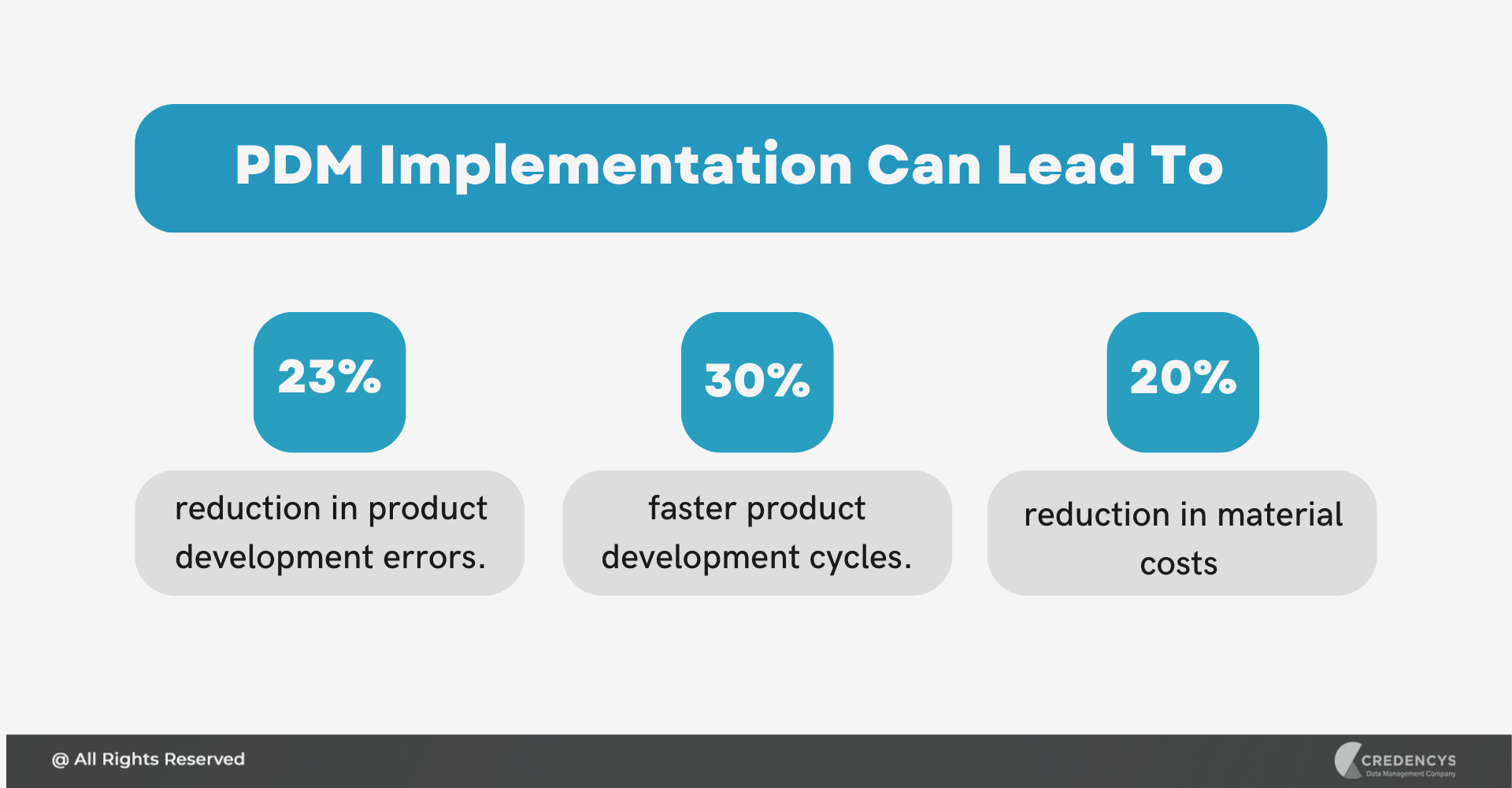
A product data management (PDM) system stores and controls the technical data created while a product is engineered: 3D CAD models, drawings, specifications, bills of materials and related documents. It manages versions and revisions, controls who can check files out and in, and routes engineering changes for approval, so manufacturing always builds from the released design (see an overview of PDM). PDM is often part of a wider product lifecycle management (PLM) suite.
How PDM works
- Create: engineers create CAD models, drawings and documents in their design tools.
- Check in and version: files are stored in the PDM vault with versions, metadata and part numbers.
- Structure: parts are organised into assemblies and bills of materials.
- Change and approve: engineering changes are reviewed and released through a controlled workflow.
- Release: approved designs and BOMs go to manufacturing, the ERP and, for selected data, the PIM.
Key Differences Between PIM and PDM
1. Audience: customers vs engineers
PDM data is written for engineers and manufacturing. PIM data is written for buyers, distributors and marketplaces. A wall thickness tolerance in a drawing becomes a clear “material” and “dimensions” attribute on a product page.
2. Data types
PDM handles files and structures: CAD models, drawings and BOMs. PIM handles attributes and content: values, descriptions, images and documents linked to a sellable product.
3. Lifecycle stage
PDM is most active before a product is released. PIM takes over at launch and keeps the product information current for as long as it is sold.
4. Control vs reach
PDM is about control: versions, revisions, access and change approval. PIM is about reach: getting complete, consistent information to every channel, in every language.
5. Users and licences
PDM users are engineers working in CAD tools. PIM users are content, marketing and eCommerce teams, often with agencies and suppliers, who should not need access to engineering systems.

Example: One Product in PDM and in PIM
| In PDM | In PIM | |
|---|---|---|
| Identity | Part number 40-1127, revision C | SKU 40-1127, product name per channel and language |
| Description | Engineering title and drawing notes | Benefit-led marketing description and bullet points |
| Specifications | Full tolerances, materials and internal test values | The attributes buyers filter on: dimensions, material, rating, certifications |
| Files | 3D CAD model, drawings, BOM | Product images, data sheet, installation manual, CE certificate |
| Relationships | Assembly structure and components | Compatible accessories, spare parts and replacements |
| Changes | Engineering change order and new revision | Updated content published to every channel |
How PIM and PDM Work Together
For manufacturers, the most useful setup is a one-way flow of released, customer-relevant data from PDM (or PLM) into the PIM:
- PDM releases the design with its part number, technical specifications and documents.
- Selected attributes and documents flow to the PIM, for example dimensions, materials, certifications and data sheets, often through the ERP or PLM.
- The PIM enriches them with marketing descriptions, images, translations and channel-specific values.
- Engineering changes are flagged, so the PIM knows which published content needs to be updated.
Choose carefully which engineering attributes customers need; most do not. Our guides to PIM vs PLM and PIM ERP integration cover the other sides of the flow, and our PIM for manufacturing page shows the technical data a PIM manages for manufacturers.
For example, a global industrial solutions leader centralised product data in a PIM and improved data accuracy by 85%.
PIM vs PDM: Which One Do You Need?
- You need PDM if engineers lose track of design versions, BOMs are inconsistent or engineering changes are not controlled.
- You need PIM if product information for websites, marketplaces, distributors or catalogs is incomplete, inconsistent or late.
- You need both if you design your own products and sell them through several channels; connect them so released data reaches the PIM automatically.
Not sure you need a PIM yet? Take the free Do I need a PIM? check.
Frequently Asked Questions
What is the difference between PIM and PDM?
PDM manages engineering data during design, such as CAD files, drawings, bills of materials and revisions, for engineers. PIM manages the product information customers see, such as descriptions, attributes, images and channel content, for marketing and sales. PDM data often feeds the PIM after release.
What does PDM stand for?
PDM stands for product data management. In software it usually means the system that stores and controls engineering data, such as CAD models, drawings and bills of materials, with versions and change control. The term is sometimes used loosely for any product data system.
Is PDM the same as PLM?
Not quite. PDM focuses on managing engineering data and files. PLM (product lifecycle management) is broader and covers the whole lifecycle, including requirements, projects, quality and change processes. Many PLM suites include PDM as a module.
Can a PIM replace a PDM?
No. A PIM does not manage CAD files, revisions or engineering change control. It receives selected, released product data and documents from PDM or PLM and turns them into customer-facing product information.






Tags: