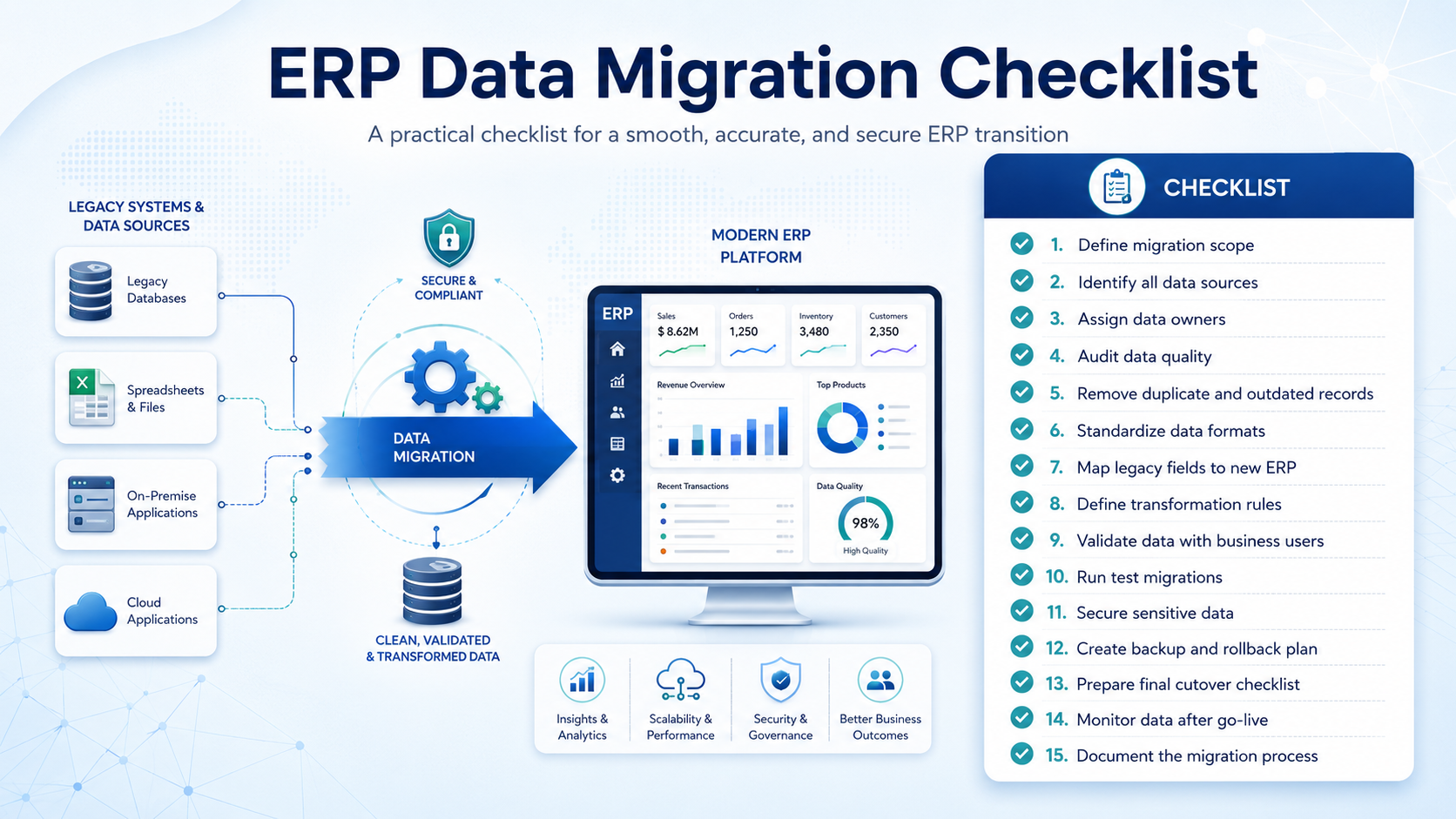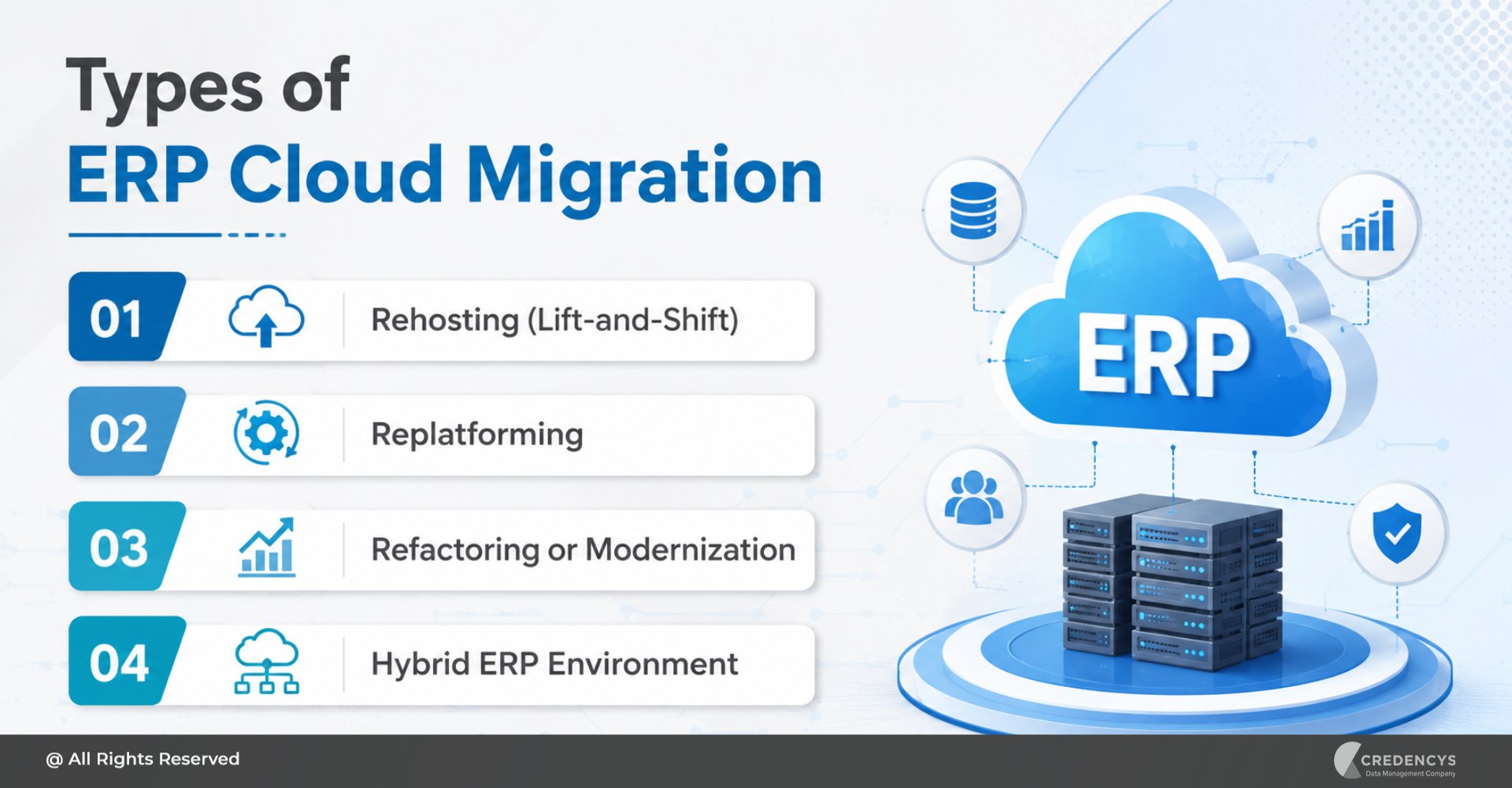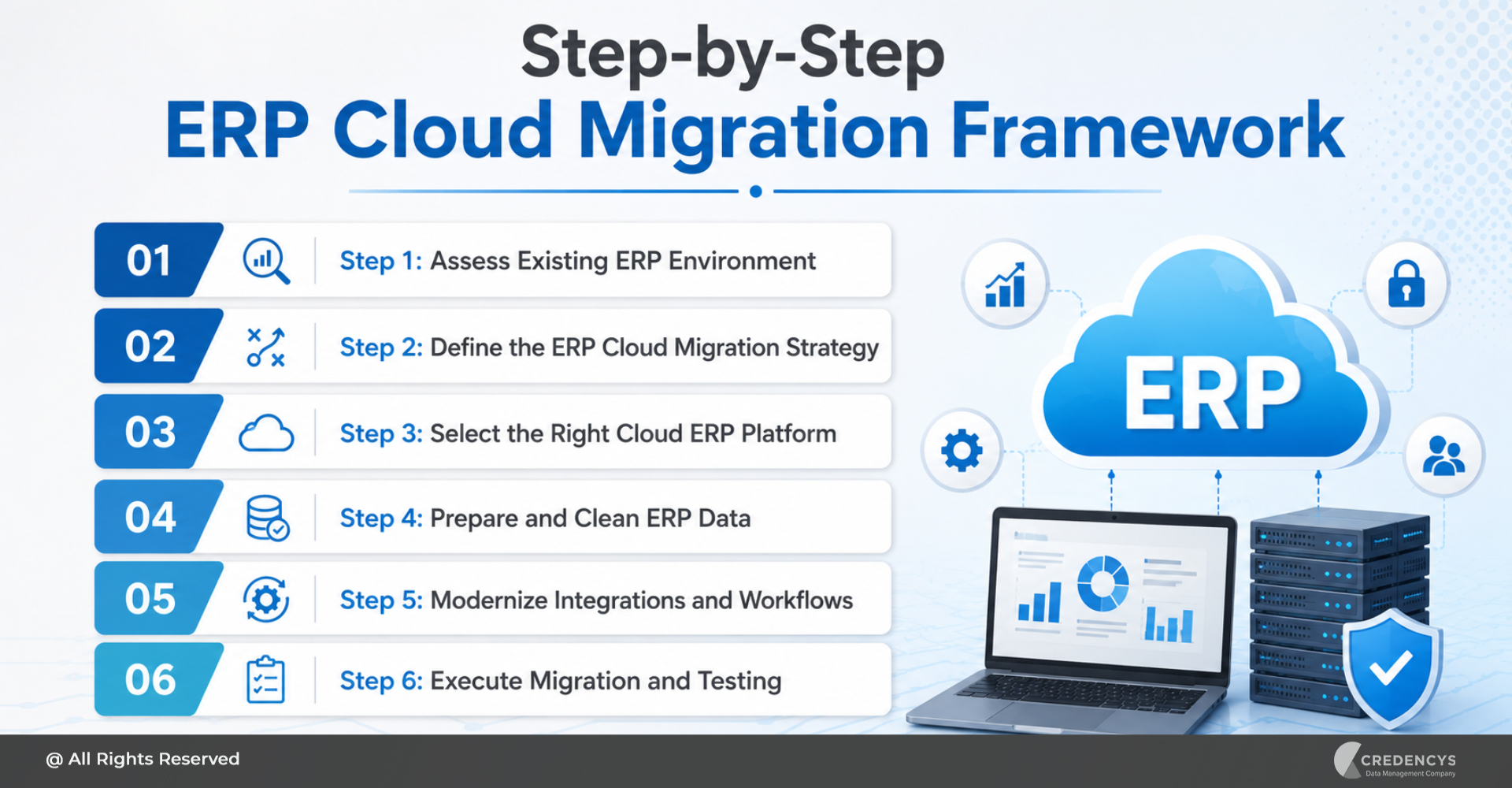
ERP Data Migration Checklist: Steps to Reduce Migration Risk

According to Gartner, poor data quality costs organizations an average of $12.9 million annually through operational inefficiencies, reporting errors, and failed business initiatives.

During ERP migration, these risks become even more critical because inaccurate or incomplete data can disrupt operations, delay go-live timelines, and reduce user adoption.

Many ERP migration projects fail not because of the ERP platform itself, but because businesses migrate years of duplicate, inconsistent, and unstructured enterprise data into the new system without proper preparation.

A structured ERP data migration checklist helps organizations reduce migration risk, improve data quality, accelerate implementation, and build a scalable foundation for long-term ERP success.

In this guide, we’ll walk through a complete ERP data migration checklist covering assessment, cleansing, mapping, validation, governance, testing, and post-migration readiness for modern ERP platforms like Odoo, SAP S/4HANA, Oracle NetSuite, and Microsoft Dynamics 365.

Why ERP Data Migration is More Than Just Moving Data

Many organizations assume ERP data migration is simply about transferring records from one system to another. In reality, successful ERP migration requires businesses to assess, cleanse, standardize, restructure, validate, and govern enterprise data before it enters the new ERP environment.

Without a structured migration approach, businesses often carry forward years of bad data into the new ERP system, creating long-term operational and reporting issues.

Common ERP Data Migration Problems

  • Duplicate customer, vendor, and product records
  • Inconsistent product hierarchies and attributes
  • Missing inventory and transactional data
  • Broken relationships between datasets
  • Poor master data governance
  • Reporting and analytics inaccuracies
  • Failed imports and migration delays
  • Low ERP user adoption after go-live

A well-defined ERP data migration checklist helps enterprises avoid these issues while improving migration accuracy, scalability, and long-term ERP performance.

What is an ERP Data Migration Checklist?

An ERP data migration checklist is a structured framework used to prepare, validate, migrate, and monitor enterprise data during ERP transformation initiatives. It helps organizations ensure that business-critical data such as:

  • Product data
  • Customer records
  • Vendor information
  • Inventory data
  • Financial records
  • Operational master data

Transactional history is properly prepared for migration into modern ERP platforms like SAP S/4HANA, Oracle NetSuite, Microsoft Dynamics 365, and Odoo.

Benefits of Following an ERP Data Migration Checklist

  • Reduced Migration Risk: Structured planning minimizes failed imports, missing records, and operational disruptions.
  • Improved Data Quality: Cleansed and standardized data improves reporting accuracy and ERP usability.
  • Faster ERP Adoption: Users trust the new ERP system when migrated data is accurate and consistent.
  • Better Operational Efficiency: Well-structured enterprise data improves workflows, automation, and decision-making.
  • Long-Term Scalability: Governed and standardized data creates a scalable foundation for future business growth.

The Complete ERP Data Migration Checklist

Successful ERP migration starts long before data is imported into the new system. Organizations must evaluate legacy systems, improve data quality, align business rules, validate dependencies, and prepare governance processes to reduce migration risk. Below is a step-by-step ERP data migration checklist that enterprises can follow to ensure a smooth and scalable ERP transformation.
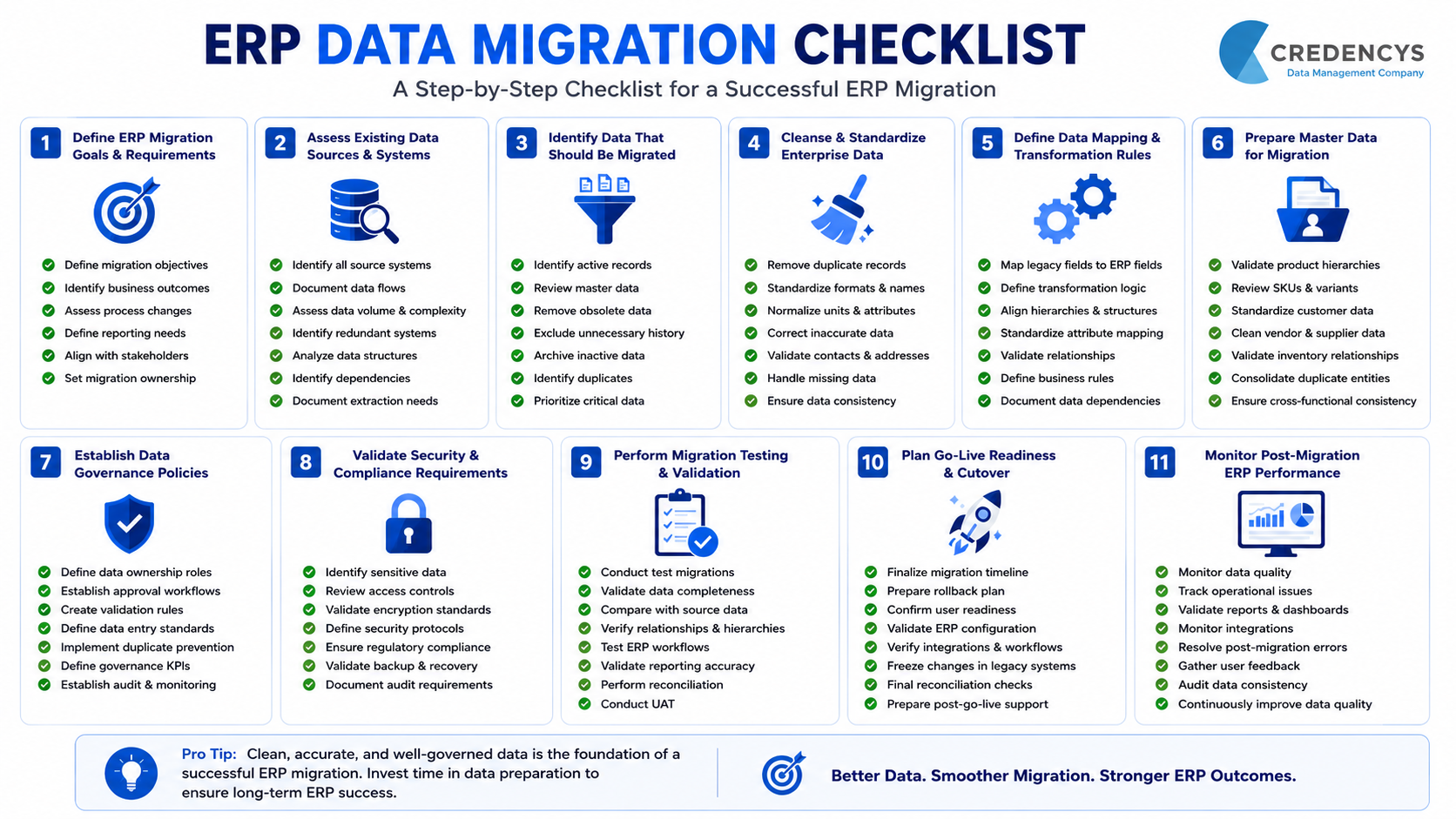
ERP Data Migration Checklist

1. Define ERP Migration Goals & Business Requirements

Before starting migration activities, organizations must clearly define what they want to achieve from the ERP transformation initiative. This includes identifying operational pain points, scalability goals, reporting requirements, compliance expectations, and future business needs.
Clear migration objectives help align stakeholders, prioritize datasets, and reduce unnecessary migration complexity.

ERP Migration Planning Checklist

  • Define ERP migration objectives and expected business outcomes
  • Identify operational inefficiencies in existing systems
  • Determine which business processes will change after migration
  • Define reporting and analytics requirements
  • Establish ERP scalability and growth expectations
  • Identify compliance and governance requirements
  • Align migration goals with business stakeholders
  • Create a migration ownership structure

2. Assess Existing Data Sources & Legacy Systems

Most enterprises operate with data spread across multiple ERPs, spreadsheets, databases, ecommerce platforms, POS systems, and custom applications. Understanding where data resides is critical before migration begins. A detailed assessment helps identify dependencies, duplicate systems, outdated datasets, and hidden migration risks.

Legacy System Assessment Checklist

  • Identify all source systems involved in migration
  • Document data flows between systems
  • Assess data volume and complexity
  • Identify duplicate and redundant systems
  • Analyze legacy database structures
  • Identify business-critical datasets
  • Review integration dependencies
  • Document data extraction requirements
  • Identify archived and inactive data

3. Identify Data That Should Be Migrated

Not all legacy data should move into the new ERP system. Many organizations unnecessarily migrate outdated, duplicate, incomplete, or unused records, increasing ERP complexity and reducing performance. Businesses should identify which datasets are relevant, accurate, and valuable for future operations.

Data Selection Checklist

  • Identify active product records
  • Review customer and vendor master data
  • Remove obsolete inventory records
  • Exclude outdated transactional history if unnecessary
  • Archive inactive datasets separately
  • Identify duplicate master data entities
  • Categorize structured and unstructured data
  • Prioritize business-critical data for migration

4. Cleanse & Standardize Enterprise Data

Poor-quality data is one of the biggest causes of ERP migration failure. Cleansing and standardization improve ERP usability, reporting accuracy, automation, and operational efficiency. This stage focuses on improving consistency across enterprise datasets before transformation begins.

Data Cleansing Checklist

  • Remove duplicate customer and vendor records
  • Standardize naming conventions
  • Normalize units, formats, and attributes
  • Correct incomplete or inaccurate records
  • Validate contact and address information
  • Standardize product categories and hierarchies
  • Remove inactive or unused records
  • Identify missing mandatory fields
  • Improve attribute consistency across datasets

5. Define ERP Data Mapping & Transformation Rules

ERP platforms often use different data structures, workflows, field types, and hierarchies. Data mapping ensures that legacy data aligns correctly with the architecture of the target ERP system. Transformation rules help businesses restructure data for compatibility and scalability.

Data Mapping Checklist

  • Map legacy fields to target ERP fields
  • Define transformation logic for data conversion
  • Align product hierarchies with target ERP structure
  • Standardize attribute mappings
  • Validate relationships between datasets
  • Define business rules for migration logic
  • Document data dependencies
  • Create transformation templates
  • Validate ERP compatibility requirements

6. Prepare Product, Customer & Master Data

Master data is often the most complex part of ERP migration because it impacts multiple departments and workflows.
Businesses must ensure that product structures, customer records, vendor profiles, and operational master data are scalable and standardized before migration.

Master Data Preparation Checklist

  • Validate product hierarchies and taxonomies
  • Review SKU structures and variants
  • Standardize customer master records
  • Clean vendor and supplier data
  • Validate inventory relationships
  • Standardize category structures
  • Consolidate duplicate entities
  • Validate pricing and operational attributes
  • Ensure cross-departmental data consistency

7. Establish Data Governance Policies

ERP migration should not only fix existing data issues but also prevent future data quality problems.
Governance policies help organizations maintain long-term ERP data quality, ownership, validation standards, and accountability.

Data Governance Checklist

  • Define data ownership roles
  • Establish approval workflows
  • Create validation rules for master data
  • Define data entry standards
  • Implement duplicate prevention processes
  • Define governance KPIs
  • Establish audit and monitoring processes
  • Create escalation workflows for data issues
  • Align governance policies across departments

8. Validate Data Security & Compliance Requirements

ERP migration often involves sensitive customer, operational, financial, and supplier data. Businesses must ensure that migration activities comply with internal governance policies and regulatory requirements.

Security & Compliance Checklist

  • Identify sensitive business data
  • Review access control requirements
  • Validate encryption standards
  • Define migration security protocols
  • Restrict unauthorized data access
  • Ensure compliance with industry regulations
  • Validate backup and recovery processes
  • Review audit trail requirements
  • Document compliance approvals

9. Perform Migration Testing & Validation

Testing is critical to identifying migration errors before ERP go-live. Organizations should validate data accuracy, completeness, relationships, and business process compatibility through structured testing cycles.

Migration Testing Checklist

  • Conduct sample data migration tests
  • Validate record completeness
  • Compare migrated data against source systems
  • Verify product hierarchies and relationships
  • Test ERP workflows using migrated data
  • Validate reporting accuracy
  • Identify import and transformation errors
  • Conduct reconciliation testing
  • Validate user acceptance testing outcomes

10. Plan Go-Live Readiness & Cutover Activities

Go-live preparation ensures that the organization is operationally ready to transition into the new ERP environment with minimal disruption. This stage requires coordination between IT teams, business users, ERP consultants, and operational stakeholders.

Go-Live Readiness Checklist

  • Finalize migration timelines
  • Prepare rollback and contingency plans
  • Confirm business user readiness
  • Validate ERP environment configuration
  • Verify integrations and workflows
  • Freeze legacy system changes before cutover
  • Conduct final reconciliation checks
  • Confirm backup availability
  • Prepare post-go-live support plans

11. Monitor Post-Migration ERP Performance

ERP migration does not end after go-live. Businesses must continuously monitor data quality, operational workflows, reporting accuracy, and user adoption to stabilize ERP operations.

Post-Migration Checklist

  • Monitor ERP data quality issues
  • Track operational disruptions
  • Validate reporting and dashboards
  • Monitor integration performance
  • Resolve post-migration errors quickly
  • Conduct user feedback sessions
  • Review governance policy effectiveness
  • Audit data consistency regularly
  • Continuously improve master data quality

Final Thoughts

ERP migration success depends heavily on data quality, structure, and governance. Migrating duplicate, incomplete, or inconsistent data into a new ERP system can create long-term operational and reporting issues. A structured ERP data migration checklist helps businesses:

  • Reduce migration risks and downtime
  • Improve data accuracy and consistency
  • Accelerate ERP implementation
  • Improve reporting and operational efficiency
  • Build a scalable foundation for future growth

Whether you’re migrating to SAP S/4HANA, Oracle NetSuite, Microsoft Dynamics 365, or Odoo, success starts with clean, migration-ready enterprise data.

At Credencys, we help enterprises prepare, cleanse, transform, and validate ERP data to support successful ERP modernization initiatives.

How to Migrate to a New ERP System: Step-by-Step Guide

Migrating to a new ERP system is one of the most important technology decisions a business can make. A successful ERP migration can improve operational efficiency, data accuracy, reporting speed, process visibility, and business scalability.

But ERP migration is also complex. It affects finance, procurement, inventory, sales, supply chain, HR, customer service, reporting, and several other business-critical functions.

If the migration is not planned properly, businesses may face data loss, process disruptions, integration failures, user resistance, and delayed go-live timelines. Before building a migration roadmap, businesses should first understand the broader ERP migration process, including planning, data preparation, testing, and go-live execution.

That is why ERP migration should not be treated as a simple software replacement project. It should be approached as a structured business transformation initiative.

This guide explains how to migrate to a new ERP system using a step-by-step roadmap that helps reduce risk, improve data quality, minimize downtime, and ensure a smoother transition.

What Does It Mean to Migrate to a New ERP System?

ERP migration is the process of moving business data, workflows, processes, integrations, reports, and users from an existing system to a new Enterprise Resource Planning platform. This may include migration from:

  • A legacy ERP to a modern ERP system
  • An on-premises ERP to a cloud ERP
  • A custom-built ERP to a standardized ERP platform
  • Spreadsheets and disconnected tools to a centralized ERP
  • One ERP platform to another, such as Odoo, SAP, Oracle NetSuite, Microsoft Dynamics 365, or Infor

However, ERP migration is not only about transferring data from one system to another. It also involves evaluating existing business processes, cleaning and preparing data, mapping data to the new ERP structure, modernizing integrations, testing workflows, training users, and supporting the business after go-live.

A successful ERP migration ensures that the new system is not just live, but also reliable, usable, scalable, and aligned with business goals.

When Should You Migrate to a New ERP System?

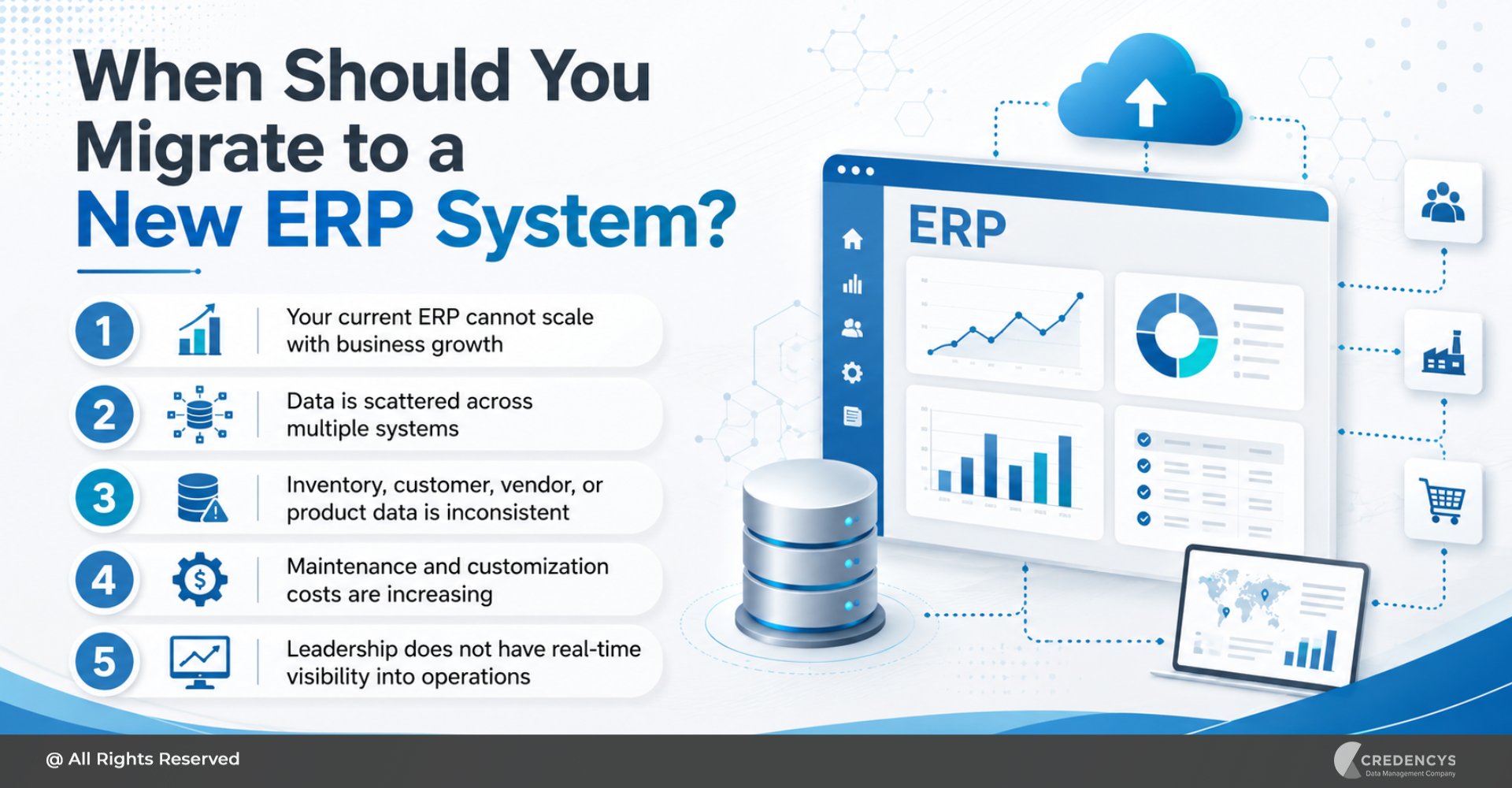
Businesses usually consider ERP migration when their existing system can no longer support growth, efficiency, or visibility. Here are some common signs that it may be time to migrate to a new ERP system:

  • Your current ERP cannot scale with business growth
  • Data is scattered across multiple systems
  • Inventory, customer, vendor, or product data is inconsistent
  • Maintenance and customization costs are increasing
  • Leadership does not have real-time visibility into operations

When Should You Migrate to a New ERP System

If these challenges are affecting daily operations, customer experience, or decision-making, an ERP migration may be necessary to build a more flexible, future-ready business foundation.

How to Migrate to a New ERP System: 10-Step Roadmap

Migrating to a new ERP system requires a clear roadmap. The following steps can help businesses plan, execute, and optimize ERP migration with greater confidence.

Step 1: Assess the Existing ERP Environment

The first step is to understand your current ERP environment in detail. Before selecting a new platform or starting migration, businesses should assess how the existing system supports current operations and where it creates limitations.

This assessment should include:

  • Current ERP architecture
  • Existing modules and customizations
  • Reports and dashboards
  • Manual workarounds
  • Compliance and security requirements

This step helps identify what should be migrated, improved, and eliminated. Many businesses make the mistake of moving everything from the old ERP into the new system.

This often results in carrying forward outdated processes, duplicate records, and poor-quality data. The goal should not be to copy the old ERP environment.

The goal should be to build a cleaner, more efficient, and more scalable ERP ecosystem.

Step 2: Define Business Goals and Migration Scope

ERP migration should always begin with clear business goals. Without defined objectives, migration projects can easily become too technical, too broad, or disconnected from business outcomes.

Start by identifying what the business wants to achieve from the new ERP system. Common ERP migration goals include:

  • Improving operational visibility
  • Increasing data accuracy
  • Improving financial reporting
  • Enabling automation
  • Improving customer service
  • Preparing for future growth

Once the goals are clear, define the migration scope. The scope should clarify:

  • Which departments are included
  • Which data sets will be migrated
  • Which reports need to be recreated
  • Which customizations are necessary
  • What will be included in phase one, and can be handled in later phases

A well-defined scope helps reduce delays, cost overruns, and project confusion. It also helps stakeholders stay aligned throughout the migration journey.

Step 3: Select the Right ERP Platform

Choosing the right ERP platform is one of the most critical decisions in the migration process. The new ERP system should not only meet current business needs but also support future growth, process complexity, integrations, and reporting requirements.

While selecting an ERP platform, businesses should evaluate:

  • Industry fit
  • Cloud readiness
  • Integration flexibility
  • User experience
  • Security and compliance
  • Total cost of ownership

Popular ERP platforms include Odoo, SAP, Oracle NetSuite, Microsoft Dynamics 365, Infor, and other industry-specific ERP solutions. The right choice depends on your business model, operational structure, data complexity, industry requirements, and long-term digital transformation goals.

Businesses planning to move from legacy systems to Odoo should also evaluate their Odoo ERP migration partner’s experience, methodology, and support model. For example, a retail business may prioritize inventory visibility, product data management, POS integration, ecommerce connectivity, and multi-location support.

A manufacturing business may focus more on production planning, bill of materials, procurement, quality control, and supply chain visibility.

ERP selection should not be based only on software features. It should be based on business fit.

Step 4: Build a Detailed ERP Migration Plan

Once the ERP platform is selected, the next step is to build a detailed migration plan. This plan acts as the execution roadmap for the entire project.

It defines the activities, responsibilities, timelines, dependencies, risks, and success criteria. A strong ERP migration plan should include:

  • Migration goals
  • Stakeholder roles
  • Process redesign plan
  • Testing strategy
  • Cutover plan
  • Communication plan
  • Post-go-live support plan

The plan should also identify dependencies between teams. For example, the data migration team may need finalized business rules before mapping data.

The integration team may need API details before testing workflows. Business users may need sample data before user acceptance testing.

ERP migration requires close collaboration between IT, business users, department heads, data teams, implementation partners, and leadership. The more detailed the plan, the easier it becomes to manage risks and avoid last-minute surprises.

Step 5: Audit and Clean ERP Data

Data is one of the biggest success factors in ERP migration. If inaccurate, duplicate, outdated, or incomplete data is moved into the new ERP system, the business will continue to face reporting errors, operational inefficiencies, and user distrust.

That is why data audit and cleansing should happen before migration. Businesses should review and clean data, such as:

  • Customer records
  • Product data
  • Pricing data
  • Employee records
  • Sales orders
  • Warehouse data
  • Tax and compliance data

Common data issues include:

  • Duplicate records
  • Incorrect formats
  • Inconsistent naming conventions
  • Mismatched customer records
  • Unstructured legacy data

Data cleansing helps ensure that only accurate, relevant, and usable data is moved into the new ERP system. Working with experienced ERP data migration experts can help businesses clean, standardize, map, and validate data before it is entered into the new ERP system.

To avoid carrying duplicate, incomplete, or inconsistent data into the new platform, follow proven ERP data migration best practices before go-live. For example, product categories, customer names, SKUs, units of measurement, location codes, pricing formats, and vendor details should follow consistent rules before migration.

Clean data improves reporting, automation, user adoption, and decision-making after go-live.

Step 6: Map Data to the New ERP System

After the data is cleaned, it must be mapped to the new ERP system. Data mapping defines how information from the old system will fit into the new ERP’s structure.

This includes mapping:

  • Source fields to target fields
  • Legacy modules to new ERP modules
  • Custom fields to standard or custom fields
  • Master data to new hierarchies

For example, the old ERP may store customer addresses in one format, while the new ERP requires separate fields for billing address, shipping address, region, tax zone, and country code. Similarly, product data may need to be restructured to align with the new ERP’s product hierarchy, category structure, variant logic, or inventory rules.

Data mapping should be carefully reviewed by both technical teams and business users. This ensures that the migrated data is not only technically correct but also meaningful for daily operations.

A strong data mapping process reduces migration errors, import failures, reporting gaps, and post-go-live confusion.

Step 7: Modernize Integrations and Workflows

ERP systems rarely operate in isolation. Most businesses connect ERP with several other systems, such as:

  • CRM
  • POS systems
  • MDM platforms
  • Supplier portals
  • HRMS
  • Business intelligence platforms

During migration, these integrations need to be reviewed and modernized. The goal is not only to reconnect old integrations but to improve how data flows across the business.

Businesses should evaluate:

  • Which integrations are still required
  • Which workflows can be automated
  • Which APIs need to be created or updated
  • Which systems should act as the source of truth

For businesses moving data across multiple systems, a structured data migration services approach can help preserve data integrity and reduce disruption.

For example, a retail company migrating to a new ERP may need to integrate ecommerce orders, POS transactions, warehouse inventory, product data, customer records, and financial reporting into a single ecosystem. Poor integration planning can lead to order delays, inventory mismatch, duplicate data entry, and reporting errors.

That is why integration modernization should be included early in the ERP migration strategy.

Step 8: Run Pilot Migration and Testing

Before full migration, businesses should run a pilot migration. A pilot migration allows teams to test the migration process with a smaller data set, selected modules, or specific business units before moving everything to the new ERP system.

This helps identify issues related to:

  • Data mapping
  • Import logic
  • Workflow accuracy
  • User experience

Testing should include multiple layers.

  • Functional Testing: This checks whether ERP modules and workflows are working as expected.
  • Data Validation Testing: This verifies that migrated data is complete, accurate, and correctly structured.
  • Integration Testing: This checks whether the new ERP connects properly with other business systems.
  • Performance Testing: This evaluates how the ERP performs under real business conditions.
  • User Acceptance Testing: This allows business users to test whether the new ERP supports their daily tasks.
  • Reconciliation Testing: This compares old and new system data to confirm the accuracy of the migration.

Testing should not be rushed. ERP migration affects business-critical operations.

Any unresolved issue before go-live can create major disruption after launch. If your ERP migration involves cloud modernization, a structured ERP cloud migration strategy can help reduce downtime, improve planning, and support long-term scalability.

Step 9: Execute Go-Live with a Cutover Plan

Go-live is the stage where the business officially moves from the old ERP system to the new one. This step requires careful coordination.

A go-live plan should include:

  • Final data backup
  • Final migration run
  • User access setup
  • Integration checks
  • Support team availability
  • Communication plan

A cutover plan defines how the transition will happen. It should answer questions such as:

  • When will the old system stop being used?
  • Who will validate the migrated data?
  • What happens if a critical issue appears?
  • How will business continuity be maintained?

Some businesses choose a big-bang migration, where all users and processes move to the new ERP at once. Others prefer a phased migration, where departments, locations, or modules are migrated gradually.

The right approach depends on business complexity, risk tolerance, data readiness, and operational requirements.

Step 10: Optimize After Migration

ERP migration does not end at go-live. After the system is live, businesses need to monitor performance, resolve issues, support users, and optimize processes.

Post-migration activities include:

  • Monitoring system performance
  • Resolving data issues
  • Fine-tuning workflows
  • Improving dashboards
  • Automating manual tasks
  • Planning future enhancements

This stage is important because users may discover new requirements only after they start using the system in real business scenarios. Post-migration optimization ensures that the new ERP continues to deliver business value beyond implementation.

It also helps the organization improve adoption, reduce manual work, and build a stronger digital foundation.

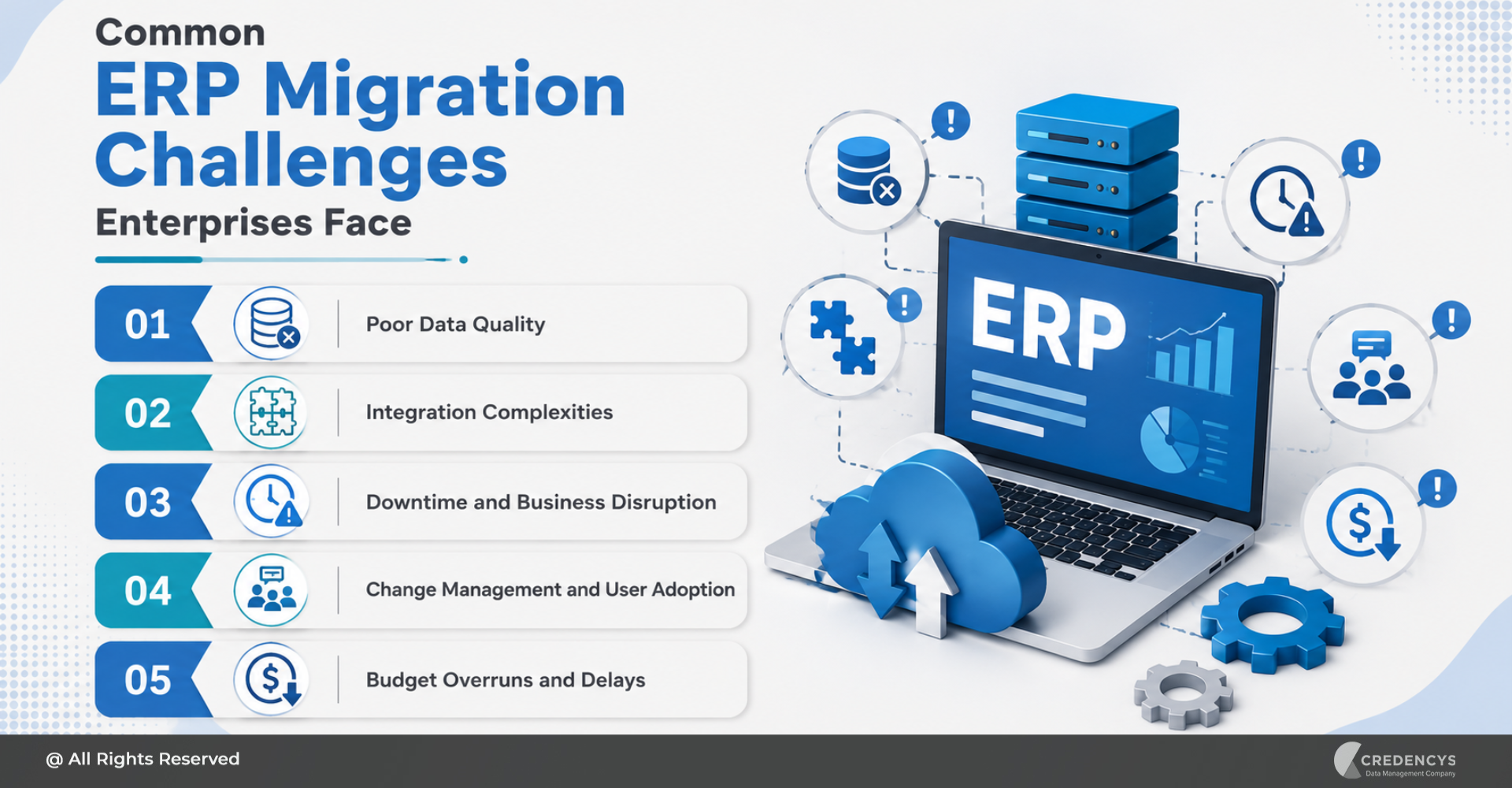
Common ERP Migration Challenges

ERP migration can pose several challenges if not properly planned. Here are some common ERP migration risks and how to solve them:

ChallengeBusiness ImpactHow to Solve It
Poor data qualityReporting errors, failed imports, and user distrustClean, standardize, deduplicate, and validate data before migration
Scope creepDelays, budget overruns, and confusionDefine clear scope, governance, and approval processes
Complex integrationsBroken workflows and operational disruptionMap all system dependencies and modernize integrations early
User resistanceLow adoption and reduced productivityInvolve users early and provide role-based training
Downtime riskBusiness disruption during go-liveUse a detailed cutover plan, backups, and rollback strategy
Incomplete testingErrors after go-liveRun functional, integration, performance, UAT, and reconciliation testing
Weak governanceInconsistent data and process issuesDefine data ownership, business rules, and approval workflows

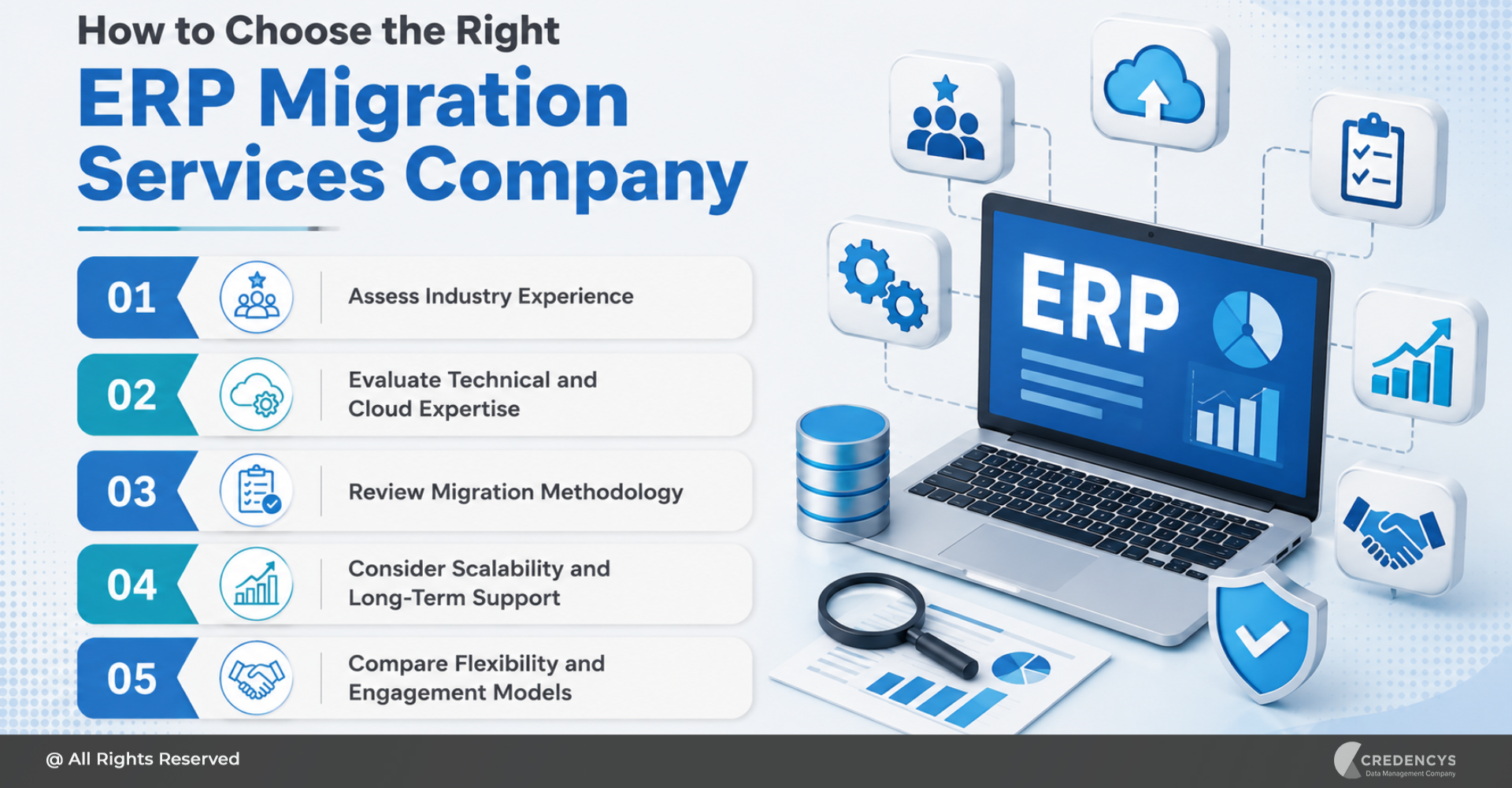
The best way to reduce these risks is to treat ERP migration as a structured transformation program rather than a one-time technical task. Businesses with complex migration needs should compare ERP migration services providers based on industry experience, technical expertise, migration methodology, and post-go-live support.

ERP Migration Checklist

Here is a quick ERP migration checklist businesses can use before moving to a new system:

ERP Migration Checklist

This checklist helps ensure that every critical part of the ERP migration process is planned, tested, and validated.

How Long Does ERP Migration Take?

The ERP migration timeline depends on business size, data complexity, number of systems, integration requirements, customization needs, and the selected ERP platform. A smaller business with limited data and fewer integrations may complete the migration faster.

A large enterprise with multiple locations, legacy systems, complex workflows, and years of historical data may require a longer migration timeline. Factors that influence ERP migration timelines include:

  • Number of departments involved
  • Quality of existing data
  • Level of customization
  • User training needs
  • Migration approach

Instead of rushing the migration, businesses should focus on readiness. A well-planned migration with clean data, clear governance, and proper testing is more valuable than a fast migration that creates long-term operational issues.

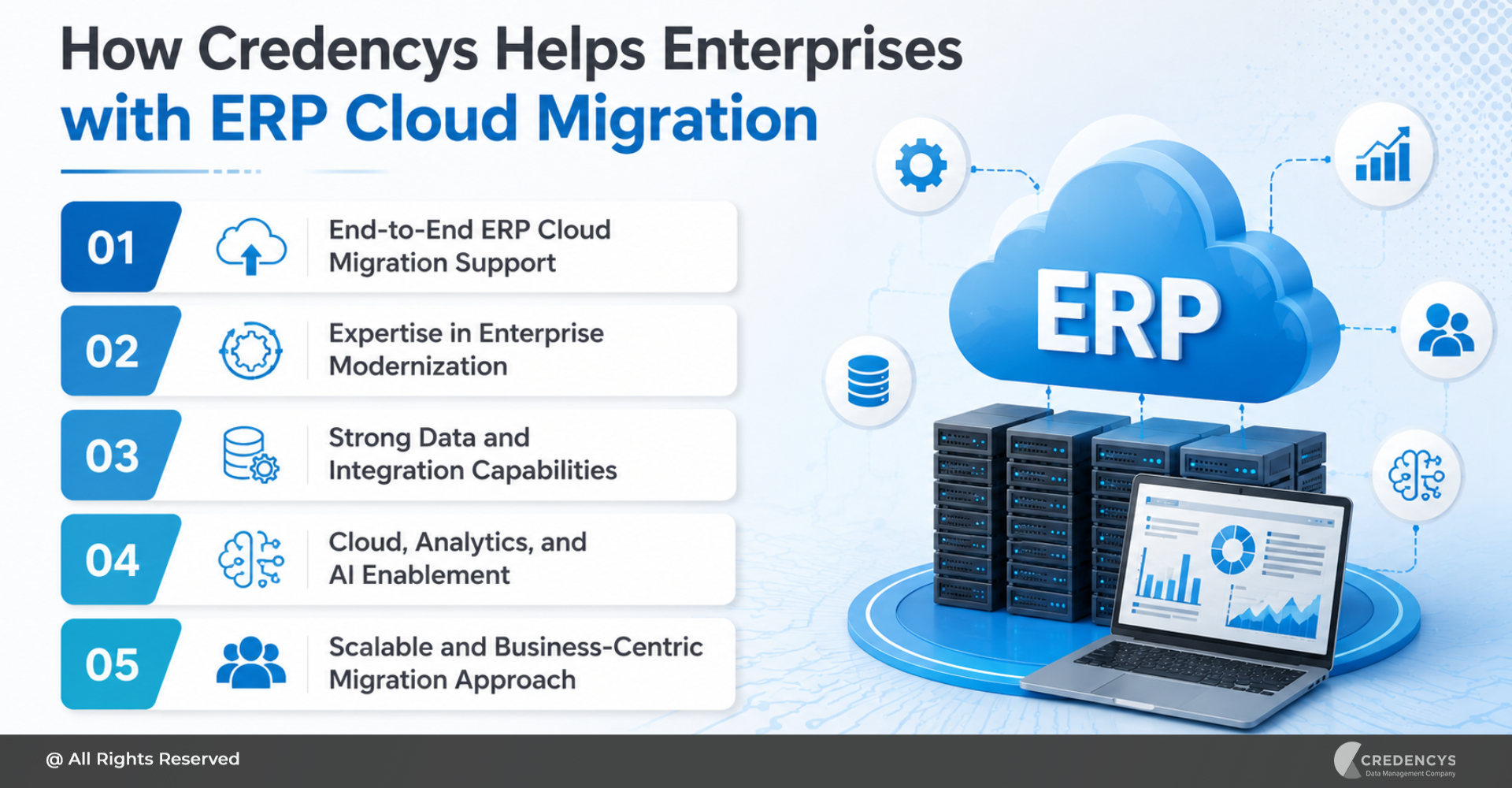
How Credencys Helps Businesses Migrate to a New ERP System

Credencys helps businesses migrate to new ERP systems with a strong focus on data quality, migration readiness, integration modernization, and business continuity. Our ERP migration support includes:

  • ERP migration assessment
  • Data discovery and profiling
  • Data standardization
  • Data transformation
  • Master data preparation
  • Workflow modernization
  • Go-live readiness support

How Credencys Helps Businesses Migrate to a New ERP System

We help businesses move from outdated, disconnected, and inefficient systems to modern ERP platforms that support scalability, visibility, automation, and better decision-making. Whether you are migrating to Odoo, Oracle NetSuite, SAP, Microsoft Dynamics 365, Infor, or another ERP platform, Credencys can help prepare your data, reduce migration risks, and support a smoother transition.

Credencys helped a multi-location retailer reduce ERP migration errors by 82% with Odoo Migration and improve inventory visibility with clean, structured ERP data. Read Full Case Study.

Conclusion

Migrating to a new ERP system is a major business decision. It impacts processes, people, data, systems, and long-term growth.

A successful ERP migration requires more than moving data from one platform to another. It requires a clear strategy, clean data, strong governance, modern integrations, detailed testing, user training, and post-go-live optimization.

Businesses that plan ERP migration carefully can reduce operational risks, improve data accuracy, increase process efficiency, and build a scalable foundation for future growth. If you are planning to migrate to a new ERP system, start by assessing your current systems, data quality, workflows, and integration landscape.

The right migration strategy can help you avoid disruption and make your new ERP system a stronger foundation for business transformation.

FAQs

1. What is ERP migration?

ERP migration is the process of moving business data, processes, workflows, users, integrations, and reports from an existing system to a new ERP platform. It may involve migrating from a legacy ERP, a custom ERP, an on-premises ERP, or disconnected systems to a modern cloud-based ERP solution.

2. How do you migrate to a new ERP system?

To migrate to a new ERP system, businesses should assess the current ERP environment, define migration goals, select the right ERP platform, clean and prepare data, map data to the new system, modernize integrations, test workflows, train users, execute go-live, and optimize after migration.

3. What is the most important step in ERP migration?

Data preparation is one of the most important steps in ERP migration. If inaccurate, duplicate, or incomplete data is moved into the new ERP system, it can create reporting errors, workflow issues, and user adoption challenges after go-live.

4. What are the common challenges in ERP migration?

Common ERP migration challenges include poor data quality, scope creep, integration complexity, downtime risk, user resistance, incomplete testing, and weak governance. These challenges can be reduced with proper planning, data cleansing, testing, and change management.

5. How can businesses reduce ERP migration risks?

Businesses can reduce ERP migration risks by building a detailed migration roadmap, cleaning data before migration, defining governance rules, testing integrations, running pilot migrations, preparing a rollback plan, training users, and working with an experienced ERP migration partner.

6. How can Credencys help with ERP migration?

Credencys helps businesses with ERP migration assessment, data cleansing, data mapping, data transformation, validation, reconciliation, integration support, testing, go-live readiness, and post-migration optimization.

Real-Time Data Pipelines: The Backbone of AI-Driven Decisions

Artificial intelligence is becoming central to how enterprises make decisions. From personalized product recommendations and demand forecasting to fraud detection and supply chain optimization, AI is helping businesses move faster and respond with greater precision.

But AI-driven decisions are only as strong as the data behind them. Many organizations still rely on batch-based systems that collect, process, and analyze data at fixed intervals.

While this approach works for historical reporting, it often fails when businesses need to respond to customer behavior, operational changes, or market signals as they happen. This is where real-time data pipelines become essential.

Real-time data pipelines help organizations collect, process, and deliver data with minimal delay. They ensure that AI models, analytics dashboards, and business applications are powered by fresh, accurate, and actionable data.

What Are Real-Time Data Pipelines?

A real-time data pipeline is a data architecture that continuously collects, processes, transforms, and delivers data from multiple sources to analytics platforms, AI/ML models, and business applications with minimal latency. Unlike traditional batch pipelines that process data at scheduled intervals, real-time pipelines process data as events occur.

These events can include customer clicks, product views, POS transactions, inventory updates, payment activity, IoT signals, or marketing campaign responses. In simple terms, real-time data pipelines help businesses move from “What happened yesterday?” to “What is happening right now, and what should we do next?”

A typical real-time pipeline includes:

  • Data sources such as CRM, ERP, POS, eCommerce platforms, mobile apps, and IoT systems
  • Ingestion tools that capture data continuously
  • Processing engines that clean, enrich, and transform streaming data
  • Storage platforms such as data lakes, data warehouses, or lakehouses
  • AI/ML models, dashboards, alerts, and business applications that activate insights

Real Time Data Pipeline

Why Real-Time Data Pipelines Matter for AI-Driven Decisions

AI models need accurate, timely, and contextual data to generate meaningful outputs. When data is outdated, incomplete, or fragmented, AI systems may produce inaccurate predictions or delayed recommendations.

Real-time pipelines reduce the time between data creation and business action. They help enterprises respond faster to customer behavior, operational risks, and market changes.

For example, a retailer can use real-time browsing data to personalize product recommendations while the customer is still active on the website. A supply chain team can respond to inventory movement before stockouts occur.

A marketing team can optimize a campaign while it is still running, rather than waiting until it ends. This speed matters because modern business decisions are increasingly time-sensitive.

Real-time data pipelines support:

  • Faster customer personalization
  • More accurate demand forecasting
  • Dynamic pricing decisions
  • Fraud and anomaly detection
  • Real-time operational monitoring
  • AI-powered decision intelligence

Operational intelligence is built on real-time visibility into streaming events and business operations, enabling organizations to act on insights through manual or automated actions. For decision-makers, the value is clear: real-time pipelines help enterprises shift from reactive reporting to proactive, AI-driven execution.

With the right data and analytics services, businesses can transform streaming data into timely insights, predictive intelligence, and automated actions.

Batch vs Near Real-Time vs Real-Time Data Pipelines

Pipeline TypeHow It WorksBest ForLimitation
Batch ProcessingProcesses data at scheduled intervalsHistorical reporting, compliance, periodic dashboardsDelayed insights
Near Real-Time ProcessingProcesses data with short delaysOperational monitoring, alerts, business dashboardsMay not be fast enough for time-sensitive AI use cases
Real-Time ProcessingProcesses data continuously as events occurPersonalization, fraud detection, dynamic pricing, AI automationRequires stronger architecture, governance, and monitoring

Not every business process needs real-time data. Before implementing streaming pipelines, organizations must understand the required latency level.

The right approach depends on business priorities. For example, monthly financial reporting may not require real-time processing.

But real-time personalization, fraud detection, and inventory optimization often do. The goal is not to make every pipeline real-time, but to apply real-time processing where speed directly impacts revenue, customer experience, risk, or operational efficiency.

Key Components of a Real-Time Data Pipeline

A reliable real-time pipeline requires multiple layers working together. Each layer plays a specific role in moving data from source systems to business action.

Building these layers requires a modern data engineering strategy that balances scalability, latency, governance, and business usability.

1. Data Sources

Real-time pipelines begin with enterprise data sources. These may include CRM systems, ERP platforms, POS systems, eCommerce websites, mobile apps, IoT devices, payment systems, customer service platforms, and third-party APIs.

In retail and CPG, this data may come from online browsing behavior, in-store purchases, inventory systems, loyalty programs, supplier systems, and marketing engagement platforms. The broader the source ecosystem, the more important it becomes to properly unify and govern data.

2. Data Ingestion Layer

The ingestion layer captures data continuously from source systems. This may involve APIs, streaming platforms, event queues, log-based ingestion, or change data capture.

The objective is to move data into the pipeline as soon as it is created or updated.

3. Stream Processing Layer

The stream processing layer transforms incoming data while it is still in motion. This layer can clean, filter, validate, enrich, aggregate, and join streaming data with historical or reference data.

Apache Flink, for example, is known for high-throughput, low-latency stream processing, event-time processing, and state management. Stream processing is important because raw events are rarely ready for decision-making.

They need a business context before they can be used by AI models or analytics systems.

4. Storage Layer

Processed data may be stored in a data warehouse, data lake, lakehouse, operational database, or real-time analytics store. For AI-driven enterprises, lakehouse architecture is becoming increasingly relevant because it supports both structured and unstructured data, analytics, and AI workloads in a unified environment.

The storage layer should support scalability, security, accessibility, and performance.

5. Governance and Monitoring Layer

Real-time does not mean uncontrolled. Data quality, lineage, schema management, access control, observability, and compliance must be embedded across the pipeline. Without governance, real-time data can quickly become unreliable.

Monitoring is also critical. Teams need visibility into pipeline latency, failures, throughput, data drift, and data quality issues.

6. Activation Layer

The final layer is where data becomes valuable. Real-time data can power AI/ML models, dashboards, alerts, recommendation engines, marketing platforms, pricing engines, and operational workflows.

This is where businesses move from data processing to business impact.

Common Real-Time Data Pipeline Patterns

Real-time data pipelines can be designed in different ways depending on the use case, data volume, latency needs, and existing architecture.

1. Event Streaming

Event streaming captures business events as they happen and makes them available to downstream systems. This is useful for customer behavior tracking, fraud detection, order monitoring, and operational alerts.

2. Change Data Capture

Change Data Capture tracks changes in databases and sends updates to downstream systems. This helps businesses keep data warehouses, lakehouses, and applications synchronized without relying only on batch jobs.

3. Stream Processing

Stream processing transforms and enriches live data before it reaches analytics or AI systems. This pattern is useful for aggregations, filtering, anomaly detection, and real-time personalization.

4. Lambda Architecture

Lambda architecture combines batch and real-time layers. It allows organizations to maintain historical accuracy while also supporting fresh insights.

5. Kappa Architecture

Kappa architecture uses streaming as the primary processing model. It simplifies architecture by reducing the need for separate batch and streaming layers.

6. Stream-Table Joins

This pattern combines real-time events with reference or historical data. For example, a live product view can be joined with customer profile data and inventory availability to generate a personalized recommendation.

Common Real-Time Data Pipeline Patterns

Recent research on Kafka-based event-streaming systems identifies patterns such as change data capture, stream-table joins, exactly once pipelines, log compaction, event sourcing replay, and multi-tenant topics.

Real-Time Data Pipeline Use Cases for Enterprises

Real-time data pipelines create value across multiple enterprise functions.

1. Real-Time Customer Personalization

Retailers can use real-time data to understand customer intent as it happens. For example, if a customer repeatedly views a product category, the system can instantly personalize recommendations, offers, or content.

When combined with Customer 360 data, this enables highly relevant omnichannel engagement.

2. Dynamic Pricing

Pricing decisions can be improved using real-time signals such as demand, inventory levels, competitor activity, customer segments, and seasonality. Instead of relying only on static pricing rules, businesses can use AI-powered dynamic pricing to adjust prices based on current market conditions.

3. Demand Forecasting

Demand forecasting becomes more accurate when AI models can access fresh sales, inventory, promotional, weather, and customer behavior data. This helps retailers and CPG businesses reduce stockouts, avoid overstocking, and improve replenishment planning.

4. Inventory and Supply Chain Optimization

Real-time pipelines help supply chain teams monitor inventory movement, warehouse activity, order status, and delivery delays. This visibility enables faster intervention when issues occur and supports better operational planning.

5. Fraud and Anomaly Detection

Financial transactions, payment events, and user activity can be monitored continuously to identify unusual behavior. Real-time detection helps reduce risk by allowing businesses to act before damage escalates.

6. AI-Powered Decision Intelligence

Real-time pipelines feed AI systems with fresh signals. These AI systems can then generate recommendations, alerts, predictions, or automated actions.

This is especially important as enterprises move toward AI agents and automated decision workflows.

How Real-Time Pipelines Support AI and Machine Learning

AI and machine learning systems depend on data freshness, consistency, and context. Real-time pipelines support AI in multiple ways by:

  • Providing fresh data for predictions
  • Enabling streaming features for real-time models
  • Helping monitor model performance continuously
  • Detecting changes in customer behavior or operating conditions
  • Triggering automated actions based on live events

For example, a retail AI model can recommend products based on current browsing behavior, past purchases, available inventory, and active promotions. Without real-time data, the recommendation may be less relevant or too late to influence the purchase decision.

The connection is simple: if enterprises want AI to support real-time decisions, they need pipelines that can deliver real-time data.

Best Practices for Building Real-Time Data Pipelines

To successfully build real-time pipelines, enterprises should follow a structured, business-first approach.

1. Start with High-Impact Use Cases

Not every process needs real-time data. Start with use cases where speed creates measurable business value, such as personalization, fraud detection, dynamic pricing, or inventory visibility.

2. Define Latency Requirements Clearly

Real-time means different things for different use cases. Some decisions require millisecond-level responses, while others can tolerate seconds or minutes of delay.

Define latency expectations before choosing tools or architecture.

3. Design for Scalability

Pipelines should be able to handle growing data volume, traffic spikes, and expanding use cases. Scalability should be built into the architecture from day one.

4. Embed Data Quality Checks Early

Data validation, deduplication, schema checks, and anomaly detection should happen before data reaches AI models or business applications. This helps ensure that decisions are based on trusted data.

5. Implement Pipeline Observability

Track pipeline health continuously. Monitor latency, failures, processing delays, data freshness, throughput, and error rates.

Observability helps teams detect and resolve issues faster.

6. Strengthen Governance and Security

Apply role-based access, data lineage, cataloging, encryption, and compliance policies across the pipeline. This builds trust and reduces risk.

7. Choose the Right Architecture and Tools

The right technology stack depends on your data volume, latency needs, cloud environment, team skills, and business goals. For some organizations, Databricks may be ideal for lakehouse-driven streaming and AI workloads.

For others, Snowflake may be a better fit for analytics, governed data sharing, and modernizing cloud data platforms.

Best Practices for Building Real-Time Data Pipelines

How Credencys Helps Build Real-Time Data Pipelines

Building real-time data pipelines requires the right mix of strategy, architecture, engineering, governance, and platform expertise. Credencys helps enterprises design and implement modern data ecosystems that support AI-driven decisions.

With expertise in data engineering, cloud data platforms, Databricks, Snowflake, AI/ML enablement, and industry-focused analytics, Credencys helps organizations move from fragmented data systems to scalable, real-time data architectures. Credencys can support enterprises across the pipeline journey, including:

  • Data engineering strategy
  • Data pipeline architecture and implementation
  • Real-time data integration
  • Lakehouse and cloud data platform implementation
  • Databricks and Snowflake consulting
  • Data quality and governance frameworks
  • AI/ML-ready data infrastructure
  • Retail-focused Customer 360, personalization, forecasting, and pricing solutions

For businesses looking to scale AI, real-time data pipelines are not just a technical foundation. They are a competitive advantage.

Conclusion

AI-driven decisions require more than advanced algorithms. They require timely, trusted, and connected data.

Real-time data pipelines help enterprises bridge the gap between data creation and business action. They enable organizations to respond faster, personalize experiences, improve operations, and power AI systems with fresh, contextual information.

As businesses adopt AI agents, dynamic pricing, predictive operations, and real-time customer intelligence, the need for robust real-time data pipelines will only grow. Enterprises that modernize their data pipelines today will be better prepared to make faster decisions, deliver better experiences, and unlock measurable value from AI.

FAQs

1. What is a real-time data pipeline?

A real-time data pipeline continuously collects, processes, and delivers data as events happen. It helps businesses power faster analytics, AI predictions, alerts, and automated decision-making.

2. Why are real-time data pipelines important for AI?

Real-time pipelines provide AI models with fresh and contextual data. This improves decision accuracy, personalization, responsiveness, and the ability to act on live business events.

3. What is the difference between batch and real-time data pipelines?

Batch pipelines process data at scheduled intervals, while real-time pipelines process data continuously as it is generated. Real-time pipelines are better suited for time-sensitive use cases such as fraud detection, dynamic pricing, and personalization.

4. What are the key components of a real-time data pipeline?

The key components include data sources, ingestion layer, stream processing layer, storage layer, governance and monitoring layer, and activation layer.

5. Which industries benefit from real-time data pipelines?

Retail, CPG, manufacturing, logistics, financial services, eCommerce, healthcare, and supply chain-intensive businesses benefit significantly from real-time data pipelines.

ERP Data Migration Best Practices: How to Move Business-Critical Data Without Risk

ERP data migration is one of the most critical steps in any ERP implementation, upgrade, or modernization project. It involves moving business-critical data such as customer records, vendor details, inventory data, financial transactions, product information, employee records, and historical business data from legacy systems into a new ERP platform. When done right, it creates a clean, reliable foundation for better operations, reporting, automation, and decision-making.

However, ERP data migration is also one of the biggest risk areas in an ERP project. Poor planning, duplicate records, incomplete mapping, inaccurate master data, and weak validation can lead to reporting errors, process disruptions, compliance issues, and low user trust after go-live.

According to Gartner, poor data quality costs organizations an average of $12.9 million every year, making data quality a business problem, not just a technical issue.

That is why following the right ERP data migration best practices is essential. A successful migration is not just about moving data. It requires proper planning, data cleansing, mapping, validation, testing, and post-migration monitoring to ensure the new ERP system runs on accurate, complete, and trusted data.

What is ERP Data Migration?

ERP data migration is the process of transferring data from existing systems, spreadsheets, legacy ERP platforms, or disconnected business applications into a new ERP system. This data may include customer information, supplier records, product catalogs, inventory details, financial data, purchase history, sales orders, employee records, and operational workflows.

But ERP data migration is not just a technical copy-paste activity. Before the data is moved, it must be reviewed, cleaned, structured, mapped, validated, and tested to make sure it fits the new ERP environment correctly.

A well-planned ERP data migration helps businesses:

  • Remove duplicate, outdated, and inaccurate data
  • Standardize data formats across departments
  • Improve reporting and analytics accuracy
  • Support smoother ERP adoption
  • Reduce operational disruption during go-live
  • Build a trusted foundation for future automation and AI initiatives

ERP Data Migration Best Practices

A successful ERP data migration requires more than moving data from one system to another. It needs a clear strategy, strong ownership, clean data, proper testing, and continuous validation.

ERP Migration Best Practices Blog Inner Image

Following these ERP data migration best practices can help reduce risk and ensure a smoother transition to the new ERP system.

1. Define a Clear ERP Data Migration Strategy

Start by creating a detailed migration strategy that defines what data needs to be migrated, where it currently exists, how it will be transformed, and how it will be validated after migration.

Your strategy should include:

  • Data sources to be migrated
  • Business-critical data categories
  • Migration scope and timeline
  • Roles and responsibilities
  • Data quality rules
  • Testing and validation approach
  • Cutover and rollback plan

A clear strategy keeps technical teams, business users, and leadership aligned throughout the ERP migration journey.

2. Audit and Assess Your Existing Data

Before migration begins, review the current state of your data. Most legacy systems contain duplicate, outdated, incomplete, or inconsistent records. Moving this data directly into the new ERP system can create serious issues after go-live.

A proper data assessment helps you identify:

  • Duplicate customer, vendor, or product records
  • Missing fields and incomplete master data
  • Outdated or inactive records
  • Incorrect formats across systems
  • Data stored in spreadsheets or disconnected tools
  • Data that is no longer useful for business operations

This step helps you decide what should be migrated, archived, cleaned, or removed. It also prevents unnecessary data from increasing migration complexity and slowing down the new ERP system.

3. Cleanse and Standardize Data Before Migration

Once the data audit is complete, clean and standardize the data before moving it into the new ERP system. This step ensures that only accurate, complete, and usable data enters the new environment.

Data cleansing may include:

  • Removing duplicate records
  • Correcting inaccurate or outdated information
  • Filling missing mandatory fields
  • Standardizing formats for names, addresses, dates, currencies, and units
  • Removing inactive or irrelevant data
  • Validating customer, vendor, product, and financial records

Standardized data helps the new ERP system work more efficiently across departments. It also improves reporting accuracy, reduces manual corrections, and builds user confidence after go-live.

4. Map Data Fields Accurately

Data mapping is one of the most important steps in ERP data migration. It defines how data from the old system will fit into the structure of the new ERP system.

For example, customer IDs, product codes, vendor details, tax fields, inventory units, and financial records may be stored differently in the legacy system and the new ERP platform. If these fields are not mapped correctly, it can lead to inaccurate reports, broken workflows, and process errors.

During data mapping, make sure to:

  • Match old system fields with new ERP fields
  • Define transformation rules for different formats
  • Align naming conventions and data structures
  • Map master data, transaction data, and historical data separately
  • Involve business users to validate field-level accuracy
  • Document all mapping rules for future reference

Accurate data mapping ensures that migrated data is placed correctly in the new ERP system and supports business processes without disruption.

5. Validate Data With Business Users

ERP data migration should not be handled by the technical team alone. Business users from finance, sales, procurement, inventory, HR, and operations should be involved in validating the migrated data.

They understand how the data is used in daily workflows and can quickly identify gaps, mismatches, or incorrect values that technical teams may miss.

During validation, business users should check:

  • Customer, vendor, and product records
  • Opening balances and financial data
  • Inventory quantities and units of measure
  • Pricing, tax, and discount rules
  • Purchase and sales order history
  • Reports and dashboards
  • Workflow dependencies

Business validation ensures that the migrated data is not only technically correct but also usable for real business operations. This reduces post-go-live issues and improves user confidence in the new ERP system.

6. Run Test Migrations Before Go-Live

Do not wait until the final go-live to test your ERP data migration. Run multiple test migrations in a controlled environment to identify errors, gaps, and performance issues early.

Test migrations help you check:

  • Whether data is transferred completely
  • Whether field mapping is accurate
  • Whether business rules are working correctly
  • Whether reports show the right numbers
  • Whether workflows run without errors
  • Whether large data volumes affect system performance

Each test migration should be reviewed by both technical teams and business users. Any issues found should be fixed, documented, and retested before the final migration.

7. Ensure Data Security and Compliance

ERP data migration often involves sensitive business information such as financial records, customer details, employee data, vendor contracts, pricing information, and transaction history. This makes data security a critical part of the migration process.

Make sure your migration plan includes:

  • Secure access controls for migration teams
  • Data encryption during transfer
  • Backup of existing data before migration
  • Compliance with industry and regional regulations
  • Clear approval workflows for sensitive data
  • Audit trails to track data movement and changes

Strong data security reduces the risk of data loss, unauthorized access, and compliance issues during migration. It also ensures that confidential business information remains protected throughout the ERP transition.

Common ERP Data Migration Challenges

Even with a strong plan, ERP data migration can become complex if data quality, ownership, and validation are not handled properly. Understanding the common challenges early helps businesses reduce risks before they affect the final go-live.

Some common ERP data migration challenges include:

  • Poor data quality: Duplicate, outdated, incomplete, or inaccurate records can create problems in the new ERP system.
  • Unclear data ownership: When teams do not know who is responsible for which data, decisions and approvals get delayed.
  • Complex data mapping: Legacy systems and new ERP platforms often store data in different formats and structures.
  • Lack of business validation: If business users are not involved, migrated data may be technically correct but operationally unusable.
  • Limited testing: Skipping test migrations can lead to errors during go-live.
  • Security and compliance risks: Sensitive business, customer, financial, or employee data must be protected throughout the migration process.

The best way to overcome these challenges is to treat ERP data migration as a business-critical initiative, not just a technical task. With the right planning, governance, testing, and validation, businesses can reduce migration risks and build a stronger ERP foundation.

How Credencys Can Help with ERP Data Migration

ERP data migration requires the right mix of technical expertise, business understanding, and data governance. At Credencys, we help businesses migrate complex ERP data with a structured, secure, and quality-first approach.

Our ERP data migration experts support you across the complete migration journey, from data discovery and cleansing to mapping, validation, testing, and final go-live.

We help businesses with:

  • Legacy data assessment: Identify data quality issues, duplicate records, incomplete fields, and migration risks before the project begins.
  • Data cleansing and standardization: Prepare clean, consistent, and usable data for the new ERP system.
  • ERP data mapping: Map legacy system fields to the new ERP structure with proper transformation rules.
  • Secure data migration: Move sensitive business data with strong access controls, backups, and compliance-focused processes.
  • Testing and validation: Run multiple test migrations to ensure accuracy before go-live.
  • Post-migration support: Monitor migrated data after go-live and resolve issues quickly.

ERP Data Migration Case Study: How a Multi-Location Retailer Reduced Migration Errors by 82%

A multi-location fashion and lifestyle retailer wanted to move from legacy systems, spreadsheets, POS tools, and ecommerce platforms to Odoo ERP. However, its product, customer, vendor, inventory, and transaction data was fragmented, duplicated, and inconsistent.

The Challenge

The retailer needed clean and migration-ready data before implementing Odoo. Key issues included duplicate customer and vendor records, missing product attributes, complex SKU variants, inventory mismatches across locations, and no clear data governance rules.

The Solution

A structured Odoo data migration approach was implemented, including:

  • Data assessment and migration planning
  • Data cleansing and deduplication
  • Product hierarchy and SKU structuring
  • Legacy-to-Odoo data mapping
  • Test migrations, validation, and reconciliation
  • Governance rules for ongoing data quality

Business Impact

The retailer achieved:

  • 82% reduction in migration errors
  • 99.4% validated data accuracy
  • 45% faster go-live readiness
  • 38% improvement in inventory visibility
  • 60% reduction in duplicate records

Read full case study here.

Wrapping Up

ERP data migration plays a major role in the success of any ERP implementation, upgrade, or modernization project. Clean, accurate, and well-structured data helps the new ERP system perform better, supports smoother business operations, and gives teams confidence in the information they use every day.

By following the right ERP data migration best practices, businesses can reduce migration risks, avoid data quality issues, improve reporting accuracy, and ensure a smoother go-live. The key is to treat migration as a strategic business initiative, not just a technical task.

With proper planning, data cleansing, mapping, testing, validation, and post-go-live monitoring, organizations can build a stronger ERP foundation that supports better decisions, faster processes, and long-term business growth.

ERP Migration: A Complete Guide to Successful ERP System Migration

ERP systems are the operational backbone of modern enterprises. They connect finance, procurement, inventory, manufacturing, supply chain, sales, HR, and reporting into one integrated business environment.

According to SAP, ERP helps organizations streamline core processes and create a single source of truth across business functions.

But as businesses grow, older ERP systems often become a barrier instead of an enabler. Legacy ERPs may struggle with scalability, integration, real-time reporting, compliance, automation, and AI-readiness. That is why many organizations are now prioritizing ERP migration to modernize their business operations and prepare for future growth.

However, erp system migration is not just a technical software shift. It is a business transformation initiative that impacts data, processes, people, reporting, integrations, compliance, and customer experience.

Gartner notes that data migrations are complex, expensive, and often disrupted by unexplored business requirements.

This guide explains what ERP migration means, why it matters, the common challenges, the best migration approaches, and how businesses can execute a successful ERP system migration with minimum risk.

What is ERP Migration?

ERP migration is the process of moving business data, workflows, configurations, integrations, and processes from an existing ERP system to a new or upgraded ERP platform.

This can include moving from:

  • Legacy ERP to modern cloud ERP
  • On-premise ERP to cloud ERP
  • One ERP vendor to another ERP platform
  • Multiple fragmented systems to a single centralized ERP
  • An older ERP version to a newer version
  • Custom-built ERP to standardized enterprise ERP
  • Department-level tools to a unified enterprise resource planning system

An ERP system migration typically involves data extraction, data cleansing, data mapping, configuration, customization, integration, testing, user training, go-live planning, and post-migration support.

The goal is not just to transfer data from one system to another. The real goal is to improve business efficiency, create better data visibility, reduce manual work, and enable faster decision-making.

Why Businesses Need ERP Migration

Many organizations delay ERP migration because it feels risky, costly, and disruptive. But delaying too long can create even bigger business challenges.

1. Legacy ERP Systems Limit Business Growth

Older ERP platforms often cannot keep up with modern business requirements. As companies expand across locations, product lines, regions, and channels, legacy ERPs may become slow, rigid, and difficult to scale. Common issues include:

  • Limited automation
  • Poor reporting capabilities
  • Manual data entry
  • Difficult integrations
  • Slow system performance
  • High maintenance costs
  • Lack of mobile access
  • Limited cloud readiness

A modern ERP system can help businesses manage growth with better speed, accuracy, and visibility.

2. Businesses Need Real-Time Data Visibility

Modern enterprises cannot rely on outdated reports and disconnected spreadsheets. Business leaders need real-time visibility into inventory, orders, cash flow, supplier performance, production, demand, and profitability.

ERP migration enables organizations to create a centralized data foundation where teams can access accurate and updated information from one platform. This improves:

  • Financial planning
  • Operational control
  • Demand forecasting
  • Procurement decisions
  • Inventory optimization
  • Customer service
  • Compliance reporting

3. Cloud ERP Adoption Is Increasing

Cloud ERP platforms are becoming the preferred choice for many businesses because they offer scalability, flexibility, easier updates, remote accessibility, and lower infrastructure dependency.

Migrating to cloud ERP can help companies reduce the burden of maintaining servers, managing upgrades, and supporting outdated infrastructure.

Cloud ERP also supports faster innovation through automation, analytics, AI, and API-based integrations.

4. ERP Migration Supports Digital Transformation

ERP migration is often the foundation for larger digital transformation initiatives. Without a modern ERP, businesses struggle to adopt advanced capabilities such as AI-driven forecasting, predictive analytics, process automation, customer intelligence, and real-time dashboards.

McKinsey highlights that ERP modernization can help enterprises improve outcomes when they take a product and platform approach instead of treating ERP upgrades as isolated technical projects.

A well-planned ERP system migration makes the business more agile, connected, and data-driven.

Types of ERP Migration

Not every ERP migration project is the same. The right approach depends on your current system, future goals, business complexity, and risk tolerance.

1. Legacy ERP to Modern ERP Migration

This is one of the most common types of ERP migration. Businesses move from outdated ERP software to a modern ERP platform that supports automation, scalability, and better integrations. This migration is suitable when the existing ERP:

  • Is no longer supported by the vendor
  • Has high maintenance costs
  • Cannot integrate with modern tools
  • Lacks real-time reporting
  • Slows down operations

2. On-Premise ERP to Cloud ERP Migration

In this approach, businesses move from locally hosted ERP infrastructure to a cloud-based ERP platform.

This helps reduce infrastructure dependency and improves accessibility, scalability, and disaster recovery. Cloud ERP migration is ideal for companies that want:

  • Remote access
  • Faster upgrades
  • Lower IT infrastructure burden
  • Better scalability
  • Subscription-based ERP models
  • Easier integration with cloud applications

3. ERP Version Upgrade Migration

Sometimes businesses do not change the ERP platform completely. Instead, they migrate from an older version of the same ERP to a newer version.

This may still involve significant data migration, configuration changes, testing, and user training.

4. Multi-System to Single ERP Migration

Many growing companies use different tools for finance, inventory, HR, sales, procurement, and operations. Over time, this creates data silos and operational inefficiencies.

A multi-system ERP migration consolidates fragmented systems into one integrated ERP platform. This improves:

  • Data consistency
  • Process standardization
  • Reporting accuracy
  • Cross-functional collaboration
  • Operational control

5. ERP Vendor-to-Vendor Migration

This involves moving from one ERP provider to another, such as migrating from a legacy ERP to Odoo, SAP, Oracle NetSuite, Microsoft Dynamics 365, Acumatica, Infor, or another ERP platform.

Vendor-to-vendor ERP migration requires careful planning because data structures, modules, workflows, and configurations may differ significantly.

Key Benefits of ERP Migration

A successful ERP migration can deliver measurable improvements across operations, finance, IT, and business leadership.

1. Improved Operational Efficiency

ERP migration helps automate manual processes and eliminate duplicate work. Teams can manage purchase orders, invoices, inventory, production, sales orders, and approvals from a unified system.

This reduces errors, saves time, and improves productivity.

2. Better Data Accuracy

Poor data quality is one of the biggest reasons ERP projects fail to deliver value. During ERP migration, businesses get an opportunity to cleanse, validate, deduplicate, and standardize their data.

This leads to more accurate reports, better decisions, and fewer operational issues.

3. Centralized Business Visibility

A modern ERP creates a single view of business operations. Instead of relying on disconnected spreadsheets and department-specific tools, leaders can access real-time insights from one platform. This improves visibility into:

  • Revenue
  • Expenses
  • Inventory
  • Production
  • Procurement
  • Customer orders
  • Vendor performance
  • Cash flow

4. Lower Maintenance Costs

Legacy ERP systems can be expensive to maintain. They often require specialized resources, custom patches, manual upgrades, and outdated infrastructure.

ERP system migration can reduce long-term maintenance costs by moving businesses to a more scalable and supportable platform.

5. Stronger Compliance and Security

Modern ERP systems offer better access controls, audit trails, compliance workflows, and security features. This is especially important for industries such as manufacturing, retail, healthcare, finance, logistics, and distribution.

6. Better Integration with Business Applications

Today’s ERP systems must connect with CRM, eCommerce, POS, WMS, TMS, payroll, banking, tax platforms, supplier portals, analytics tools, and customer data platforms.

ERP migration allows businesses to build a more connected technology ecosystem.

Common ERP Migration Challenges

ERP migration can create significant value, but only when managed properly. Without the right strategy, it can lead to delays, cost overruns, data issues, and business disruption.

Gartner predicts that by 2027, more than 70% of recently implemented ERP initiatives may fail to fully meet their original business case goals.

Here are the most common challenges businesses face during ERP system migration.

1. Poor Data Quality

ERP migration often exposes years of duplicate, incomplete, outdated, or inconsistent data. Common data issues include:

  • Duplicate vendor records
  • Incorrect customer details
  • Inconsistent product codes
  • Missing tax information
  • Unstructured inventory data
  • Outdated employee records
  • Inaccurate financial balances

If poor-quality data is moved into the new ERP, the new system will continue to produce unreliable reports and process errors.

2. Complex Data Mapping

Every ERP system has its own data structure. Fields, tables, workflows, naming conventions, and business rules may differ between the old and new systems. Data mapping becomes challenging when businesses have:

  • Multiple legacy systems
  • Custom fields
  • Complex product hierarchies
  • Region-specific tax structures
  • Different chart of accounts
  • Custom workflows
  • Historical transaction data

Incorrect mapping can lead to broken reports, failed transactions, and compliance risks.

3. Business Process Misalignment

Many companies make the mistake of migrating old processes into a new ERP without reviewing whether those processes are still relevant.

This limits the value of ERP migration. Before migration, businesses should analyze current workflows and redesign them where needed.

4. Integration Complexity

ERP systems rarely operate alone. They are connected to many other business applications. During migration, integrations must be carefully planned, rebuilt, tested, and validated. Common integrations include:

  • CRM
  • eCommerce
  • POS
  • Warehouse management system
  • Logistics platforms
  • Banking systems
  • Payroll systems
  • BI and analytics tools
  • Supplier portals
  • Tax and compliance tools

A weak integration strategy can create data silos and process failures after go-live.

5. Downtime and Business Disruption

ERP migration can impact daily operations if not planned properly. Businesses must decide when to migrate, how much downtime is acceptable, and how to manage transactions during the cutover period.

Poor cutover planning can affect:

  • Order processing
  • Invoicing
  • Inventory updates
  • Procurement
  • Payroll
  • Financial closing
  • Customer service

6. User Resistance

ERP migration changes how people work. If users are not trained properly, they may resist the new system or continue using old spreadsheets and manual processes.

Change management is just as important as technical implementation.

7. Inadequate Testing

ERP migration requires multiple rounds of testing, including data testing, functional testing, integration testing, performance testing, user acceptance testing, and security testing.

Skipping testing can lead to serious issues after go-live.

ERP Migration Strategy: Step-by-Step Process

A successful ERP migration requires a structured approach.

ERP Migration Checklist

Below is a practical ERP migration strategy businesses can follow.

Step 1: Define ERP Migration Goals

Before starting the migration, define why the business is migrating and what success should look like.

Your goals may include:

  • Replacing outdated ERP software
  • Moving to cloud ERP
  • Improving data visibility
  • Reducing manual processes
  • Standardizing workflows
  • Supporting business expansion
  • Improving reporting and analytics
  • Reducing IT maintenance costs
  • Preparing for AI and automation

Clear goals help align business teams, IT teams, vendors, and leadership.

Step 2: Assess the Current ERP System

The next step is to evaluate the current ERP landscape. Review:

  • Existing ERP modules
  • Data quality
  • Customizations
  • Reports
  • Integrations
  • User roles
  • Workflows
  • Pain points
  • Compliance requirements
  • System limitations
  • Historical data requirements

This assessment helps identify what should be migrated, improved, archived, or eliminated.

Step 3: Build a Business-Led Migration Plan

ERP migration should not be owned by IT alone. It should involve finance, operations, procurement, supply chain, sales, HR, compliance, and leadership teams. A business-led migration plan should include:

  • Scope of migration
  • Business requirements
  • Data migration strategy
  • Integration plan
  • Testing plan
  • Change management plan
  • Cutover strategy
  • Training plan
  • Risk management plan
  • Success metrics

This ensures the new ERP supports actual business needs.

Step 4: Clean and Prepare ERP Data

Data preparation is one of the most important stages of ERP system migration.

Before moving data, businesses should:

  • Remove duplicate records
  • Standardize naming conventions
  • Validate customer and vendor data
  • Clean product and inventory data
  • Review financial data
  • Archive obsolete records
  • Correct incomplete fields
  • Define data ownership
  • Set data governance rules

Clean data improves the accuracy and reliability of the new ERP system.

Step 5: Map Data Between Old and New ERP Systems

Data mapping defines how fields from the old ERP will move into the new ERP. For example:

  • Old customer ID maps to new customer master ID
  • Legacy item code maps to new SKU structure
  • Old chart of accounts maps to new financial hierarchy
  • Vendor categories map to new supplier classifications
  • Historical transactions map to new reporting fields

Data mapping should be reviewed by both technical and business users to avoid errors.

Step 6: Decide What Data to Migrate

Not all data should be migrated. Businesses should decide whether to migrate:

  • Master data
  • Open transactions
  • Historical transactions
  • Financial balances
  • Customer records
  • Vendor records
  • Product data
  • Inventory records
  • Employee data
  • Contracts
  • Audit logs
  • Attachments and documents

In many cases, older data can be archived instead of migrated into the new ERP. This improves system performance and reduces migration complexity.

Step 7: Configure the New ERP System

Once the migration scope is clear, configure the new ERP based on future-state processes. Configuration may include:

  • Company structure
  • Chart of accounts
  • Approval workflows
  • User roles
  • Tax rules
  • Inventory locations
  • Procurement rules
  • Sales workflows
  • Reporting dashboards
  • Compliance settings
  • Access permissions

The goal is to align ERP configuration with business operations.

Step 8: Build and Test Integrations

The new ERP must connect with other systems across the enterprise. Before go-live, test all integrations carefully. Key checks include:

  • Data sync accuracy
  • API performance
  • Error handling
  • Duplicate prevention
  • Transaction flow
  • Security controls
  • Real-time or batch sync logic
  • Reporting dependencies

Integration testing helps prevent business disruption after migration.

Step 9: Run Pilot Migration

A pilot migration allows businesses to test the migration process on a smaller data set before full migration. This helps identify:

  • Data mapping issues
  • Missing fields
  • Transformation errors
  • Performance issues
  • Validation failures
  • User workflow gaps

Pilot migration reduces risk and improves confidence before final cutover.

Step 10: Conduct User Acceptance Testing

User Acceptance Testing, or UAT, ensures that business users can perform their daily tasks in the new ERP. UAT should include real-world scenarios such as:

  • Creating purchase orders
  • Processing invoices
  • Managing inventory
  • Generating financial reports
  • Creating sales orders
  • Running payroll
  • Approving workflows
  • Closing accounting periods
  • Managing supplier records

Business users should confirm that the new ERP supports their workflows correctly.

Step 11: Plan the Go-Live Cutover

The cutover plan defines how the business will move from the old ERP to the new ERP. A strong cutover plan should include:

  • Final data extraction schedule
  • Data freeze period
  • Backup plan
  • Migration execution steps
  • Validation checklist
  • Rollback plan
  • Communication plan
  • Business continuity plan
  • Go-live support team
  • Issue escalation process

Cutover planning is critical for reducing downtime and operational risk.

Step 12: Provide User Training

Even the best ERP system can fail if users do not know how to use it properly. Training should be role-based and practical. For example:

  • Finance users need training on accounts, reports, and closing processes
  • Procurement users need training on purchase orders and supplier management
  • Warehouse teams need training on inventory transactions
  • Sales teams need training on order processing
  • Managers need training on dashboards and approvals

Good training improves adoption and reduces resistance.

Step 13: Go Live and Monitor Performance

After go-live, monitor the ERP system closely. Track:

  • Data accuracy
  • Transaction success rate
  • System performance
  • User issues
  • Integration errors
  • Report accuracy
  • Workflow completion
  • Business continuity
  • Support tickets

The first few weeks after go-live are critical for stabilization.

Step 14: Optimize After Migration

ERP migration does not end at go-live. Once the system is stable, businesses should continue optimizing workflows, reports, dashboards, integrations, and automation. Post-migration optimization may include:

  • Improving dashboards
  • Automating approvals
  • Refining workflows
  • Enhancing reports
  • Adding integrations
  • Improving user roles
  • Strengthening governance
  • Introducing AI and analytics

This helps the business get maximum value from the new ERP system.

ERP Migration Best Practices

To improve the success of your ERP migration, follow these best practices.

1. Treat ERP Migration as a Business Project

ERP migration is not just an IT activity. It affects business operations, finance, supply chain, procurement, customer service, and leadership reporting. Include business stakeholders from the beginning.

2. Do Not Migrate Bad Data

Migrating poor-quality data into a new ERP creates long-term problems. Clean, validate, and standardize data before migration.

3. Avoid Unnecessary Customization

Too much customization increases complexity, cost, and future maintenance effort. Use standard ERP capabilities wherever possible.

4. Prioritize Critical Processes

Focus first on the processes that directly impact business continuity, such as finance, procurement, order management, inventory, and reporting.

5. Create a Strong Testing Strategy

Test data, workflows, integrations, reports, permissions, and performance before go-live.

6. Plan for Change Management

Communicate early, train users properly, and involve department leaders throughout the migration.

7. Maintain Data Governance

Define who owns data, who can modify it, and how data quality will be maintained after migration.

8. Keep a Rollback Plan Ready

Even with good planning, issues can happen. A rollback plan ensures the business can recover quickly if the migration faces critical problems.

How Credencys Can Help with ERP Migration

Credencys helps enterprises plan and execute ERP migration with a structured, business-first approach. From legacy data assessment to ERP data migration, integration, validation, and post-go-live support, our experts help businesses move to modern ERP platforms with greater confidence. We help you with:

  • ERP migration strategy and roadmap
  • Legacy ERP data assessment
  • Data cleansing and standardization
  • ERP data mapping and transformation
  • Master data migration
  • Historical data migration
  • System integration support
  • Testing and validation
  • Cutover planning
  • Post-migration optimization

Whether you are moving from a legacy ERP to cloud ERP, consolidating multiple systems, or upgrading to a modern ERP platform, Credencys helps you reduce risk and accelerate business value.

Conclusion

ERP migration is a critical step for businesses that want to modernize operations, improve data visibility, reduce manual work, and prepare for future growth.

But successful ERP system migration requires more than moving data from one platform to another. It requires a clear strategy, clean data, strong governance, business alignment, careful testing, user training, and post-go-live optimization.

With the right approach, ERP migration can transform the way your business operates. It can help you create a connected, scalable, and intelligent ERP foundation that supports better decisions, faster processes, and long-term growth.

FAQs on ERP Migration

1. What is ERP migration?

ERP migration is the process of moving business data, workflows, configurations, and integrations from an existing ERP system to a new or upgraded ERP platform.

2. Why is ERP migration important?

ERP migration helps businesses replace outdated systems, improve data visibility, automate processes, reduce manual work, and support business growth.

3. What is ERP system migration?

ERP system migration means transferring business operations, data, users, reports, and integrations from one ERP system to another or from an older ERP version to a newer one.

4. What are the main challenges in ERP migration?

The main challenges include poor data quality, complex data mapping, integration issues, downtime, user resistance, inadequate testing, and unclear business requirements.

5. How do you prepare for ERP migration?

Start by assessing the current ERP system, defining migration goals, auditing data, identifying integrations, cleaning data, mapping processes, and creating a detailed migration plan.

ERP Cloud Migration Strategy: Step-by-Step Framework for Success

Legacy ERP systems often struggle to support the speed, scalability, and flexibility modern enterprises need. As organizations accelerate digital transformation initiatives, ERP cloud migration has become a strategic priority to improve operational efficiency, enable real-time decision-making, and support AI-driven innovation.

The shift towards cloud ERP is growing rapidly.

Reports show that over 70% of ERP deployments are now cloud-based, while nearly 79% of new ERP implementations prefer cloud solutions.

However, ERP cloud migration is not simply a technology upgrade. Organizations often face challenges such as:

  • Complex legacy integrations
  • Poor data quality
  • Downtime risks
  • Security and compliance concerns
  • User adoption issues

Without a clear migration strategy, these challenges can delay projects, increase costs, and disrupt business operations.

Gartner also predicts that by 2027, more than 70% of ERP initiatives may fail to fully achieve their intended business outcomes due to poor alignment and execution.

A structured ERP cloud migration strategy helps enterprises reduce risk, modernize efficiently, and maximize long-term business value. In this blog, we will explore a step-by-step ERP cloud migration framework, key challenges, best practices, and strategic considerations for a successful transition to the cloud.

Understanding ERP Cloud Migration

ERP cloud migration is the process of moving an organization’s ERP system, applications, databases, and business processes from on-premises infrastructure to a cloud-based environment. The goal is to improve scalability, flexibility, system performance, and operational efficiency while reducing the dependency on legacy infrastructure.

Unlike traditional ERP systems that require heavy hardware investments and ongoing maintenance, cloud ERP platforms provide centralized access, automatic updates, easier scalability, and better integration capabilities.

ERP cloud migration can involve:

  • Migrating ERP applications and workloads to the cloud
  • Transferring historical and real-time business data
  • Modernizing integrations with other enterprise systems
  • Optimizing workflows for cloud-native operations
  • Improving security, accessibility, and disaster recovery capabilities

Types of ERP Cloud Migration

Enterprises can choose different migration approaches based on their business goals, legacy complexity, and modernization requirements.

  • Rehosting (Lift-and-Shift): Moves existing ERP applications to the cloud with minimal changes. This approach is faster but may not fully utilize cloud-native capabilities.
  • Replatforming: Makes selective optimizations during migration to improve performance, scalability, or integration without redesigning the entire ERP architecture.
  • Refactoring or Modernization: Redesigns ERP applications and workflows to fully leverage cloud-native technologies, automation, and advanced analytics capabilities.
  • Hybrid ERP Environment: Combines on-premises and cloud ERP systems, allowing organizations to migrate gradually while maintaining critical legacy operations.

Types of ERP Cloud Migration

Step-by-Step ERP Cloud Migration Framework

A successful ERP cloud migration requires more than simply moving applications to the cloud. Enterprises need a structured framework that aligns business objectives, technology decisions, data management, and operational continuity throughout the migration journey.

Below is a step-by-step ERP cloud migration framework that helps organizations reduce risk, improve efficiency, and maximize long-term business value.

Step 1: Assess Existing ERP Environment

Before starting the migration process, organizations must evaluate their current ERP ecosystem to understand technical limitations, business dependencies, and modernization requirements.

Evaluate Existing Infrastructure: Begin by analyzing,

  • Legacy ERP architecture
  • Customizations and configurations
  • Third-party integrations
  • Application performance issues
  • Infrastructure dependencies

This assessment helps identify systems that require modernization, replacement, or optimization before migration.

Identify Business Objectives: Clearly define the outcomes the organization expects from ERP cloud migration, such as:

  • Reducing operational costs
  • Improving scalability
  • Enhancing customer experiences
  • Enabling real-time analytics
  • Supporting global expansion
  • Increasing operational agility

Aligning migration goals with business priorities helps organizations make better technology and investment decisions.

Conduct a Cloud Readiness Assessment: A cloud readiness assessment evaluates whether the organization’s infrastructure, data, security posture, and internal processes are prepared for migration. Key areas to assess include:

  • Data quality and governance
  • Security and compliance requirements
  • Network and infrastructure readiness
  • Internal IT capabilities
  • Integration complexity

This stage also helps organizations identify potential risks, dependencies, and resource gaps early in the migration process.

A thorough ERP assessment creates a strong foundation for building a migration strategy that minimizes disruptions and supports long-term scalability.

Step 2: Define the ERP Cloud Migration Strategy

Once the existing ERP environment has been assessed, the next step is to create a clear migration strategy. This stage focuses on selecting the appropriate migration approach, defining the cloud architecture, and building a roadmap aligned with business objectives.

A well-planned strategy helps organizations reduce migration risks, control costs, and ensure smoother implementation.

Choose the Right Migration Approach: Different organizations require different migration models depending on their ERP complexity, operational requirements, and modernization goals.

  • Big Bang Migration: In this approach, the entire ERP system is migrated to the cloud in a single step. While this method can accelerate transformation, it also carries greater risks of downtime and operational disruptions.
  • Phased Migration: A phased approach migrates applications, modules, or business units gradually over time. This strategy reduces risk and allows teams to resolve issues incrementally.
  • Hybrid Migration: Some enterprises adopt a hybrid model in which certain ERP workloads remain on-premises while others move to the cloud. This approach is useful for organizations with strict compliance or legacy system dependencies.

Select the Right Cloud Deployment Model: Choosing the right cloud environment is equally important for long-term ERP performance and scalability.

  • Public Cloud: Offers cost efficiency, scalability, and faster deployment. Ideal for businesses seeking flexibility and lower infrastructure management responsibilities.
  • Private Cloud: Provides greater control, customization, and security for enterprises with strict regulatory or compliance requirements.
  • Hybrid Cloud: Combines public and private cloud capabilities, allowing organizations to balance flexibility, security, and operational control.

Build a Detailed Migration Roadmap: An ERP cloud migration roadmap provides a structured execution plan and ensures alignment across technical and business teams. The roadmap should include:

  • Migration timelines and milestones
  • Budget and resource planning
  • Risk assessment and mitigation strategies
  • Testing and validation plans
  • Disaster recovery and rollback procedures
  • Post-migration optimization goals

At this stage, organizations should also establish governance frameworks, define stakeholder responsibilities, and create communication plans to ensure smooth collaboration throughout the migration lifecycle. A clearly defined ERP cloud migration strategy helps enterprises execute migration projects more efficiently while minimizing operational disruptions and unexpected costs.

Step 3: Select the Right Cloud ERP Platform

Choosing the right cloud ERP platform is one of the most important decisions in the migration journey. The platform should not only support current operational needs but also enable future scalability, integration, automation, and innovation.

Selecting the wrong platform can lead to performance limitations, integration challenges, higher costs, and poor user adoption.

Key Factors to Consider: Organizations should evaluate cloud ERP platforms based on both technical and business requirements.

  • Scalability and Flexibility: The ERP platform should support business growth, increasing transaction volumes, multi-location operations, and evolving business models without major infrastructure changes.
  • Integration Capabilities: Modern ERP systems must seamlessly integrate with CRM platforms, supply chain systems, HR applications, analytics tools, and third-party business applications.
  • Security and Compliance: Security features such as identity management, encryption, access controls, and compliance certifications are essential for protecting enterprise data and meeting regulatory requirements.
  • Customization and Industry Fit: Different industries have unique operational requirements. Enterprises should choose ERP platforms that support industry-specific workflows, compliance standards, and customization needs.
  • AI and Analytics Support: Modern cloud ERP platforms increasingly offer built-in AI, automation, predictive analytics, and real-time reporting, improving operational efficiency and decision-making.
  • Total Cost of Ownership: Organizations should evaluate licensing costs, implementation expenses, infrastructure savings, maintenance requirements, and long-term operational costs before making a decision.

Popular Cloud ERP Platforms: Several enterprise-grade cloud ERP platforms are widely adopted across industries.

  • SAP S/4HANA Cloud: Known for large-scale enterprise operations, advanced analytics, and strong manufacturing and supply chain capabilities.
  • Oracle Cloud ERP: Offers strong financial management, automation, and enterprise performance management features.
  • Microsoft Dynamics 365: Provides seamless integration with the Microsoft ecosystem and supports flexible deployment for mid-sized and large enterprises.
  • NetSuite: Popular among growing businesses for its scalability, cloud-native architecture, and unified business management capabilities.
  • Odoo: A flexible and modular ERP platform known for its open-source capabilities, customization flexibility, and suitability for businesses seeking scalable and cost-efficient cloud ERP solutions.

Align Platform Selection with Long-Term Business Goals: Rather than selecting an ERP platform based solely on current requirements, enterprises should focus on long-term transformation goals, such as:

  • Global business expansion
  • AI adoption
  • Process automation
  • Data-driven decision-making
  • Omnichannel operations
  • Operational agility

The right cloud ERP platform creates a strong foundation for innovation, operational resilience, and future digital transformation initiatives.

Step 4: Prepare and Clean ERP Data

Data is one of the most critical components of any ERP cloud migration project. Migrating inaccurate, outdated, or duplicate data into a new cloud environment can create operational inefficiencies, reporting issues, and poor user experiences.

Before migration begins, organizations must establish a strong data preparation and governance strategy to ensure data accuracy, consistency, and reliability.

Conduct a Data Audit: The first step is to evaluate the quality and relevance of existing ERP data. Organizations should identify:

  • Duplicate records
  • Incomplete or inaccurate data
  • Obsolete business information
  • Redundant datasets
  • Unused master data

This process helps reduce unnecessary data migration costs and improves overall system performance after migration.

Define Data Governance Standards: Clear data governance policies help maintain consistency across departments and systems. Key governance areas include:

  • Master data management
  • Data ownership and accountability
  • Data classification policies
  • Access controls and security standards
  • Compliance requirements

Strong governance ensures that business-critical information remains accurate and secure throughout the migration lifecycle.

Clean and Standardize Data: Data cleansing is essential for improving ERP performance and analytics accuracy in the cloud environment. This stage may involve:

  • Removing duplicate entries
  • Correcting inconsistencies
  • Standardizing naming conventions
  • Validating records
  • Enriching incomplete datasets

Clean data improves reporting accuracy, workflow automation, and decision-making capabilities after migration.

Build a Data Migration Plan: A detailed migration plan helps organizations move data securely and efficiently. The plan should include:

  • Data mapping between old and new systems
  • Migration timelines
  • Validation and testing procedures
  • Backup and recovery strategies
  • Rollback planning in case of migration failures

Organizations should also prioritize critical business data to minimize operational disruptions during migration.

Test Data Before Go-Live: Before final deployment, migrated data should be thoroughly tested to verify:

  • Data accuracy
  • System compatibility
  • Integration performance
  • Reporting consistency
  • Security and access permissions

Comprehensive testing reduces the risk of business disruptions and ensures a smoother transition to the new cloud ERP environment.

Well-prepared and governed data not only supports a successful ERP cloud migration but also strengthens long-term analytics, automation, and operational efficiency initiatives.

Step 5: Modernize Integrations and Workflows

ERP systems are deeply connected with multiple business applications, including CRM platforms, supply chain systems, HR software, finance tools, and analytics platforms. During ERP cloud migration, organizations must modernize these integrations and workflows to ensure seamless operations in the new environment.

Simply migrating outdated processes to the cloud can limit the full value of cloud ERP transformation.

Analyze Existing Integrations: Identify all systems connected to the current ERP environment. This may include:

  • Customer Relationship Management (CRM) platforms
  • Supply chain and inventory systems
  • HR and payroll applications
  • Business intelligence and analytics tools
  • eCommerce and customer service platforms

Understanding integration dependencies helps organizations avoid disruptions and compatibility issues during migration.

Redesign Business Processes: ERP cloud migration is also an opportunity to optimize and standardize workflows. Organizations should:

  • Eliminate redundant manual processes
  • Simplify complex workflows
  • Improve cross-department collaboration
  • Automate repetitive operational tasks
  • Align workflows with modern business requirements

Modernized workflows improve productivity, reduce operational bottlenecks, and enhance user experiences.

Enable API-Driven Connectivity: Cloud ERP platforms rely heavily on APIs and cloud-native integrations for real-time data exchange. API-driven integration enables:

  • Faster system connectivity
  • Real-time data synchronization
  • Improved scalability
  • Easier third-party application integration
  • Better interoperability across cloud environments

This approach also supports future digital transformation initiatives involving AI, automation, analytics, and IoT ecosystems.

Focus on Automation Opportunities: Modern cloud ERP platforms offer built-in automation capabilities that can streamline operations and reduce manual effort. Organizations can automate:

  • Invoice processing
  • Inventory updates
  • Procurement workflows
  • Customer order management
  • Reporting and approvals

Automation not only improves efficiency but also reduces human errors and operational costs.

Ensure Integration Security and Performance: As integrations expand across cloud environments, organizations must prioritize:

  • Secure API management
  • Access controls and authentication
  • Data encryption
  • Performance monitoring
  • Integration testing

Strong integration governance ensures reliable and secure communication between business systems.

By modernizing integrations and workflows during ERP cloud migration, enterprises can create a more connected, agile, and scalable operational ecosystem that supports long-term business growth.

Step 6: Execute Migration and Testing

Once the migration strategy, data preparation, and integrations are in place, organizations can begin the actual ERP cloud migration process. This stage requires careful execution, continuous monitoring, and rigorous testing to minimize operational disruptions and ensure system stability.

A well-managed execution phase helps enterprises reduce downtime, identify issues early, and improve overall migration success rates.

Start with a Pilot Migration: Before migrating the entire ERP environment, organizations should conduct a pilot migration for selected modules, users, or business units. A pilot migration helps:

  • Validate the migration strategy
  • Identify performance or compatibility issues
  • Test integrations and workflows
  • Evaluate system stability
  • Reduce risks before full-scale deployment

This phased validation approach improves confidence and minimizes unexpected disruptions during final migration.

Perform Comprehensive Testing: Testing is critical to ensure the cloud ERP environment functions properly across all business operations. Key testing areas include:

  • Functional Testing: Verifies whether ERP modules, workflows, and business processes operate correctly after migration.
  • Performance Testing: Evaluates system speed, scalability, response times, and workload handling under real business conditions.
  • Security Testing: Ensures data protection, access controls, authentication mechanisms, and compliance requirements are properly implemented.
  • User Acceptance Testing (UAT): Allows end users and business teams to validate workflows and confirm the system meets operational expectations.

Minimize Downtime and Operational Disruptions: ERP systems support mission-critical business operations, making downtime management a top priority during migration. Organizations can reduce disruptions by:

  • Using parallel environments during transition
  • Scheduling migration during low-traffic periods
  • Implementing rollback and recovery plans
  • Monitoring system performance in real time
  • Establishing clear communication protocols

A strong business continuity strategy helps maintain operational stability throughout the migration process.

Monitor Migration Performance: During execution, organizations should continuously track:

  • Migration progress
  • Data transfer accuracy
  • Integration performance
  • System availability
  • Error logs and issue resolution

Real-time monitoring enables teams to quickly identify and resolve issues before they impact business operations.

Step-by-Step ERP Cloud Migration Framework

Successful execution of an ERP cloud migration depends on careful planning, rigorous testing, and proactive risk management. Enterprises that prioritize testing and operational continuity can significantly improve migration outcomes and long-term system reliability.

How Credencys Helps Enterprises with ERP Cloud Migration

ERP cloud migration requires the right combination of strategy, technical expertise, data governance, and process modernization. Enterprises need a trusted technology partner that can manage migration complexities while ensuring scalability, security, and long-term business value.

Credencys helps organizations modernize legacy ERP environments through structured cloud migration strategies tailored to business goals and operational requirements.

End-to-End ERP Cloud Migration Support

Credencys supports enterprises throughout the entire migration lifecycle, including:

  • ERP assessment and cloud readiness evaluation
  • Migration strategy and roadmap development
  • Data migration and governance
  • Integration modernization
  • Workflow optimization
  • Testing and deployment
  • Post-migration support and optimization

This end-to-end approach helps businesses reduce migration risks and accelerate cloud adoption.

Expertise in Enterprise Modernization

Credencys helps organizations modernize legacy ERP ecosystems to improve:

  • Operational efficiency
  • Scalability
  • System performance
  • Business agility
  • Cross-functional collaboration

The focus is not just on moving systems to the cloud, but on building a future-ready digital foundation for long-term growth.

Strong Data and Integration Capabilities

ERP migration projects often involve complex data structures and multiple enterprise integrations. Credencys provides expertise in:

  • Data cleansing and governance
  • Master data management
  • API-driven integrations
  • Cloud-native architectures
  • Real-time data synchronization

This ensures seamless communication between ERP systems and other business-critical applications.

Cloud, Analytics, and AI Enablement

Modern cloud ERP systems create opportunities for advanced analytics, automation, and AI-driven decision-making. Credencys helps enterprises leverage:

  • Real-time business intelligence
  • AI-powered automation
  • Predictive analytics
  • Scalable cloud infrastructure
  • Unified enterprise data ecosystems

These capabilities help organizations improve operational visibility and accelerate digital transformation initiatives.

Scalable and Business-Centric Migration Approach

Every enterprise has unique operational challenges, compliance requirements, and growth objectives. Credencys adopts a business-centric migration approach that aligns technology implementation with long-term business goals.

By combining cloud expertise, enterprise integration capabilities, and data modernization experience, Credencys helps organizations execute ERP cloud migration projects more efficiently and with greater confidence.

How Credencys Helps Enterprises with ERP Cloud Migration

Conclusion

ERP cloud migration has become a critical step for enterprises looking to modernize operations, improve scalability, and accelerate digital transformation initiatives. However, successful migration requires much more than moving applications and data to the cloud.

Organizations need a clear strategy that addresses infrastructure assessment, data governance, integration modernization, security, user adoption, and post-migration optimization. A structured ERP cloud migration framework helps reduce operational risks, minimize downtime, and maximize long-term business value.

By following the right migration approach and best practices, enterprises can build a more agile, scalable, and future-ready ERP ecosystem that supports innovation, automation, and data-driven decision-making. As cloud technologies continue evolving, businesses that invest in strategic ERP modernization today will be better positioned to adapt, compete, and grow in an increasingly digital business landscape.

How to Choose the Right Odoo ERP Migration Company for Enterprise Modernization

Many businesses today are moving away from legacy ERP systems due to rising maintenance costs, limited scalability, and integration challenges.

In fact, studies show that cloud ERP solutions can reduce total cost of ownership by 30–60% over time while improving operational efficiency and ROI.

As enterprises modernize their operations, Odoo has emerged as a preferred ERP platform because of its modular architecture, flexibility, and cost-effectiveness. However, ERP migration is a complex process that involves data migration, system integration, workflow customization, and change management.

Research also indicates that data quality issues, poor planning, and integration complexity are among the biggest reasons ERP migrations face delays or operational disruptions. This is why choosing the right Odoo ERP migration company is critical.

An experienced migration partner helps businesses minimize downtime, ensure data accuracy, streamline implementation, and accelerate ERP modernization with reduced risk.

Why Businesses Are Migrating to Odoo

Businesses today need ERP systems that can adapt quickly to changing market demands, support digital transformation initiatives, and scale as organizations grow. Unfortunately, many legacy ERP platforms struggle to meet these expectations due to outdated architectures, high maintenance costs, and limited flexibility.

This is one of the primary reasons organizations are migrating to Odoo ERP. Unlike traditional ERP systems, Odoo offers a modular, highly customizable platform that enables businesses to manage operations within a unified ecosystem.

From finance and inventory to CRM, manufacturing, HR, and eCommerce, Odoo allows enterprises to streamline multiple business functions within a single platform. Here are some of the major factors driving Odoo ERP adoption:

1. Better Integration Capabilities

Modern enterprises rely on multiple applications, including CRM platforms, eCommerce systems, payment gateways, and supply chain tools. Odoo supports seamless integrations, helping businesses create connected digital ecosystems.

2. Cloud-Ready Architecture

Many organizations are moving toward cloud-based ERP systems to support remote operations, scalability, and faster deployment. Odoo’s cloud compatibility makes it a preferred choice for digital-first businesses.

3. Lower Operational and Maintenance Costs

Legacy ERP systems often require expensive licensing, infrastructure upgrades, and ongoing maintenance. Odoo provides a more cost-effective alternative with flexible deployment options and scalable modules.

4. Greater Scalability and Flexibility

As businesses grow, their operational requirements evolve. Odoo’s modular architecture allows organizations to add functionalities and users without completely replacing the ERP system.

5. Improved Business Visibility

Odoo centralizes business data across departments, enabling real-time reporting, better collaboration, and faster decision-making.

Why Businesses are Migrating to Odoo

Industries such as retail, manufacturing, distribution, logistics, and eCommerce are increasingly adopting Odoo ERP to modernize operations, improve customer experiences, and drive long-term business agility.

What Does an Odoo ERP Migration Company Do?

An Odoo ERP migration company helps businesses transition from legacy ERP systems or outdated software environments to a modern Odoo-based ecosystem. The goal is not just to move data, but to ensure a seamless transformation of business processes, workflows, integrations, and operational systems with minimal disruption.

A reliable Odoo ERP migration partner typically manages the complete migration lifecycle, from assessment and planning to deployment and post-migration support. Here are the core services offered by an Odoo ERP migration company:

1. ERP Assessment and Migration Planning

The migration process begins with analyzing the existing ERP environment, business workflows, integrations, and operational challenges. Based on this assessment, the migration partner creates a roadmap aligned with business goals, timelines, and scalability requirements.

2. Data Migration and Validation

One of the most critical aspects of ERP migration is securely transferring business data, including customer records, inventory, financial information, supplier data, and transaction history. Migration companies ensure proper data cleansing, mapping, validation, and integrity throughout the process.

3. Odoo Module Implementation and Customization

Every business has unique operational requirements. Odoo ERP migration companies help implement relevant modules and customize workflows, dashboards, reports, and business processes based on organizational needs.

4. Third-Party System Integration

Modern enterprises depend on multiple software platforms, including CRM systems, eCommerce platforms, payment gateways, warehouse management systems, and analytics tools. Migration partners ensure seamless integration between Odoo and existing enterprise applications.

5. Testing and Quality Assurance

Before deployment, the migrated ERP environment undergoes rigorous testing to identify data inconsistencies, workflow issues, integration errors, and performance bottlenecks.

Depending on business requirements, migration companies may support various migration scenarios, including:

  • Legacy ERP to Odoo migration
  • Odoo version upgrades
  • Cloud ERP migration
  • Custom ERP to Odoo migration

Migration from platforms like SAP, Microsoft Dynamics, or QuickBooks to Odoo

By partnering with an experienced Odoo ERP migration company, businesses can accelerate ERP modernization while minimizing migration risks, downtime, and operational disruptions.

Key Challenges in ERP Migration

ERP migration is a complex process that impacts multiple business functions, workflows, and operational systems. Without proper planning and execution, organizations may face delays, data inconsistencies, operational disruptions, and increased implementation costs.

Understanding these challenges helps businesses prepare better and choose the right Odoo ERP migration company for a smooth transition.

1. Data Migration Complexity

Migrating data from legacy systems to Odoo ERP is often one of the biggest challenges during ERP modernization. Businesses usually deal with fragmented, outdated, duplicate, or inconsistent data accumulated over the years.

Common challenges include:

  • Data cleansing and standardization
  • Mapping legacy data structures to Odoo modules
  • Eliminating duplicate records
  • Preserving historical business data
  • Ensuring data accuracy and integrity

Even small data migration errors can impact reporting, operations, customer management, and financial processes.

2. User Adoption and Change Management

ERP migration impacts employees across departments. If users are not properly trained or involved in the transition process, businesses may face resistance, reduced productivity, and low adoption rates.

Common user-related challenges include:

  • Resistance to process changes
  • Lack of training
  • Poor user experience
  • Adjustment difficulties during transition

A successful ERP migration requires both technical execution and organizational change management.

3. Business Downtime Risks

ERP systems are deeply connected to day-to-day business operations. Any downtime during migration can disrupt inventory management, order processing, customer service, finance operations, and supply chain activities.

Without a well-planned migration strategy, businesses may experience:

  • Operational delays
  • Revenue loss
  • Productivity decline
  • Customer experience issues

This is why minimizing downtime becomes a critical priority during ERP migration.

4. Integration Challenges

Modern enterprises use multiple applications across departments, including CRM platforms, eCommerce systems, payment gateways, warehouse management software, and analytics tools. Integrating these systems with Odoo ERP can become challenging due to:

  • Incompatible legacy architectures
  • Complex APIs
  • Data synchronization issues
  • Real-time processing requirements

Poor integrations often create data silos and workflow inefficiencies.

5. Customization and Workflow Alignment

Many organizations rely heavily on customized legacy ERP systems tailored to their business operations. Replicating or optimizing these workflows within Odoo requires careful planning and technical expertise.

Challenges may include:

  • Rebuilding custom workflows
  • Aligning business processes with Odoo modules
  • Avoiding unnecessary customization
  • Maintaining scalability for future growth

Key Challenges in ERP Migration

Partnering with an experienced Odoo ERP migration company helps businesses proactively address these challenges and ensure a smoother, lower-risk ERP transformation journey.

How the Right Odoo ERP Migration Company Minimizes Risks

ERP migration involves multiple technical and operational complexities, making the choice of a migration partner extremely important. An experienced Odoo ERP migration company helps businesses reduce risks, avoid costly disruptions, and ensure a smoother transition from legacy systems to a modern ERP environment.

Here’s how the right migration partner helps minimize ERP migration risks:

1. Structured Migration Strategy

A reliable migration company follows a well-defined migration framework that includes assessment, planning, execution, testing, deployment, and post-migration optimization. This structured approach helps identify potential risks early and ensures better project control throughout the migration lifecycle.

2. Thorough Data Validation and Cleansing

Data inaccuracies can create serious operational issues after migration. Experienced migration partners perform detailed data audits, cleansing, deduplication, and validation before transferring data into Odoo ERP.

This ensures better data integrity and system reliability.

3. Minimal Business Downtime

The right Odoo ERP migration company creates phased migration plans and deployment strategies designed to minimize operational disruptions. By carefully managing cutover processes, backup systems, and rollback mechanisms, businesses can maintain continuity during the transition.

4. Seamless System Integrations

Modern businesses rely on interconnected software ecosystems. Migration experts ensure a smooth integration between Odoo ERP and existing business applications, including CRM systems, eCommerce platforms, warehouse management software, payment gateways, and analytics tools.

5. Customization Without Overcomplication

Experienced migration partners understand how to balance customization with scalability. Instead of over-engineering workflows, they implement business-specific customizations while maintaining system flexibility and future upgrade compatibility.

By partnering with an experienced Odoo ERP migration company, businesses can accelerate ERP modernization while reducing migration risks, improving operational efficiency, and achieving faster return on investment.

Key Factors to Consider When Choosing an Odoo ERP Migration Company

Selecting the right Odoo ERP migration company is one of the most important decisions in an ERP modernization journey. The right partner can help ensure a smooth transition, while the wrong choice may lead to delays, operational disruptions, budget overruns, and long-term scalability issues.

Here are the key factors businesses should evaluate before choosing an Odoo ERP migration partner:

1. Proven Migration Methodology

A structured migration process is essential for minimizing risks and ensuring project transparency. The migration company should follow a clear methodology that includes:

  • ERP assessment and discovery
  • Migration planning
  • Data cleansing and validation
  • System integration
  • Testing and QA
  • Deployment and optimization

Well-defined processes improve project efficiency and reduce unexpected disruptions.

2. Odoo Expertise and Technical Capabilities

A migration company should have strong expertise in Odoo architecture, modules, workflows, and customization capabilities. Evaluate their technical proficiency in:

  • Odoo implementation and migration
  • Custom module development
  • API integrations
  • Cloud deployment
  • Data migration processes
  • Workflow automation

An experienced technical team can significantly reduce migration complexity and implementation risks.

3. Industry Experience

ERP requirements vary across industries. A migration partner with industry-specific experience can better understand operational workflows, compliance requirements, and business challenges.

Look for experience in industries such as:

  • Retail
  • Manufacturing
  • Distribution
  • Logistics
  • eCommerce
  • Supply chain

Industry expertise often leads to faster implementation and more effective ERP configurations.

4. Integration Capabilities

Most enterprises operate multiple business applications across departments. The migration partner should have expertise in integrating Odoo ERP with:

  • CRM platforms
  • eCommerce systems
  • Accounting tools
  • Warehouse management systems
  • Payment gateways
  • Analytics platforms

Strong integration capabilities help build a connected, scalable digital ecosystem.

5. Customization and Scalability

Every business has unique operational requirements. The migration company should be able to customize workflows, dashboards, reports, and modules without compromising future scalability or upgrade compatibility.

Businesses should avoid partners that rely on excessive customization without considering long-term maintainability.

Key Factors to Consider When Choosing an Odoo ERP Migration Company

Why Choose Credencys as Your Odoo ERP Migration Company

Choosing the right ERP migration partner can significantly impact the success of your digital transformation journey. At Credencys, we help businesses modernize legacy ERP environments with scalable, integration-ready, and business-focused migration solutions tailored to enterprise requirements.

With deep expertise in enterprise data transformation, system integration, and digital modernization, Credencys enables organizations to migrate to Odoo ERP with minimal disruption and maximum operational efficiency.

1. End-to-End ERP Migration Expertise

Credencys offers comprehensive Odoo ERP migration services covering:

  • ERP assessment and migration planning
  • Data migration and validation
  • Odoo implementation and customization
  • Third-party system integration
  • Testing and quality assurance
  • User training and support
  • Post-migration optimization

Our structured migration approach helps businesses reduce risk, accelerate deployment timelines, and maintain business continuity throughout the transition.

2. Strong Integration Capabilities

Modern enterprises rely on connected business ecosystems. Credencys helps integrate Odoo ERP with critical enterprise applications, including:

  • CRM platforms
  • eCommerce systems
  • Warehouse management software
  • Payment gateways
  • Analytics and reporting tools
  • Supply chain systems

This enables organizations to eliminate data silos and improve operational visibility across departments.

3. Industry-Focused ERP Solutions

We understand that ERP requirements vary across industries. Credencys delivers tailored ERP migration solutions for sectors such as:

  • Retail
  • Manufacturing
  • Distribution
  • eCommerce
  • Logistics
  • Supply chain

Our industry expertise helps businesses align ERP workflows with operational requirements and growth objectives.

4. Focus on Scalability and Long-Term Value

At Credencys, we focus on building scalable ERP environments that support future growth, automation, and digital transformation initiatives. Our approach balances customization with long-term maintainability to ensure flexibility as business needs evolve.

5. Dedicated Support and Optimization

ERP migration is an ongoing journey. Our team provides continuous support, monitoring, troubleshooting, and optimization services to help businesses maximize ERP performance and ROI after deployment.

Whether you are migrating from a legacy ERP system, upgrading your existing Odoo environment, or planning enterprise-wide ERP modernization, Credencys can help you streamline the transition with a secure, scalable, and business-driven migration strategy.

Conclusion

Migrating to Odoo is more than a technology upgrade; it is a strategic step toward building a more agile, scalable, and efficient business environment. However, ERP migration involves complex processes, including data transfer, system integration, workflow optimization, and user adoption, making the choice of a migration partner critically important.

The right Odoo ERP migration company helps businesses minimize risks, reduce downtime, ensure data accuracy, and accelerate digital transformation outcomes. From migration planning and implementation to integration and post-go-live support, an experienced partner can simplify the entire ERP modernization journey.

As organizations continue to modernize operations and improve business agility, investing in the right ERP migration expertise can deliver long-term operational and financial benefits. If your business is planning to migrate from a legacy ERP system or optimize its existing ERP environment, partnering with an experienced team like Credencys can help ensure a smoother, faster, and future-ready transition.

Top ERP Migration Services Providers for Enterprise Modernization

ERP migration has become a strategic priority for enterprises looking to modernize legacy systems, improve operational agility, and support AI-driven business initiatives. As organizations increasingly move to cloud-based operations, outdated ERP platforms often create challenges, including data silos, high maintenance costs, poor scalability, and limited real-time visibility.

In fact, recent industry reports suggest that more than 70% of ERP deployments are now cloud-based, highlighting the growing shift toward modern ERP ecosystems.

However, ERP migration is far more complex than simply moving data from one system to another. It involves application integration, process transformation, data governance, change management, and minimizing business disruption during transition.

This is why choosing the right ERP migration partner is critical for long-term success. In this article, we’ll explore some of the top ERP migration companies helping enterprises modernize their ERP landscape, along with the key factors businesses should consider before selecting a migration partner.

Types of ERP Migration

Organizations typically pursue ERP migration to improve operational efficiency, reduce infrastructure costs, enable real-time analytics, and support digital transformation initiatives. Depending on business requirements, ERP migration can take several forms, including:

  • Legacy-to-cloud ERP migration
  • ERP version upgrades
  • Multi-system ERP consolidation
  • Replatforming to modern ERP architectures
  • Hybrid ERP modernization

A successful ERP migration strategy goes beyond technology replacement. It also focuses on improving data quality, streamlining business processes, integrating enterprise applications, and building a future-ready operational foundation.

Why Businesses Invest in ERP Migration Services

Legacy ERP systems often struggle to meet the demands of modern enterprises. Many organizations face challenges such as fragmented data, limited scalability, outdated user experiences, rising maintenance costs, and slow reporting capabilities.

As businesses grow and adopt digital-first operations, these limitations can directly impact productivity, decision-making, and customer experience. ERP migration helps organizations overcome these challenges by enabling a more agile, connected, and data-driven business environment.

Modern ERP platforms provide:

  • Real-time visibility across operations
  • Better integration with cloud applications and analytics tools
  • Improved automation and workflow efficiency
  • Enhanced security and compliance capabilities
  • Scalability to support business growth
  • AI and machine learning readiness

For many enterprises, ERP migration is also a critical step toward broader digital transformation initiatives, helping them modernize infrastructure, improve operational resilience, and gain a competitive advantage in rapidly evolving markets.

Key Factors to Consider When Choosing an ERP Migration Services Provider

Selecting the right ERP migration partner can significantly impact the success of your modernization initiative. Beyond technical implementation, businesses need a partner that understands industry workflows, data complexity, integration challenges, and long-term scalability requirements.

Here are some key factors enterprises should evaluate before choosing an ERP migration services provider:

1. Industry Expertise

Different industries have unique operational and compliance requirements. A migration partner with experience in retail, manufacturing, supply chain, healthcare, or finance can better align ERP modernization with business objectives and industry best practices.

2. Data Migration & Governance Capabilities

Data quality issues are one of the biggest reasons ERP migration projects fail. Look for providers with strong expertise in:

  • Data cleansing and validation
  • Master data management (MDM)
  • Data governance frameworks
  • Migration testing and reconciliation
  • Cloud & Integration Expertise

Modern ERP systems must integrate seamlessly with CRM, eCommerce, analytics, supply chain, and third-party applications. Your migration partner should have expertise in cloud platforms, APIs, middleware, and enterprise integration strategies.

3. Change Management & Post-Migration Support

ERP migration affects business users across departments. Successful providers offer user training, change management support, performance optimization, and ongoing maintenance after deployment.

4. AI & Future-Readiness

As enterprises adopt AI-driven operations, businesses should prioritize ERP migration partners that can support automation, predictive analytics, and modern data architectures that enable future innovation.

Key Factors to Consider When Choosing an ERP Migration Partner

Top ERP Migration Services Companies in 2026

Choosing the right ERP migration partner depends on your industry, modernization goals, budget, and existing technology ecosystem. Some providers specialize in large-scale enterprise transformations, while others focus on agile cloud migration and data modernization for mid-market businesses.

Below is a comparison of some of the top ERP migration services companies helping organizations modernize legacy ERP environments.

Credencys Solutions

Credencys Solutions helps enterprises modernize legacy systems through data-driven digital transformation and ERP modernization initiatives. The company focuses heavily on data engineering, cloud integration, analytics enablement, and enterprise system interoperability.
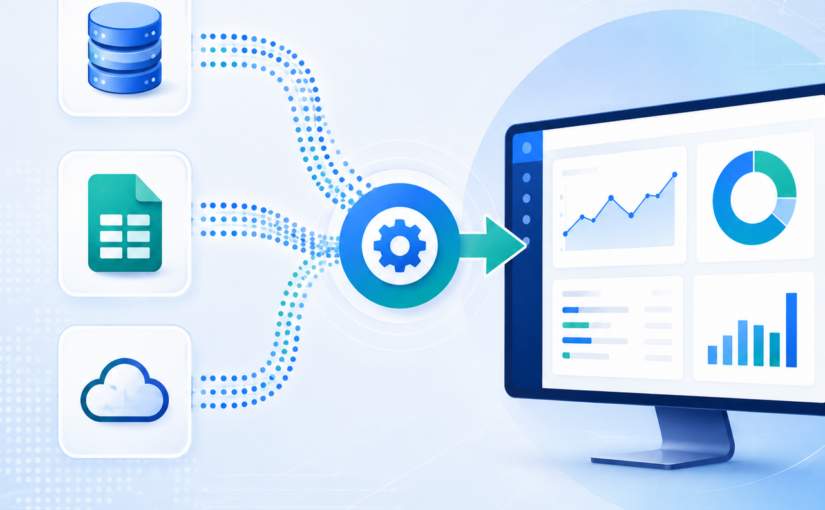
Key ERP Migration Capabilities

  • Legacy ERP modernization
  • Cloud ERP migration support
  • Data migration and cleansing
  • API and middleware integration
  • Analytics and reporting enablement
  • AI-ready data architecture support

Industries Served

  • Retail
  • Manufacturing
  • Supply Chain & Logistics
  • eCommerce

Best For

Mid-market enterprises looking for scalable ERP modernization with strong data integration and analytics capabilities.

Jade Global

Jade Global provides ERP migration services with strong expertise in Oracle, SAP, and cloud-based enterprise applications. The company focuses on helping businesses modernize legacy ERP environments while improving operational efficiency and application connectivity.

Key ERP Migration Capabilities

  • Oracle and SAP ERP migration
  • Cloud ERP modernization
  • Enterprise application integration
  • Managed ERP services

Best For

Organizations looking for cloud-focused ERP transformation and enterprise integration support.

GyanSys

GyanSys specializes in ERP transformation and enterprise modernization services across SAP and Microsoft ecosystems. The company is known for its industry-focused approach and strong expertise in supply chain and retail transformation initiatives.

Key ERP Migration Capabilities

  • SAP S/4HANA migration
  • Microsoft Dynamics modernization
  • Supply chain integration
  • ERP data transformation

Best For

Retail and manufacturing companies modernizing complex ERP environments.

Aspire Systems

Aspire Systems offers ERP migration and enterprise modernization services for mid-market organizations. The company focuses on cloud adoption, business process optimization, and seamless application integration.

Key ERP Migration Capabilities

  • Cloud ERP migration
  • ERP integration services
  • Legacy application modernization
  • Managed support services

Best For

Mid-sized businesses seeking agile ERP modernization and cloud transformation support.

Birlasoft

Birlasoft delivers ERP migration and digital transformation services with expertise across SAP, Oracle, and intelligent automation technologies. The company supports enterprises undergoing large-scale modernization initiatives.
Key ERP Migration Capabilities

  • SAP and Oracle ERP migration
  • Intelligent automation
  • Data migration and governance
  • Enterprise process transformation

Best For

Enterprises requiring ERP modernization with automation and operational optimization capabilities.

Argano

Argano provides end-to-end ERP migration and digital transformation services for organizations modernizing legacy systems and moving toward cloud-based operations.

Key ERP Migration Capabilities

  • ERP consulting and modernization
  • Cloud ERP implementation
  • Business process transformation
  • ERP integration and optimization

Best For

Organizations looking for a strategic ERP transformation and modernization partner.

CompanyBest ForKey StrengthsIndustries Served
Credencys SolutionsData-driven ERP modernizationIntegration, cloud transformation, analyticsRetail, Manufacturing, Supply Chain
Jade GlobalOracle & SAP ERP migrationCloud ERP and enterprise integrationHealthcare, Technology, Finance
GyanSysSAP and Microsoft ERP transformationIndustry-focused ERP modernizationRetail, Manufacturing, Consumer Goods
Aspire SystemsERP modernization for mid-market businessesCloud migration and application integrationRetail, SaaS, Logistics
BirlasoftEnterprise ERP transformationSAP, Oracle, and intelligent automationManufacturing, BFSI, Energy
ArganoEnd-to-end digital transformationERP consulting and cloud modernizationManufacturing, Distribution, Retail

Common ERP Migration Challenges Enterprises Face

ERP migration projects are often complex and resource-intensive. Without proper planning and execution, businesses may face operational disruptions, data inconsistencies, budget overruns, and delayed implementation timelines.

Understanding these challenges early can help organizations reduce risks and improve migration success rates.

1. Poor Data Quality

Many legacy ERP systems contain duplicate, incomplete, or inconsistent data accumulated over years of operations. Migrating poor-quality data into a new ERP environment can lead to inaccurate reporting and operational inefficiencies.

2. Integration Complexities

Modern ERP systems must connect with multiple enterprise applications such as CRM, eCommerce, supply chain, analytics, and HR platforms. Ensuring seamless integration between these systems is often one of the biggest technical challenges during migration.

3. Downtime and Business Disruption

ERP migration can disrupt day-to-day business operations if not carefully managed. Unplanned downtime, failed data transfers, or system instability during deployment can affect productivity and customer experience.

4. Change Management and User Adoption

Employees often resist changes to familiar workflows and systems. Without proper training and change management strategies, businesses may struggle with low user adoption and reduced operational efficiency after migration.

5. Budget Overruns and Delays

ERP migration projects frequently exceed timelines and budgets due to unclear requirements, scope creep, inadequate testing, or underestimating migration complexity. This is why businesses should work with experienced ERP migration services providers that follow structured implementation and governance frameworks.

Common ERP Migration Challenges Enterprises Face

Best Practices for Successful ERP Migration

A successful ERP migration requires more than technical execution. Businesses need a well-defined strategy that aligns technology modernization with operational goals, data governance, and long-term scalability.

Following proven best practices can help reduce migration risks and improve overall project outcomes.

1. Conduct an ERP Readiness Assessment

Before starting migration, organizations should evaluate their existing ERP environment, data quality, integrations, workflows, and infrastructure dependencies. This helps identify potential risks, gaps, and modernization opportunities early in the process.

2. Define Clear Migration Objectives

Businesses should establish measurable goals for the migration initiative, such as improving operational efficiency, reducing infrastructure costs, enabling real-time analytics, or supporting cloud transformation initiatives.
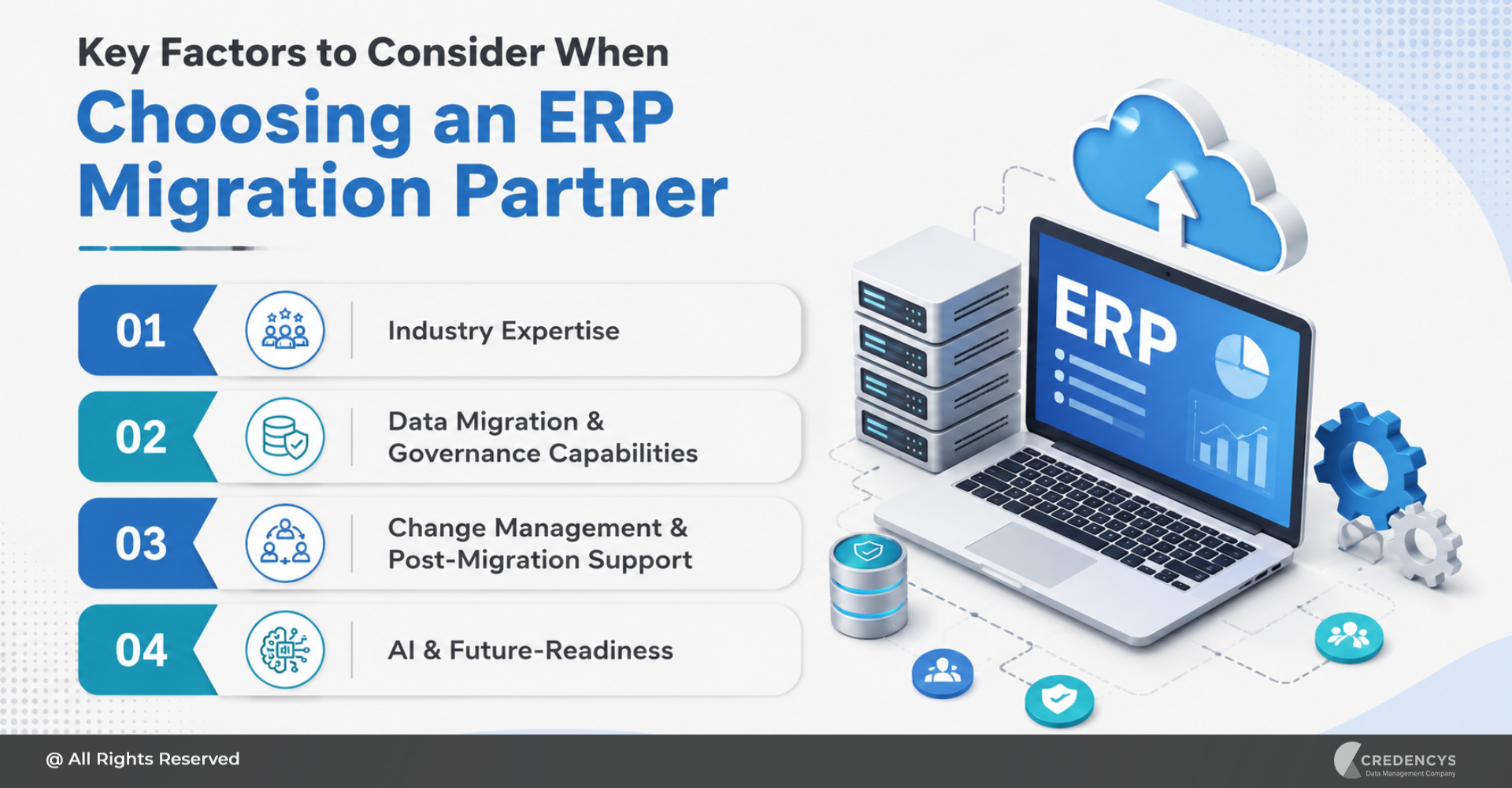
3. Prioritize Data Cleansing

Migrating inaccurate or duplicate data can create long-term operational issues. Data cleansing, validation, and governance should be a critical part of the migration strategy to ensure high-quality data in the new ERP system.

4. Choose the Right Migration Approach

Organizations should select a migration strategy based on business complexity and operational requirements. Common approaches include:

  • Big bang migration
  • Phased migration
  • Hybrid migration

Each approach offers different trade-offs in terms of risk, cost, and deployment speed.

5. Focus on Testing and Change Management

Comprehensive testing helps identify integration issues, workflow gaps, and system performance problems before deployment. At the same time, user training and change management programs are essential for improving employee adoption and minimizing operational disruption.

6. Partner With an Experienced ERP Migration Services Provider

Working with an experienced ERP migration partner can significantly improve project success rates. The right provider brings expertise in data migration, cloud modernization, enterprise integration, governance, and post-migration optimization.

How to Choose the Right ERP Migration Services Company

Choosing the right ERP migration services provider can determine the success or failure of your modernization initiative. Beyond technical expertise, businesses should look for a partner that understands industry-specific workflows, long-term scalability requirements, and enterprise integration challenges.

Here are a few important factors to evaluate before selecting an ERP migration partner:

1. Assess Industry Experience

Choose a company with proven experience in your industry. ERP requirements in retail, manufacturing, healthcare, or logistics can vary significantly, and industry expertise helps reduce implementation risks and improve process alignment.

2. Evaluate Technical and Cloud Expertise

Your ERP migration partner should have strong capabilities in:

  • Cloud ERP platforms
  • Data migration and governance
  • API and middleware integration
  • Analytics and reporting enablement
  • AI and automation readiness

This ensures your ERP environment remains scalable and future-ready.

3. Review Migration Methodology

A reliable ERP migration services company should follow a structured implementation framework that includes:

  • Readiness assessment
  • Migration planning
  • Data validation
  • Testing and quality assurance
  • Post-migration support

Clear governance and risk management processes are essential for minimizing downtime and project delays.

4. Consider Scalability and Long-Term Support

ERP modernization is an ongoing journey. Businesses should select a partner that can provide continuous optimization, managed support, system enhancements, and integration support as operational needs evolve.

5. Compare Flexibility and Engagement Models

Mid-sized ERP migration providers often offer more personalized engagement, faster execution, and greater flexibility compared to large consulting firms. For many businesses, this results in better collaboration, quicker decision-making, and more cost-effective implementation outcomes.

How to Choose the Right ERP Migration Services Company

Conclusion

ERP migration is a critical step toward building a more agile, scalable, and data-driven enterprise. As organizations modernize legacy systems and adopt cloud-first strategies, choosing the right ERP migration services partner becomes essential to minimize risk, improve operational efficiency, and accelerate digital transformation outcomes.

From data migration and system integration to cloud modernization and AI readiness, the right partner can help businesses navigate complex ERP transformation initiatives with greater confidence and long-term success. Whether you are planning to migrate from a legacy ERP platform or modernize an existing enterprise ecosystem, evaluating providers based on industry expertise, technical capabilities, and implementation approach is key to achieving successful results.

As ERP ecosystems continue to evolve, businesses that invest in modern, connected, and future-ready ERP environments will be better positioned to adapt, innovate, and compete in a rapidly changing digital landscape.

How a Global Auto Manufacturer Transformed Factory Operations with Databricks for Real-Time Intelligence

Manufacturing enterprises today generate vast volumes of data across machines, sensors, and production systems. Yet much of this data remains underutilized.

According to industry estimates, over 70% of industrial data remains underutilized, often trapped in siloed systems and delayed pipelines.

For organizations, this creates a critical gap. Organizations have access to data, but lack the ability to turn it into timely, actionable insights.

The challenge lies in traditional data architectures that rely on batch processing and fragmented systems. Insights are often delayed, which limits their impact on real-time operations.

In high-intensity manufacturing environments, even small delays can lead to:

  • Missed signals of equipment inefficiency
  • Escalation of environmental risks
  • Increased energy consumption
  • Reduced visibility into workforce conditions

This is why leading enterprises are shifting toward real-time data intelligence. The focus is moving from analyzing past events to acting on live data as it is generated. Platforms like Databricks enable this shift by combining data engineering, streaming, and AI into a unified environment. This allows organizations to process and act on data instantly, at scale.

This blog explores how a global manufacturing enterprise adopted Databricks to enable real-time visibility, reduce latency, and improve operational responsiveness.

The Strategic Imperative: Why Real-Time Intelligence is Now Critical

Manufacturing is entering a phase where speed of insight directly impacts performance. Operational environments are becoming more complex, with interconnected systems, distributed production units, and increasing reliance on automation.

In this context, delayed data is no longer just an inefficiency. It is a risk.

Traditional data systems were designed for reporting and historical analysis. They work well for understanding what happened, but fall short when it comes to responding to what is happening right now. This gap becomes more visible in scenarios where conditions change rapidly, such as fluctuations in machine performance or environmental factors within factory floors.

Real-time intelligence addresses this gap by enabling continuous monitoring and immediate action. Instead of waiting for periodic reports, teams can track conditions as they evolve and respond at the right moment.

This shift is important for several reasons:

  • Operational continuity improves when issues are detected early and resolved before they escalate
  • Resource utilization becomes more efficient as systems adapt dynamically to real conditions
  • Decision-making becomes faster and more precise with access to live data

However, achieving this requires more than adding new tools. It requires rethinking the entire data flow, from how data is captured to how it is processed and consumed.

Modern platforms like Databricks make this possible by enabling real-time data pipelines, scalable processing, and unified analytics within a single environment.

The result is a shift from reactive operations to systems that can sense, analyze, and respond continuously.

The Challenge: Bridging the Gap Between Data and Action

Despite advancements in manufacturing technologies, many organizations still struggle to translate data into immediate action.

In this case, the organization had access to large volumes of operational data across its factory environments. However, the systems in place were not designed to deliver real-time visibility. Data was collected, but not processed fast enough to influence ongoing operations.

This created a disconnect between what was happening on the factory floor and how quickly teams could respond. Several limitations became apparent:

1. Delayed data processing

Telemetry data from equipment and environmental sensors was processed with noticeable latency. This meant that insights were often available only after conditions had already changed.

2. Limited environmental visibility

Critical factors such as temperature and humidity were not continuously monitored at a granular level. This reduced the ability to identify risk zones across different production areas.

3. Reactive issue management

Without real-time alerts, teams were responding to problems after they occurred rather than preventing them in advance.

4. Fragmented data architecture

Multiple intermediary systems between data sources and analytics layers introduced complexity, increased latency, and made scaling more difficult.

The impact of these challenges extended beyond operational inefficiencies. Delayed insights affected response times, increased energy usage, and limited the ability to maintain optimal working conditions. More importantly, it highlighted a broader issue seen across many manufacturing environments:

Data alone does not create value. The ability to act on it in real time does. Addressing this gap required a fundamental shift in how data was ingested, processed, and utilized across the organization.

The Solution: Enabling Real-Time Data Intelligence with Databricks

To overcome the limitations of delayed insights and fragmented systems, the organization reimagined its data architecture with a clear objective: enable real-time visibility and faster decision-making across factory operations.

At the center of this transformation was the adoption of Databricks as a unified data and AI platform.

Instead of relying on traditional multi-layered pipelines, the organization designed a streamlined architecture that prioritized speed, scalability, and simplicity.

1. Direct and Continuous Data Ingestion

Telemetry data from machines and sensors was streamed directly into Databricks through a high-performance ingestion layer. By minimizing intermediary systems, the organization significantly reduced latency and improved data flow efficiency.

This direct ingestion approach ensured that data was available for processing almost as soon as it was generated.

2. Real-Time Streaming and Processing

The architecture was built to support continuous data streams rather than periodic batch updates. This allowed the system to process environmental and equipment data in near real time.

As a result, operational teams could monitor changing conditions throughout the day instead of relying on delayed reports.

3. Unified Data and AI Platform

By consolidating data engineering, analytics, and AI capabilities within Databricks, the organization established a single, consistent environment for all data operations.

This eliminated silos and enabled:

  • Faster data access across teams
  • Consistent data definitions and quality
  • Seamless integration of analytics and machine learning models

4. Built-In Governance and Control

A unified governance framework ensured that all incoming data was properly cataloged, secured, and accessible to authorized users.
This was critical for maintaining data reliability at scale while enabling wider adoption across the organization.

Foundation for Advanced Use Cases

Beyond real-time monitoring, the platform created a foundation for more advanced capabilities such as:

  • Predictive maintenance
  • Anomaly detection
  • Energy optimization

These capabilities allowed the organization to move beyond visibility and toward intelligent, data-driven operations.

The Breakthrough: From Delayed Insights to Immediate Action

The shift to a real-time data architecture delivered a fundamental change in how the organization operated. What was once a system dependent on delayed insights became one that could respond instantly to changing conditions.

One of the most significant outcomes was the reduction in data latency.

  • Data latency decreased by 98%
  • Processing time improved from 4.5 seconds to 0.1 seconds
  • Detection of critical conditions improved from hours to minutes

These improvements were not just technical milestones. They directly influenced how quickly teams could identify risks and take corrective action.

1. Faster Detection of Operational Risks

With continuous data streaming, early signs of equipment stress and environmental changes became visible almost immediately. Conditions such as rising temperatures, which previously took hours to identify, could now be detected within minutes.

This allowed teams to intervene before issues escalated, reducing the likelihood of disruptions and maintaining stable operations.

2. Real-Time Alerts and Response

The system enabled instant alerts based on live data thresholds. Instead of manually monitoring systems or waiting for periodic updates, operators received timely notifications when conditions required attention.

This improved responsiveness while reducing dependency on manual checks.

3. Improved Operational Awareness

Real-time visibility provided a clearer understanding of what was happening across factory environments at any given moment. Teams could track patterns, identify anomalies, and make informed decisions with confidence.

This level of awareness was not possible with traditional batch-based systems.

4. Balancing Automation with Human Oversight

While the platform enabled automation, the organization retained human decision-making for critical actions. Operators reviewed alerts and determined the appropriate response based on context and experience.

This approach ensured reliability while still benefiting from speed and data-driven insights.

Why Databricks is a Strategic Enabler for Modern Manufacturing

As manufacturing organizations look to modernize their data ecosystems, the focus is shifting from isolated tools to unified platforms that can handle the entire data lifecycle.

This is where Databricks stands out.

Rather than treating data engineering, analytics, and AI as separate functions, Databricks brings them together into a single platform. This integration is critical for reducing complexity and accelerating time to insight.

1. Unified Approach to Data and AI

Traditional architectures often require multiple systems for ingestion, processing, storage, and analytics. This leads to data silos, duplication, and governance challenges.

Databricks addresses this by providing a unified environment where:

  • Data is ingested, processed, and analyzed in one place
  • Teams work on a shared, consistent data foundation
  • Insights can move quickly from exploration to production

This unified approach simplifies operations and improves collaboration across teams.

2. Built for Real-Time and Scale

Modern manufacturing environments demand systems that can handle high-velocity data streams across multiple locations. Databricks enables:

  • Scalable data pipelines that support continuous streaming
  • High-performance processing for large volumes of telemetry data
  • Real-time analytics without compromising reliability

This ensures that organizations can maintain performance even as data volumes grow.

3. Governance Without Friction

As data becomes central to operations, governance becomes equally important. However, traditional governance models often slow down access and innovation.

With built-in governance capabilities, Databricks allows organizations to:

  • Maintain data quality and consistency
  • Enforce access controls and security policies
  • Enable teams to access trusted data without delays

This balance between control and accessibility is essential for scaling data initiatives.
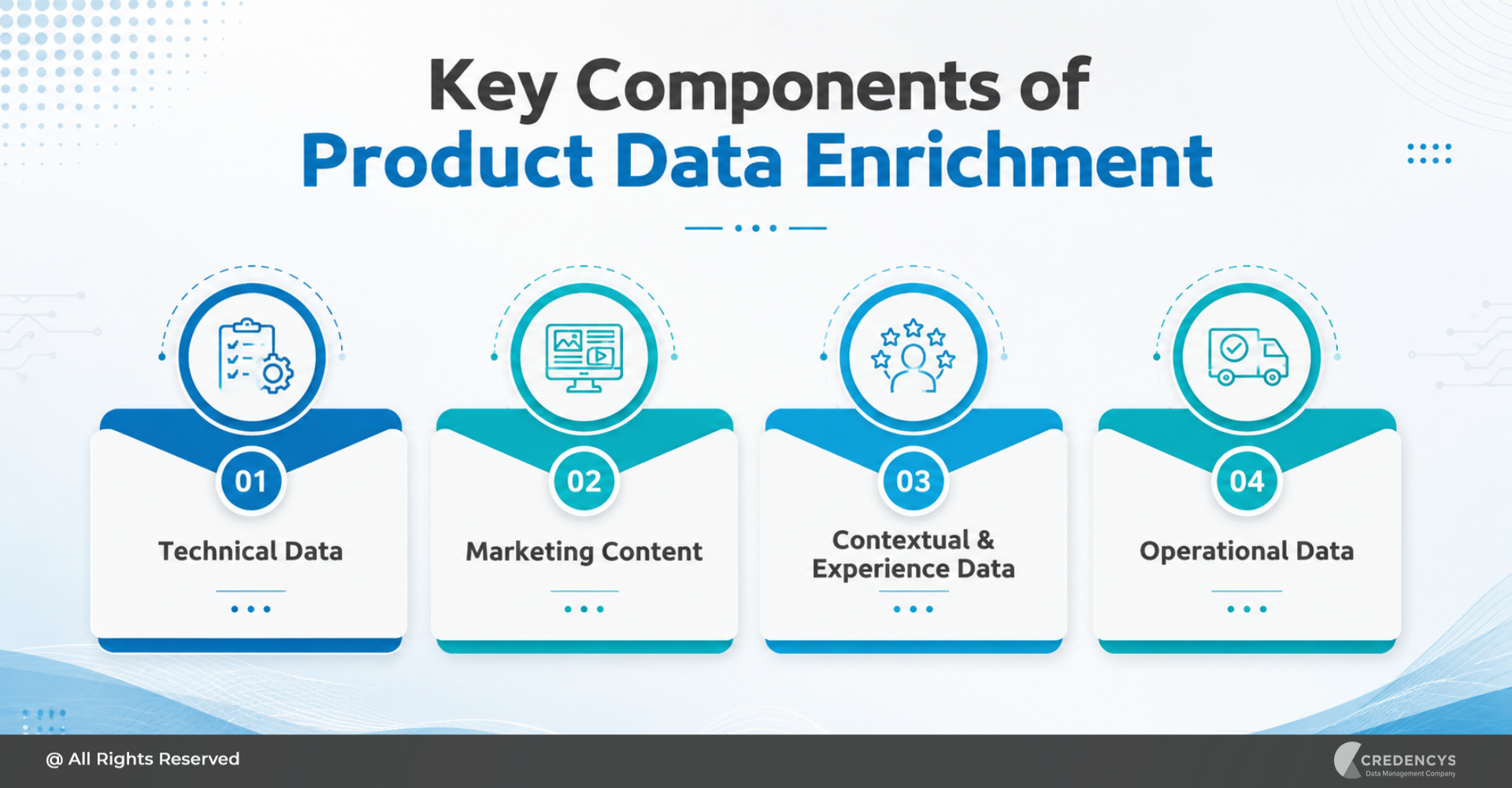
4. Enabling Advanced Intelligence

Beyond real-time monitoring, Databricks provides the foundation for advanced use cases such as:

  • Predictive maintenance to reduce downtime
  • Anomaly detection to identify hidden risks
  • AI-driven optimization for energy and resource efficiency

These capabilities allow organizations to move from operational visibility to intelligent automation over time.

Wrapping Up: Turning Real-Time Data into Competitive Advantage

The transformation outlined in this blog reflects a broader shift underway in manufacturing. Data is no longer just an asset for reporting. It is becoming the foundation for real-time decision-making and operational intelligence.

By adopting a unified platform like Databricks, organizations can move beyond fragmented systems and delayed insights. They can create environments where data flows continuously, insights are generated instantly, and actions are taken at the right moment.

This shift enables more responsive operations, better resource utilization, and improved resilience in dynamic production environments.

The value of data is not defined by how much is collected, but by how quickly it can be turned into meaningful action.
Organizations that embrace real-time data intelligence today will be better positioned to adapt, scale, and lead in an increasingly competitive landscape.

Why Product Data Enrichment is Critical for eCommerce Growth

Most eCommerce brands invest heavily in driving traffic: paid ads, SEO, and social campaigns. But conversions don’t happen on ads.

They happen on product pages. And the product pages have incomplete, inconsistent, or outdated product data, which is silently killing your conversions.

When customers don’t find the information they need:

  • They hesitate
  • They abandon
  • They buy from competitors

In today’s digital-first buying journey, your product page is your storefront, salesperson, and brand experience; all in one. This is where product data enrichment becomes a game-changer.

Product data enrichment is what bridges the gap between product visibility and product conversion.

The Hidden Cost of Poor Product Data

Many organizations underestimate the impact of poor product data. But the consequences are far-reaching:

  • Low conversion rates due to a lack of clarity
  • High return rates from mismatched expectations
  • Poor search visibility across Google and marketplaces
  • Inconsistent customer experiences across channels

If your product pages fail to answer key questions instantly, you lose the sale.

Calculate the cost of your product data here

What is Product Data Enrichment

Product data enrichment is the process of transforming raw, incomplete product data into rich, structured, and customer-ready information. It involves enhancing your product catalog with:

  • Complete and standardized attributes
  • SEO-optimized titles and descriptions
  • High-quality images and videos
  • Contextual and usage information
  • Accurate operational and logistical data

Key Components of Product Data Enrichment

High-performing eCommerce brands go beyond basic listings; they build product experiences that inform, persuade, and convert. Product data enrichment brings together multiple layers of data that work collectively to reduce friction in the buying journey and improve overall performance.

Here are the key components that define truly enriched product data:

1. Technical Data

Technical data forms the backbone of your product information. It includes detailed specifications such as size, weight, material, dimensions, and compatibility.

This structured data enables accurate filtering, comparison, and search functionality, helping customers quickly find products that meet their exact requirements.

2. Marketing Content

Marketing content transforms raw product information into compelling narratives that drive conversions. This includes SEO-optimized titles, engaging descriptions, high-quality images, and videos that highlight product features and benefits.

Well-crafted content not only improves discoverability but also builds trust and influences purchase decisions.

3. Contextual & Experience Data

Contextual data adds depth by helping customers understand how the product fits into their lives. This includes use cases, buying guides, comparison tables, FAQs, and lifestyle content.

By answering common questions and demonstrating real-world value, this layer significantly reduces hesitation and improves confidence.

4. Operational Data

Operational data ensures that what is promised on the product page aligns with fulfillment and delivery. It includes inventory status, shipping details, packaging information, and compliance requirements.

Accurate operational data minimizes post-purchase issues, enhances transparency, and contributes to a seamless customer experience.

High-performing product pages combine information, persuasion, and usability.

Key Components of Product Data Enrichment

How Product Data Enrichment Drives eCommerce Growth

Product data enrichment is a direct driver of business performance. When product information is complete, structured, and engaging, it influences every stage of the customer journey, from discovery to post-purchase satisfaction.

Here’s how enriched product data translates into measurable eCommerce growth:

1. Higher Conversion Rates

Enriched product data eliminates uncertainty by providing customers with all the information they need to make confident decisions. Detailed descriptions, clear specifications, and high-quality visuals reduce hesitation and build trust.

As a result, customers are more likely to complete their purchase rather than abandon the page.

2. Better Search Visibility

Search engines and marketplaces rely heavily on structured and keyword-rich product data to rank listings. Enrichment improves the relevance and completeness of your product information, making it easier for search algorithms to index and surface your products.

This leads to improved rankings, higher visibility, and increased organic traffic.

3. Reduced Product Returns

Returns are often driven by a mismatch between customer expectations and the actual product. Enriched data through accurate descriptions, specifications, and visuals ensures that customers fully understand what they are buying.

This alignment significantly reduces return rates and associated operational costs.

4. Omnichannel Consistency

Customers interact with brands across multiple channels, including websites, marketplaces, mobile apps, and social platforms. Enriched product data ensures that information remains consistent and accurate across all these touchpoints.

This consistency strengthens brand credibility and delivers a seamless customer experience.

5. Faster Time-to-Market

With structured data and streamlined enrichment processes, businesses can onboard and launch new products more efficiently. Automated workflows and standardized templates reduce delays and manual effort, enabling faster product rollouts.

This agility allows businesses to capitalize on market opportunities more quickly.

The Role of PIM in Product Data Management

As product catalogs grow in size, complexity, and number of sales channels, manually managing and enriching product data becomes increasingly inefficient. What may work for a small catalog quickly turns into a bottleneck when dealing with thousands of SKUs, multiple data sources, and frequent updates.

A PIM system serves as the foundation for scalable, consistent, and efficient product data enrichment.

1. Centralized Data Management

A PIM system brings all product data into a single, unified repository, eliminating silos across systems, teams, and regions. This centralization ensures that every stakeholder works with the same, up-to-date information, reducing inconsistencies and duplication while improving overall data accuracy.

2. Standardization and Data Governance

PIM enables organizations to define clear data models, attribute structures, and validation rules for different product categories. This ensures consistency across the catalog and enforces data quality standards, making it easier to maintain completeness and accuracy as the product portfolio expands.

3. Workflow Automation and Collaboration

Enriching product data often involves multiple teams: marketing, product, operations, and compliance. A PIM system streamlines this process by enabling structured workflows, task assignments, and approval mechanisms.

This improves collaboration, reduces manual effort, and accelerates enrichment cycles.

4. Seamless Multichannel Syndication

Different sales channels have different data requirements and formats. A PIM system allows businesses to tailor and distribute enriched product data across websites, marketplaces, mobile apps, and other platforms from a single source.

This ensures consistency while meeting channel-specific needs.

5. Scalability and Efficiency

As businesses grow, the volume and complexity of product data increase significantly. PIM systems are designed to handle this scale by automating repetitive tasks, reducing manual errors, and enabling faster updates.

This allows teams to focus on strategic initiatives rather than operational overhead.

Without a PIM, enrichment becomes a bottleneck rather than a growth driver.

Role of PIM in Product Data Enrichment

How Credencys Helps You Turn Product Data into a Growth Engine

For most enterprises, product data is scattered across ERPs, supplier feeds, spreadsheets, and legacy systems. This fragmentation makes it difficult to maintain consistency, scale enrichment efforts, and deliver seamless customer experiences.

This is where Credencys comes in. We help organizations move beyond fragmented data management and build a structured, scalable foundation that transforms product data into a true growth driver.

1. Product Data Strategy & Consulting

We start by assessing your current product data landscape, identifying gaps, inconsistencies, and inefficiencies across systems and processes. Based on this, we define a tailored product data strategy that aligns with your business goals, customer expectations, and channel requirements, ensuring long-term scalability.

2. PIM Implementation & Optimization

As trusted partners of platforms like Pimcore and Syndigo, we help you implement and optimize PIM systems that centralize and standardize your product data. From data modeling to workflow design, we ensure your PIM becomes the backbone of efficient product data enrichment.

3. Large-Scale Product Data Enrichment

We enable businesses to enrich product catalogs at scale by combining domain expertise with structured processes. Whether it’s enhancing product attributes, improving descriptions, or standardizing data across categories, we ensure your product information is complete, accurate, and conversion-ready.

4. AI-Driven Content & Data Optimization

We leverage AI to accelerate and scale enrichment efforts, automating content creation, identifying missing attributes, and improving data quality. This not only reduces manual effort but also ensures your product data remains continuously optimized for search, discovery, and personalization.

5. Seamless Integration with eCommerce Ecosystems

Product data doesn’t exist in isolation. We integrate your PIM and enrichment workflows with your broader ecosystem, including eCommerce platforms, marketplaces, ERPs, and analytics systems.

This ensures smooth data flow, consistent experiences, and real-time updates across all touchpoints.

6. Continuous Data Governance & Optimization

Product data enrichment is an ongoing process, not a one-time initiative. We help establish governance frameworks, validation rules, and monitoring mechanisms to ensure your data remains accurate, consistent, and aligned with evolving business needs.

Conclusion

Every product page acts as a digital touchpoint where customers evaluate, compare, and decide. When your product data is enriched, structured, and aligned with customer expectations, it enhances discoverability, builds trust, and removes friction from the buying journey.

Businesses that invest in product data enrichment create better shopping experiences, reduce returns, and drive higher conversions. In a market where competition is just a click away, the brands that win treat product data as a growth engine, not just a backend asset.

Brands that invest in product data enrichment improve their listings and unlock growth.