


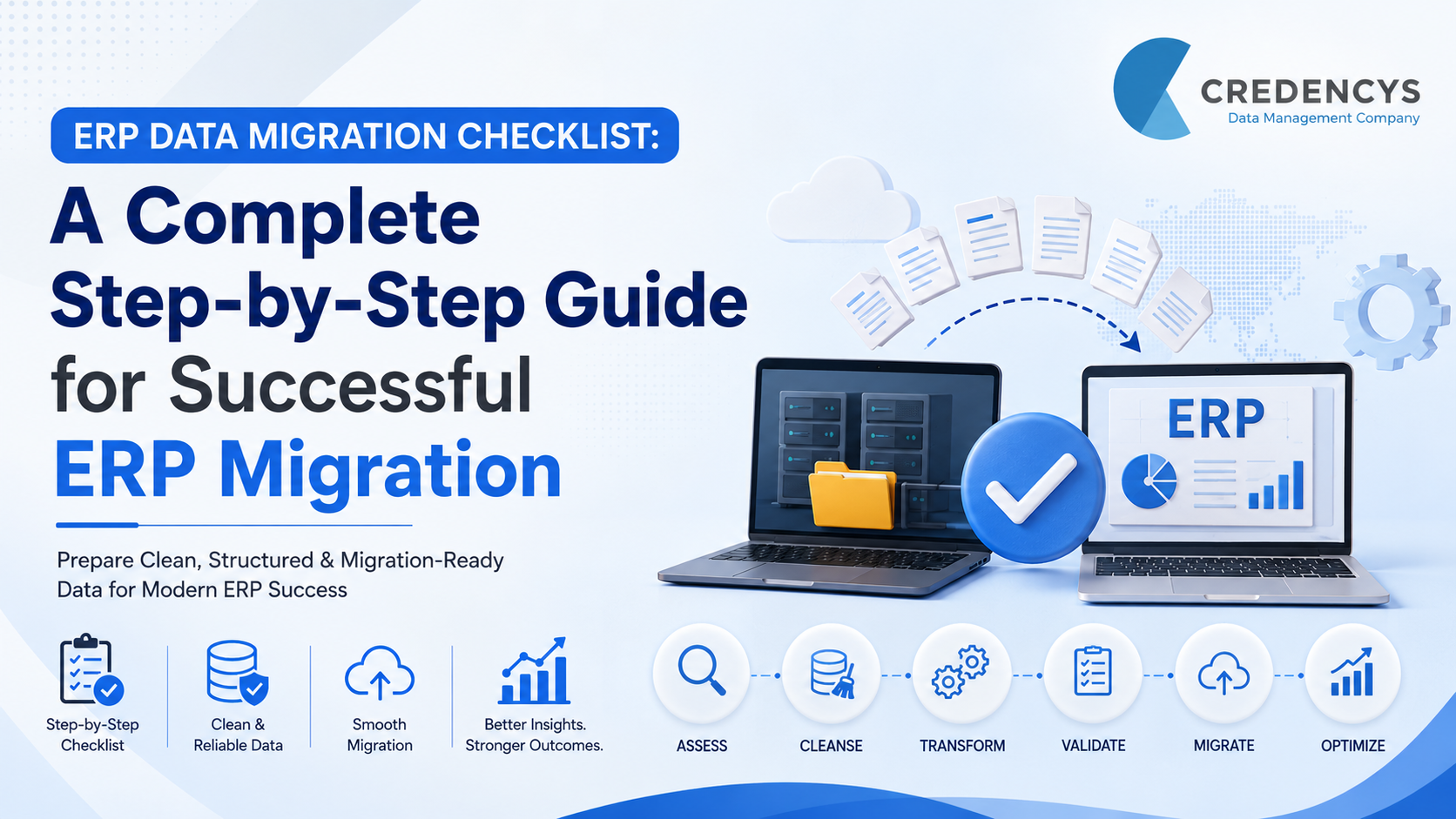
ERP Data Migration Checklist: Steps to Reduce Migration Risk
According to Gartner, poor data quality costs organizations an average of $12.9 million annually through operational inefficiencies, reporting errors, and failed business initiatives.
During ERP migration, these risks become even more critical because inaccurate or incomplete data can disrupt operations, delay go-live timelines, and reduce user adoption.
Many ERP migration projects fail not because of the ERP platform itself, but because businesses migrate years of duplicate, inconsistent, and unstructured enterprise data into the new system without proper preparation.
A structured ERP data migration checklist helps organizations reduce migration risk, improve data quality, accelerate implementation, and build a scalable foundation for long-term ERP success.
In this guide, we’ll walk through a complete ERP data migration checklist covering assessment, cleansing, mapping, validation, governance, testing, and post-migration readiness for modern ERP platforms like Odoo, SAP S/4HANA, Oracle NetSuite, and Microsoft Dynamics 365.
Why ERP Data Migration is More Than Just Moving Data
Many organizations assume ERP data migration is simply about transferring records from one system to another. In reality, successful ERP migration requires businesses to assess, cleanse, standardize, restructure, validate, and govern enterprise data before it enters the new ERP environment.
Without a structured migration approach, businesses often carry forward years of bad data into the new ERP system, creating long-term operational and reporting issues.
Common ERP Data Migration Problems
- Duplicate customer, vendor, and product records
- Inconsistent product hierarchies and attributes
- Missing inventory and transactional data
- Broken relationships between datasets
- Poor master data governance
- Reporting and analytics inaccuracies
- Failed imports and migration delays
- Low ERP user adoption after go-live
A well-defined ERP data migration checklist helps enterprises avoid these issues while improving migration accuracy, scalability, and long-term ERP performance.
What is an ERP Data Migration Checklist?
An ERP data migration checklist is a structured framework used to prepare, validate, migrate, and monitor enterprise data during ERP transformation initiatives. It helps organizations ensure that business-critical data such as:
- Product data
- Customer records
- Vendor information
- Inventory data
- Financial records
- Operational master data
Transactional history is properly prepared for migration into modern ERP platforms like SAP S/4HANA, Oracle NetSuite, Microsoft Dynamics 365, and Odoo.
Benefits of Following an ERP Data Migration Checklist
- Reduced Migration Risk: Structured planning minimizes failed imports, missing records, and operational disruptions.
- Improved Data Quality: Cleansed and standardized data improves reporting accuracy and ERP usability.
- Faster ERP Adoption: Users trust the new ERP system when migrated data is accurate and consistent.
- Better Operational Efficiency: Well-structured enterprise data improves workflows, automation, and decision-making.
- Long-Term Scalability: Governed and standardized data creates a scalable foundation for future business growth.
The Complete ERP Data Migration Checklist
Successful ERP migration starts long before data is imported into the new system. Organizations must evaluate legacy systems, improve data quality, align business rules, validate dependencies, and prepare governance processes to reduce migration risk. Below is a step-by-step ERP data migration checklist that enterprises can follow to ensure a smooth and scalable ERP transformation.
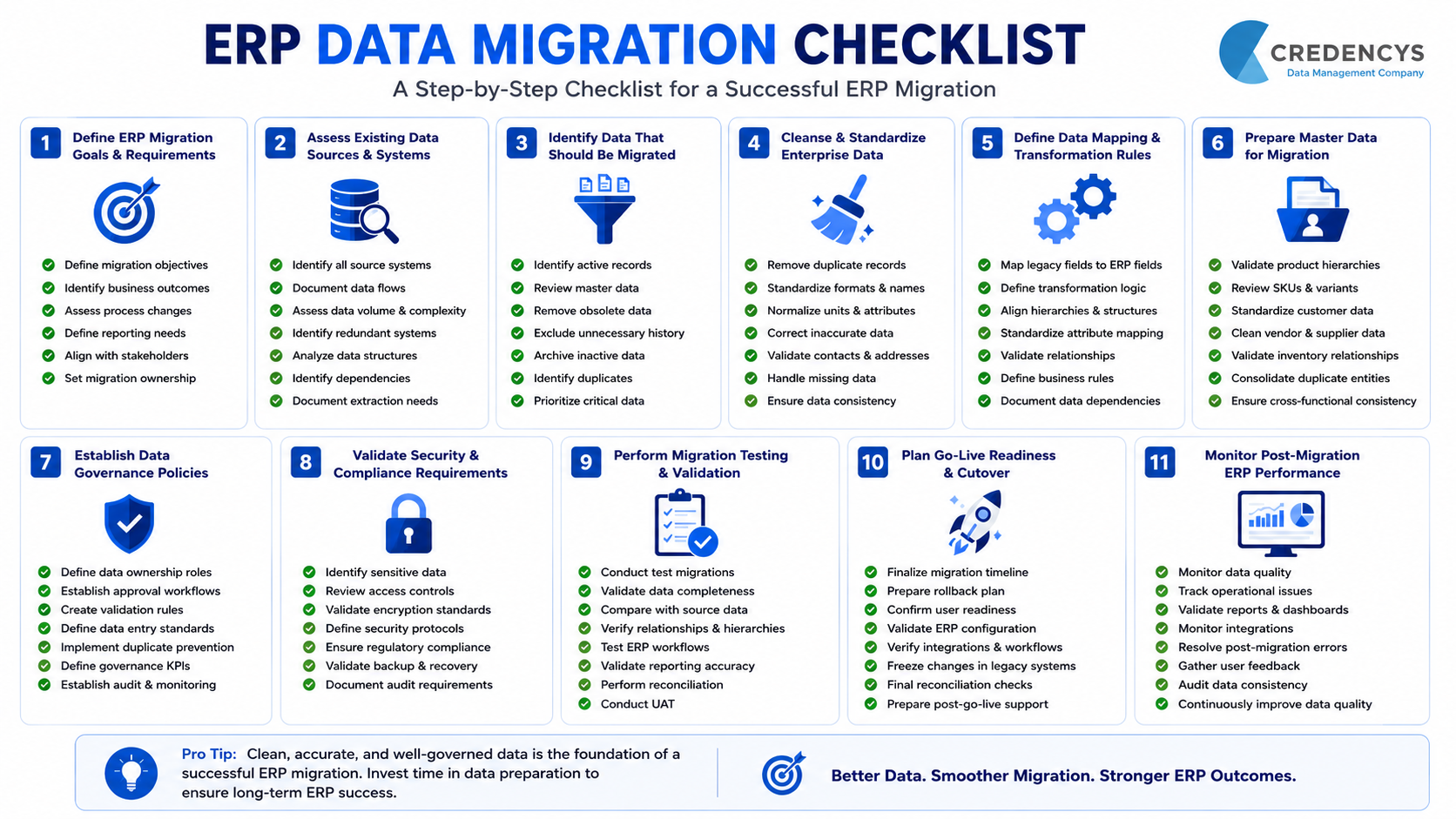
1. Define ERP Migration Goals & Business Requirements
Before starting migration activities, organizations must clearly define what they want to achieve from the ERP transformation initiative. This includes identifying operational pain points, scalability goals, reporting requirements, compliance expectations, and future business needs.
Clear migration objectives help align stakeholders, prioritize datasets, and reduce unnecessary migration complexity.
ERP Migration Planning Checklist
- Define ERP migration objectives and expected business outcomes
- Identify operational inefficiencies in existing systems
- Determine which business processes will change after migration
- Define reporting and analytics requirements
- Establish ERP scalability and growth expectations
- Identify compliance and governance requirements
- Align migration goals with business stakeholders
- Create a migration ownership structure
2. Assess Existing Data Sources & Legacy Systems
Most enterprises operate with data spread across multiple ERPs, spreadsheets, databases, ecommerce platforms, POS systems, and custom applications. Understanding where data resides is critical before migration begins. A detailed assessment helps identify dependencies, duplicate systems, outdated datasets, and hidden migration risks.
Legacy System Assessment Checklist
- Identify all source systems involved in migration
- Document data flows between systems
- Assess data volume and complexity
- Identify duplicate and redundant systems
- Analyze legacy database structures
- Identify business-critical datasets
- Review integration dependencies
- Document data extraction requirements
- Identify archived and inactive data
3. Identify Data That Should Be Migrated
Not all legacy data should move into the new ERP system. Many organizations unnecessarily migrate outdated, duplicate, incomplete, or unused records, increasing ERP complexity and reducing performance. Businesses should identify which datasets are relevant, accurate, and valuable for future operations.
Data Selection Checklist
- Identify active product records
- Review customer and vendor master data
- Remove obsolete inventory records
- Exclude outdated transactional history if unnecessary
- Archive inactive datasets separately
- Identify duplicate master data entities
- Categorize structured and unstructured data
- Prioritize business-critical data for migration
4. Cleanse & Standardize Enterprise Data
Poor-quality data is one of the biggest causes of ERP migration failure. Cleansing and standardization improve ERP usability, reporting accuracy, automation, and operational efficiency. This stage focuses on improving consistency across enterprise datasets before transformation begins.
Data Cleansing Checklist
- Remove duplicate customer and vendor records
- Standardize naming conventions
- Normalize units, formats, and attributes
- Correct incomplete or inaccurate records
- Validate contact and address information
- Standardize product categories and hierarchies
- Remove inactive or unused records
- Identify missing mandatory fields
- Improve attribute consistency across datasets
5. Define ERP Data Mapping & Transformation Rules
ERP platforms often use different data structures, workflows, field types, and hierarchies. Data mapping ensures that legacy data aligns correctly with the architecture of the target ERP system. Transformation rules help businesses restructure data for compatibility and scalability.
Data Mapping Checklist
- Map legacy fields to target ERP fields
- Define transformation logic for data conversion
- Align product hierarchies with target ERP structure
- Standardize attribute mappings
- Validate relationships between datasets
- Define business rules for migration logic
- Document data dependencies
- Create transformation templates
- Validate ERP compatibility requirements
6. Prepare Product, Customer & Master Data
Master data is often the most complex part of ERP migration because it impacts multiple departments and workflows.
Businesses must ensure that product structures, customer records, vendor profiles, and operational master data are scalable and standardized before migration.
Master Data Preparation Checklist
- Validate product hierarchies and taxonomies
- Review SKU structures and variants
- Standardize customer master records
- Clean vendor and supplier data
- Validate inventory relationships
- Standardize category structures
- Consolidate duplicate entities
- Validate pricing and operational attributes
- Ensure cross-departmental data consistency
7. Establish Data Governance Policies
ERP migration should not only fix existing data issues but also prevent future data quality problems.
Governance policies help organizations maintain long-term ERP data quality, ownership, validation standards, and accountability.
Data Governance Checklist
- Define data ownership roles
- Establish approval workflows
- Create validation rules for master data
- Define data entry standards
- Implement duplicate prevention processes
- Define governance KPIs
- Establish audit and monitoring processes
- Create escalation workflows for data issues
- Align governance policies across departments
8. Validate Data Security & Compliance Requirements
ERP migration often involves sensitive customer, operational, financial, and supplier data. Businesses must ensure that migration activities comply with internal governance policies and regulatory requirements.
Security & Compliance Checklist
- Identify sensitive business data
- Review access control requirements
- Validate encryption standards
- Define migration security protocols
- Restrict unauthorized data access
- Ensure compliance with industry regulations
- Validate backup and recovery processes
- Review audit trail requirements
- Document compliance approvals
9. Perform Migration Testing & Validation
Testing is critical to identifying migration errors before ERP go-live. Organizations should validate data accuracy, completeness, relationships, and business process compatibility through structured testing cycles.
Migration Testing Checklist
- Conduct sample data migration tests
- Validate record completeness
- Compare migrated data against source systems
- Verify product hierarchies and relationships
- Test ERP workflows using migrated data
- Validate reporting accuracy
- Identify import and transformation errors
- Conduct reconciliation testing
- Validate user acceptance testing outcomes
10. Plan Go-Live Readiness & Cutover Activities
Go-live preparation ensures that the organization is operationally ready to transition into the new ERP environment with minimal disruption. This stage requires coordination between IT teams, business users, ERP consultants, and operational stakeholders.
Go-Live Readiness Checklist
- Finalize migration timelines
- Prepare rollback and contingency plans
- Confirm business user readiness
- Validate ERP environment configuration
- Verify integrations and workflows
- Freeze legacy system changes before cutover
- Conduct final reconciliation checks
- Confirm backup availability
- Prepare post-go-live support plans
11. Monitor Post-Migration ERP Performance
ERP migration does not end after go-live. Businesses must continuously monitor data quality, operational workflows, reporting accuracy, and user adoption to stabilize ERP operations.
Post-Migration Checklist
- Monitor ERP data quality issues
- Track operational disruptions
- Validate reporting and dashboards
- Monitor integration performance
- Resolve post-migration errors quickly
- Conduct user feedback sessions
- Review governance policy effectiveness
- Audit data consistency regularly
- Continuously improve master data quality
Final Thoughts
ERP migration success depends heavily on data quality, structure, and governance. Migrating duplicate, incomplete, or inconsistent data into a new ERP system can create long-term operational and reporting issues. A structured ERP data migration checklist helps businesses:
- Reduce migration risks and downtime
- Improve data accuracy and consistency
- Accelerate ERP implementation
- Improve reporting and operational efficiency
- Build a scalable foundation for future growth
Whether you’re migrating to SAP S/4HANA, Oracle NetSuite, Microsoft Dynamics 365, or Odoo, success starts with clean, migration-ready enterprise data.
At Credencys, we help enterprises prepare, cleanse, transform, and validate ERP data to support successful ERP modernization initiatives.



Tags: