What Will Bluetooth Connectivity Be Like In iOS ?

Bluetooth Connectivity in Apple devices Myth or the Truth?

Techno Freaks like me love researching here and there or say always staying ahead as to what is new in the market. So today, I was going through a discussion and the topic was one of my favorites – Bluetooth Connectivity in Apple Devices.

We all are aware of the constant fight between the iOS and Android users. Android Users boost and show off the conveniences they have at their disposal, especially when it comes to transferring files. Well thanks to Bluetooth for this. However, when it comes to iOS devices, file transfer may not be their strongest point, but if we look closer, there are some wonderful apps, which actually let you use Bluetooth in your iOS devices.

Amazed Or Shocked To Know This? Lets us get to know these Apps…

All iOS devices come with Bluetooth support but the biggest myth present is that one cannot use Bluetooth on iOS devices, and the only reason for this is that many of us are actually not aware about the way one can use Bluetooth on iOS devices. Well even, I was the one who believed this until I came across the following Apps. Here is a gist of those apps.
iShareFile App.

This app tops my personal list. Many of us feel that this app is not useful. However, the truth is when we go deep; we find this app useful. The only thing needed is that this app must be installed in both the iOS devices. You do not need to sign up or perform any configuration steps. Amazing isn’t it? All you have to do is to fire up the app on both the devices and click on the big Bluetooth button located in the middle of the screen. This app lets you transfer photos & contacts. The best part here is that this app allows you to transfer photos from two ways. The first simple way is just to transfer a photo from your camera roll into the other device. The second way is to just snap a photo from the camera of your device and send it to other device. The files transferred from iShareFile App users do not ask the permission but directly enter your device. In other words if this app is installed in your device and the Bluetooth is switched on, the photographs directly enter your device without your permission. However, you have the option to preview the images before saving them. These images after being saved get stored in the camera roll of your device.

Bluetooth Communicator – All in One Share.

The first app allows us to transfer only photos and contact cards but the second app allows us to do lot more. As the same suggests Bluetooth Communicator app allows you to share everything, from contacts to photos, to text, notes & voice messages. Indeed Amazing! Bluetooth communicator is a completely easy & user-friendly app. Bluetooth Communicator is the ultimate app for transferring files between iPad, iPhone and iPod. The most important thing to be taken care of is that both the devices should install the updated version to use this app and the best part of this app as said by one of the customer is that if one optimizes this app according to one’s needs the speed increases. So in other words I can say not only use this app but also optimize it in such a way that you actually get to see the increased speed of your file transfer.

Well this was just a gist but now the next time when any iOS user lands in a fight with an Android user about file transfer these apps can come to your rescue and this would definitely help you.

So finally, the “myth” has been broken & now whenever I see a discussion relating to the Bluetooth Connectivity of Apple Devices, these two apps would definitely come to my mind!!!

What about you?
 

Google Cloud Messaging for Android – Understanding the Basics

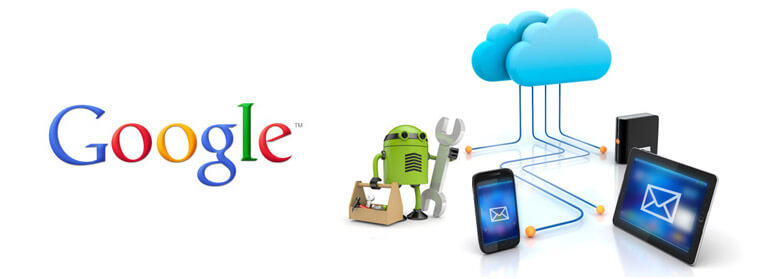
Google Cloud Messaging for Android (GCM) is a service that allows you to send data from your server to your users’ Android-powered device. This could be a lightweight message telling your app there is new data to be fetched from the server (for instance, a movie uploaded by a friend), or it could be a message containing up to 4kb of payload data (so apps like instant messaging can consume the message directly).

The GCM service handles all aspects of queuing of messages and delivery to the target Android application running on the target device. GCM is completely free no matter how big your messaging needs are, and there are no quotas.

Here are the primary characteristics of Google Cloud Messaging (GCM):

  •  It allows 3rd-party application servers to send messages to their Android applications.
  • An Android application on an Android device doesn’t need to be running to receive messages. The system will wake up the Android application via Intent broadcast when the message arrives, as long as the application is set up with the proper broadcast receiver and permissions.
  • It does not provide any built-in user interface or other handling for message data. GCM simply passes raw message data received straight to the Android application, which has full control of how to handle it. For example, the application might post a notification, display a custom user interface, or silently sync data.
  • It requires devices running Android 2.2 or higher that also have the Google Play Store application installed, or an emulator running Android 2.2 with Google APIs. However, you are not limited to deploying your Android applications through Google Play Store.
  • It uses an existing connection for Google services. For pre-3.0 devices, this requires users to set up their Google account on their mobile devices. A Google account is not a requirement on devices running Android 4.0.4 or higher.


Know about Apple Push Notification

Apple Push notification service is created by Apple Inc. in 2009. It uses the push technology through a constantly open IP connection to forward notification from the servers of the third party applications to the apple devices.

This service Pushes notifications to the apple devices not to the applications. These notifications may include badges, sounds and custom text alerts. When application is not open when notification is received, the app will be badge and added to dock (Until the badge is cleared) to notify users. Each notification restricted to maximum size 256 bytes.

Limitations:

  1. Apple Push notification payload is restricted to 256 bytes which include both the actual body message and the optional & additions messages attributes you want to send.

It is not designed for the large data transfer; it is used only to send small alerts messages.

  1. Push service doesn’t provide any feedback message for receiving the message that whether it was successfully delivered or not. This message is queued to the devices when application is not open, whenever the application gets open only the last send will be queued – overwriting any previously send messaged and any undelivered messages.
  2. It cannot be used to send critical messages because the service will be available only with internet connectivity.

Payload Content:

The payload is formatted in JSON. There is following payload content which will be sending via apple push notification services.

Alert:  the text strings which will be displayed on the device.

Badge: the integer number which will be displayed as a badge by the application Icon on the screen of the mobile device.

Sound: The text string of the name of sound to accompany the display of the message on the device.

AIRPUSH SDK – Mastering the Basics

Airpush is the 2nd largest ad network for Android and the first in terms of monetization performance for advertisers and developers. Over 40,000 apps from 150 countries use Airpush’s next-generation ad formats in order to generate 10-30x higher returns than traditional in-app ads. Many of the world’s top advertisers use Airpush to generate much higher ROI than previously possible with engaging campaigns that get noticed and drive results.

The Airpush Android SDK is a java-based library that allows publishers to monetize their app(s) with unique, innovative ad units.

There are 4 types of ad units available in this SDK.

1. Push Notifications Ads

Push notification ads are text ads shown in the notification tray of Android devices. Unlike traditional mobile ads, these ads are not placed inside apps. Each ad is also tagged with a permanent opt-out link, as well as the name of the app which delivered the ads.

A Push Notification Ad is an ad sent to the notification tray of Android devices, rather than inside of an app. This ad unit can monetize an app’s entire install base- both active and inactive. The developer can control how often ads are sent to your users from within his account.

 2. Icon Ads

Icon Ads are sponsored shortcuts that appear on the phone’s desktop and link to valuable user content such as mobile search and daily deals. Developers generate revenue for each Icon Ad which is distributed to a device.

This innovative ad unit is a shortcut placed on the home screen of Android devices which links to valuable content such as free apps and deals. This ad unit can also monetize an app’s entire install base- both active and inactive.

 3. SmartWall

SmartWall is a new interstitial mobile ad format which dynamically optimizes between multiple sub-formats such as Rich Media, AppWall, Video and Interstitials. With SmartWall, app developers no longer need to choose between the overwhelming numbers of full-page mobile ad formats available on the market. Via a single SDK, SmartWall determines the optimal full-page ad format to display in real-time based on yield, network connection type, and other parameters. SmartWall generates significantly higher CPMs than other leading full-page ad formats and represents a major leap forward for both developers.

Smart Wall, is a new full-page ad format, dynamically optimizes between multiple sub-formats including App Wall, Offer Wall, Dialog Ads, Video Ads, Rich Media, and More.

 4. Bugsense

Bugsense is Included in this SDK, It is an industry leading real-time crash analytics and bug tracking service. Airpush has forged an exclusive partnership with Bugsense which allows Airpush to offer the service free to the developers. You will be notified in the dashboard of your account any time errors occur in your app. You can view your real-time analytic under the ‘Crash Report’ tab under Reports.