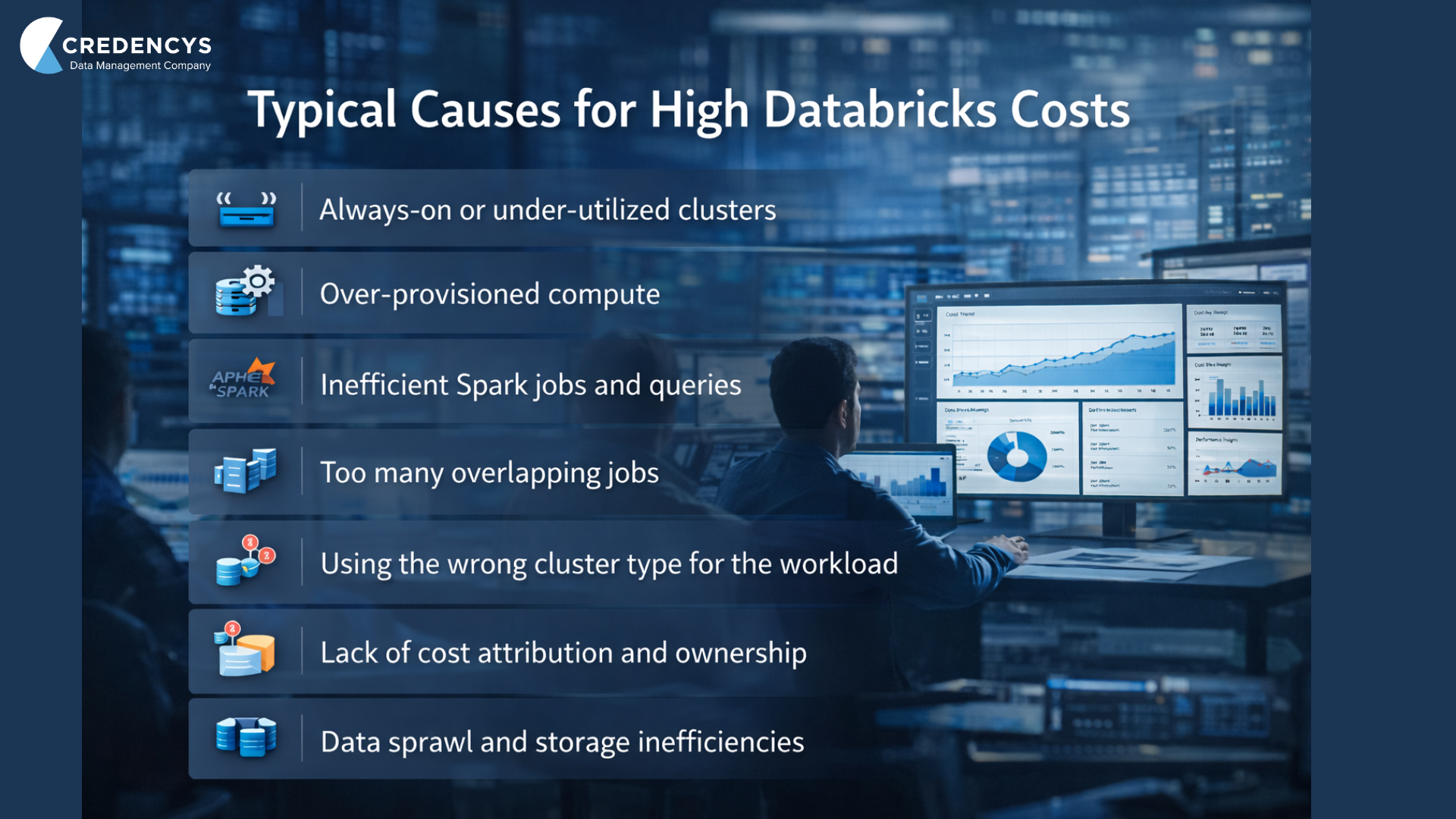
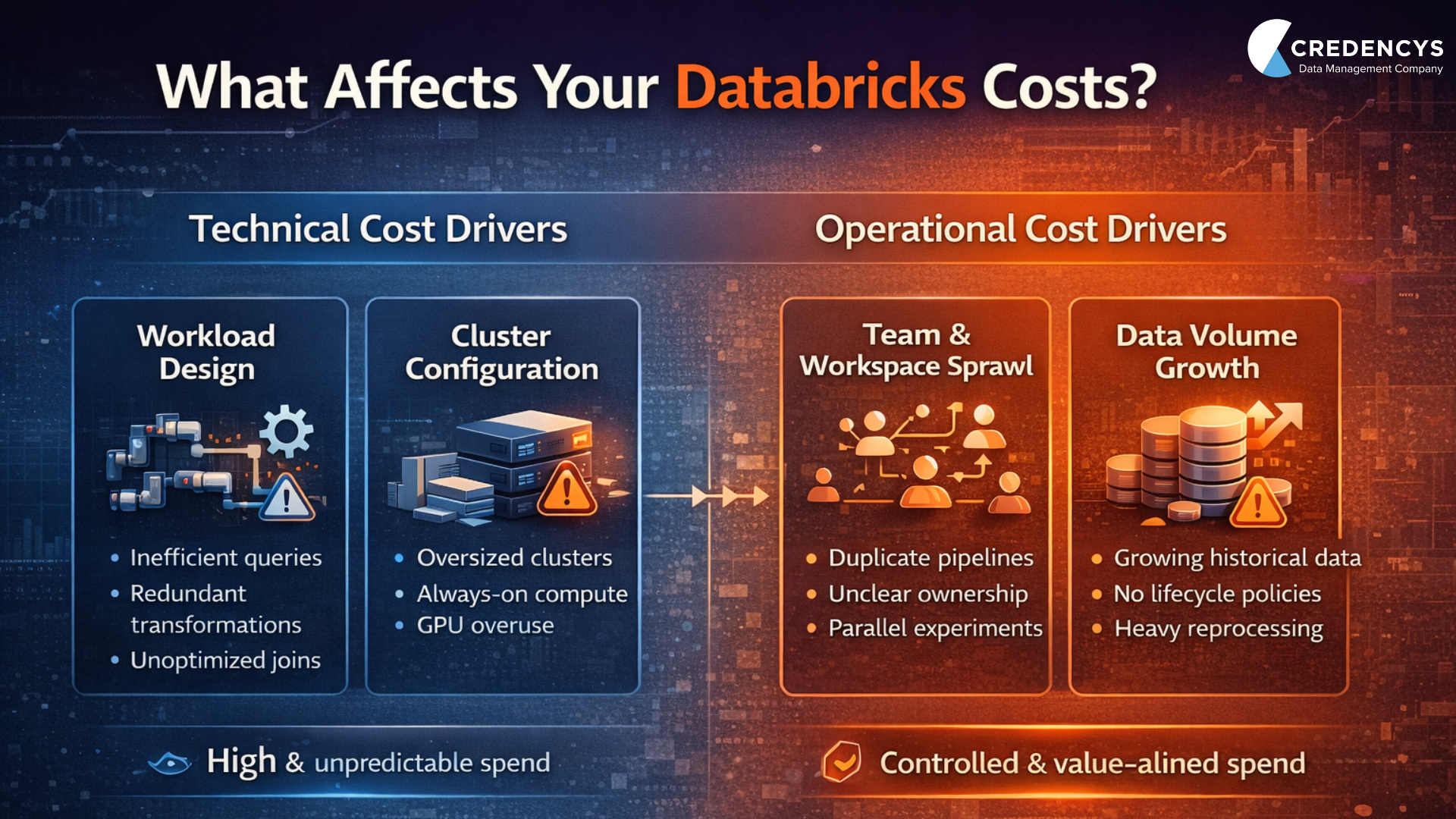
The fastest way Databricks platforms become expensive and slow isn’t through failure. It’s through success. More dashboards, more pipelines, more consumers; yet performance slows while costs rise. Clusters scale as designed; and data volume growth looks reasonable. However, business leaders are often left questioning:
“What changed in the platform when nothing significant changed in the workloads?”
The answer is rarely a single misconfiguration or an under-sized cluster. At scale, platforms degrade as usage, concurrency, and reuse increase. This is where companies should bring Databricks Delta Lake into focus as a foundational architectural lever rather than an implementation detail.
In this blog, we’ll walk through how to get the most out of your Delta Lake optimization without spiking the costs.
Why Enterprises Should Prioritize Databricks Delta Lake Optimization?
While you think that you are scaling the data platform very well, you suddenly see costs spike. The reason is that holiday season just arrived with bulk orders, more website views, or more user queries. Daily data volumes double and dashboards are hit by hundreds of concurrent users.
This results in longer running clusters, idle jobs, more compute, and cost spikes. The key here is to scale your Delta Lake efficiently and proactively. Without intentional optimization, growth events like seasonal spikes, bulk orders, or new teams onboarding quietly turn into cost and performance problems long before they show up as outages.

How to Efficiently Optimize Databricks Delta Lake
1. Understand your Workloads
It is critical to understand how your data platform is actually being used. This needs to be done even before optimizing Delta Lake tables, clusters, or queries. Often, teams treat fundamentally different workloads as if they have the same requirements.
As organizations scale analytics, Delta Lake often becomes the shared foundation for multiple uses. These use cases include, batch pipelines, streaming ingestion, BI dashboards, ad-hoc analysis, & ML. While this consolidation simplifies architecture, it also introduces competing workload patterns that demand different optimization strategies.
Understand what is required:
- Batch vs. Streaming: How do you want your data to arrive? Should it be in large scheduled batches or continuous streams? This directly impacts how tables should be written, compacted, and optimized over time.
- Query patterns & frequency: Understand which queries run most often and how selective they are. This determines where optimizations like data skipping, caching, and file layout deliver real value.
- Data freshness SLAs: The required data latency (minutes vs. hours) defines architectural decisions across the entire data pipeline.
- Workload concurrency: The number of simultaneous users and jobs accessing the same data influences cluster sizing, isolation strategies, & overall platform stability.
2. Partition Strategically for Performance and Cost
Partitioning determines how much data Delta Lake needs to scan to answer a query. This feature makes it one of the most impactful & irreversible optimization decisions. When done right, it significantly improves query performance and reduces compute costs. When done poorly, it leads to excessive metadata, small files, and inefficient reads.
The key is to partition on columns that are consistently used in query filters and naturally limit data scanned, such as dates or business dimensions. Over-partitioning on high-cardinality columns may look precise. Although, it often increases overhead without improving performance. Under-partitioning forces every query to scan far more data than necessary. Time-based partitions work well for logs, transactions, and streaming events. Categorical partitions suit data grouped by region or product type.
3. Optimize File Sizes and Compaction
Performance issues often come from small-file proliferation, not data volume. This is mainly when Delta Lake tables scale. Streaming ingestion and frequent incremental loads create thousands of small files, increasing query planning time, IO overhead, and overall compute costs.
Delta Lake performs best when files are large enough to reduce overhead but small enough for parallel processing. In most production workloads, files in the 100 MB to 1 GB range strike this balance and significantly improve read efficiency.
To manage file sprawl, Delta Lake supports both manual and automatic compaction, allowing teams to consolidate small files into fewer, well-sized ones—improving performance without changing queries or cluster size.

3. Optimize File Sizes and Compaction
Performance issues often come from small-file proliferation, not data volume. This is mainly when Delta Lake tables scale. Streaming ingestion and frequent incremental loads create thousands of small files, increasing query planning time, IO overhead, and overall compute costs.
Delta Lake performs best when files are large enough to reduce overhead but small enough for parallel processing. In most production workloads, files in the 100 MB to 1 GB range strike this balance and significantly improve read efficiency.
To manage file sprawl, Delta Lake supports both manual and automatic compaction, allowing teams to consolidate small files into fewer, well-sized ones—improving performance without changing queries or cluster size.
Databricks implementation cost calculator
Our cost calculator helps you get estimates that help you set your Databricks budget.
4. Use Z-Ordering for Faster Reads
Z-Ordering improves query performance by physically co-locating related data within Delta Lake files. Instead of scanning large portions of a table, queries can skip over irrelevant data when filters are applied on Z-ordered columns. This helps reduce IO and compute usage.
This technique is effective for high-cardinality columns that are frequently used in filters. These columns may contain attributes such as customer IDs, product IDs, or transaction IDs. While partitioning controls which files are read, Z-ordering optimizes how efficiently data is accessed within those files.
Z-Ordering is most impactful on large, read-heavy tables and should be applied selectively, as it rewrites data and consumes compute during optimization.
5. Leverage Delta Caching
Delta caching improves query performance by storing frequently accessed data in memory on cluster nodes. Caching reduces repeated reads from cloud storage. For BI dashboards and recurring analytical queries, this can significantly lower latency and compute usage.
Caching is most effective when the same tables or columns are queried repeatedly. such as Gold tables powering executive dashboards. Without caching, even optimized tables still pay the cost of remote storage reads for every query.
Cache is tied to cluster lifecycle and memory availability. Hence, it should be used deliberately on stable, read-heavy workloads rather than transient or exploratory queries.
6. Cluster and Compute Optimization
Compute is the largest cost driver in most Databricks environments. Inefficiencies often come from mismatched cluster sizing and mixed workloads. Running ETL, BI, streaming, and ad-hoc analysis on the same clusters leads to unpredictable performance and inflated spend.
It is recommended to right-sizing clusters based on workload characteristics. It is also important to isolate them where necessary. This ensures compute scales with actual demand rather than worst-case assumptions.
7. Storage Optimizations with Vacuum
Over time, Databricks Delta Lake tables accumulate obsolete data files due to updates, deletes, merges, and compaction operations. These files are necessary for time travel and rollback. However, keeping them longer than required increases storage costs and can indirectly impact query performance.
The Vacuum operation permanently removes files that are no longer referenced by the Delta table, helping keep storage lean and metadata manageable in Databricks environments.
Why Vacuum matters:
- Reduces cloud storage costs by deleting unused files
- Keeps metadata size under control for large tables
- Prevents long-term performance degradation as tables scale
- Complements OPTIMIZE and compaction workflows
Without regular vacuuming, even well-optimized tables slowly become heavier and more expensive to operate.
8. Data Lifecycle Management
As Delta Lake grows, so does stale and unused data. They quietly increase storage costs and query scan volumes. Without a clear data retention strategy, tables accumulate historical files that no longer provide business value.
Define retention policies based on business and compliance needs. Use time travel to balance auditability with cost control. Archive rarely accessed historical data to lower-cost storage
9. Monitor with Observability Tools
Delta Lake optimization is not a one-time activity. As new pipelines, dashboards, and users are added, workload patterns change. This impacts performance and cost dynamics. Continuous monitoring helps teams catch inefficiencies early, before they turn into systemic problems.
Best practices:
- Track cost per workload or team, not just total spend
- Monitor cluster utilization and idle time
- Review query history for growing scan sizes
- Set alerts for abnormal cost or performance spikes
10. Use Delta Live Tables (DLT) for Automated Optimization
As data platforms scale, manual optimization becomes difficult to sustain. Delta Live Tables (DLT) simplifies pipeline management by introducing a declarative framework. This framework automatically handles many common Delta Lake optimization challenges.
DLT continuously manages data quality, dependencies, and table state while applying automatic optimizations such as file compaction and optimized writes. This reduces the need for scheduled maintenance jobs and lowers the risk of performance regressions as pipelines evolve. By embedding optimization directly into data pipelines, DLT helps teams move from reactive tuning to built-in, policy-driven optimization.
Case Study: Automating Campaign Data for a Global Consumer Goods Brand with Databricks
Our client is a global consumer goods provider. They were facing challenges with siloed data that was scattered across their business operations. Campaign data arrived from fragmented APIs, Excel files, and SQL servers, leading to manual bottlenecks and errors. Daily updates were required for timely regional planning, but inefficient code deployment slowed adaptations.
The Solution:
Our experts used ETL pipelines in Azure Data Factory to ingest diverse data sources. We utilized Azure Databricks to handle transformations via notebooks and Azure DevOps enabled agile CI/CD for reliable deployments.
Business Impact:
- 70% faster campaign data delivery
- 100% automated data pipelines
- Daily updates enabled for real-time planning
Conclusion
At scale, Delta Lake performance is less about individual optimizations and more about governance through intent. It is about clear ownership, workload isolation, and disciplined operational patterns.
Organizations must treat optimization as a platform responsibility, rather than a team-by-team exercise. This will help them consistently achieve lower costs, faster analytics, and fewer architectural resets as the business grows.
If you are unsure on where to start with Databricks journey or looking for cost optimization for your existing Databricks environment, talk to our experts.
Frequently Asked Questions
1. What is Databricks Delta Lake?
Delta Lake is an open-source storage layer built on cloud object storage. It brings reliability, performance, and structure to data lakes. It adds ACID transactions, schema enforcement, and versioning.
2. What is the difference between Delta Lake and data lake?
A data lake is a storage repository that holds raw data in its original format. It offers little control over data quality, consistency, or reliability. Delta Lake is a storage layer built on top of a data lake that adds structure and reliability. It offers features like ACID transactions, schema enforcement, and versioning.
3. When should I optimize Delta Lake?
Start optimizing as soon as multiple workloads or teams start using the same data. It is advised to not wait until performance degrades or costs spike. This will make optimization more disruptive and expensive than addressing it early.