


Product Information Not Valid: What This Error Means and How to Fix It Permanently
If you have encountered the message “product information not valid”, you are not alone. This error typically appears when product data is rejected by eCommerce platforms, marketplaces, ERP systems, or internal tools during uploads, updates, or syndication.
When this message appears, the product cannot proceed until the data meets the receiving system’s validation rules. As a result, product launches, catalog updates, and channel activations may pause until the issue is resolved.
In this blog, we will explain:
- What does “product information not valid” mean in practical terms
- The most common reasons this message appears
- Why are manual corrections difficult to maintain
- How to resolve the issue permanently with a structured product data approach
What Does “Product Information Not Valid” Mean?
At its core, this message indicates that the system receiving your product data cannot validate it against its predefined rules.
Every platform that consumes product information uses validation logic to ensure data consistency and reliability. These rules verify that the data conforms to required structures, formats, and completeness standards.
Validation rules often relate to:
- Mandatory attributes
- Accepted data formats
- Completeness thresholds
- Channel or category-specific requirements
Even when product data appears accurate during internal review, systems evaluate it based on strict rules rather than visual inspection. A single missing value or a format mismatch can prevent the product record from being accepted.
This message commonly appears during:
- eCommerce platform catalog uploads
- Marketplace feed submissions
- ERP or backend system integrations
- Product data feeds and catalog synchronization
- Omnichannel product distribution workflows
Common Reasons Behind the “Product Information Not Valid” Error
1. Missing Mandatory Product Attributes
Most systems require certain attributes to be present before product data can be accepted. These requirements vary by platform, category, and region.
Common mandatory attributes include:
- SKU or product identifier
- Brand name
- Product category
- Dimensions or weight
- GTIN, UPC, or EAN
When any required attribute is missing, the system may reject the entire product record until all mandatory fields are completed.
2. Invalid Attribute Formats
Attribute format mismatches are a frequent cause of validation failures.
Common format issues include:
- Text values entered in numeric fields
- Incorrect decimal or number formatting
- Unsupported date formats
- Measurement units that do not align with system expectations, such as centimeters instead of inches
These issues often originate from manual data entry, spreadsheet imports, or inconsistent data templates.
3. Inconsistent Attribute Naming
In many organizations, different teams use different names for the same attribute. Over time, this creates inconsistencies that systems cannot interpret.
Examples include:
- Color and Colour
- Material Type and Fabric
- Pack Size and Quantity
While the meaning may be clear to people, systems rely on standardized attribute definitions. When naming is inconsistent, validation rules may fail even when values are present.
4. Incomplete Localization or Regional Data
For organizations selling across regions, localization plays an important role in validating product data.
Common localization-related issues include:
- Missing translations for product titles or descriptions
- Country-specific compliance attributes left incomplete
- Regional requirements are not applied consistently
Product data that meets requirements in one market may not meet them in another if localization rules are not addressed.
5. Channel-Specific Validation Rules
Each marketplace and sales channel applies its own validation logic.
For example:
- One channel may enforce limits on product title length
- Another may require precise category mappings
- Some channels require additional attributes for regulatory or compliance purposes
When product data is created without considering channel-specific requirements, validation issues often appear during submission.
6. Manual Spreadsheet Errors
Spreadsheets remain a common tool for managing product data, particularly in early stages or smaller catalogs. However, as product volumes and channels increase, maintaining accuracy becomes more difficult.
Common spreadsheet challenges include:
- Hidden formatting inconsistencies
- Accidental deletions or overwrites
- Multiple versions are circulating across teams
- Lack of built-in validation rules
- Unclear data ownership
As catalogs grow, these limitations increase the likelihood of validation errors.
Real World Scenarios Where This Message Appears
This message often appears in situations such as:
- Product feeds are being rejected during marketplace uploads
- Data accepted by ERP systems but rejected by downstream platforms
- Product records appear complete internally, but are failing system validation
- Products are publishing successfully on one channel but not on another
In most cases, these situations point to gaps in centralized validation and governance.
How to Fix “Product Information Not Valid” Messages
Short Term Fixes
Short-term actions can help resolve individual cases, but do not address the underlying structure of product data.
These actions typically include:
- Reviewing product records for missing attributes
- Correcting data formats in upload templates
- Adjusting values for specific channels
- Coordinating fixes across teams through email or shared documents
While these steps can unblock individual products, they require repeated effort.
Long Term Fix
To resolve this issue at scale, product data requires a structured, consistent foundation.
Key elements include:
- Centralized product data management
- Standardized attribute definitions
- Automated validation rules
- Channel-ready data models
- Clear ownership and governance processes
This is where a Product Information Management system becomes an important part of the solution.
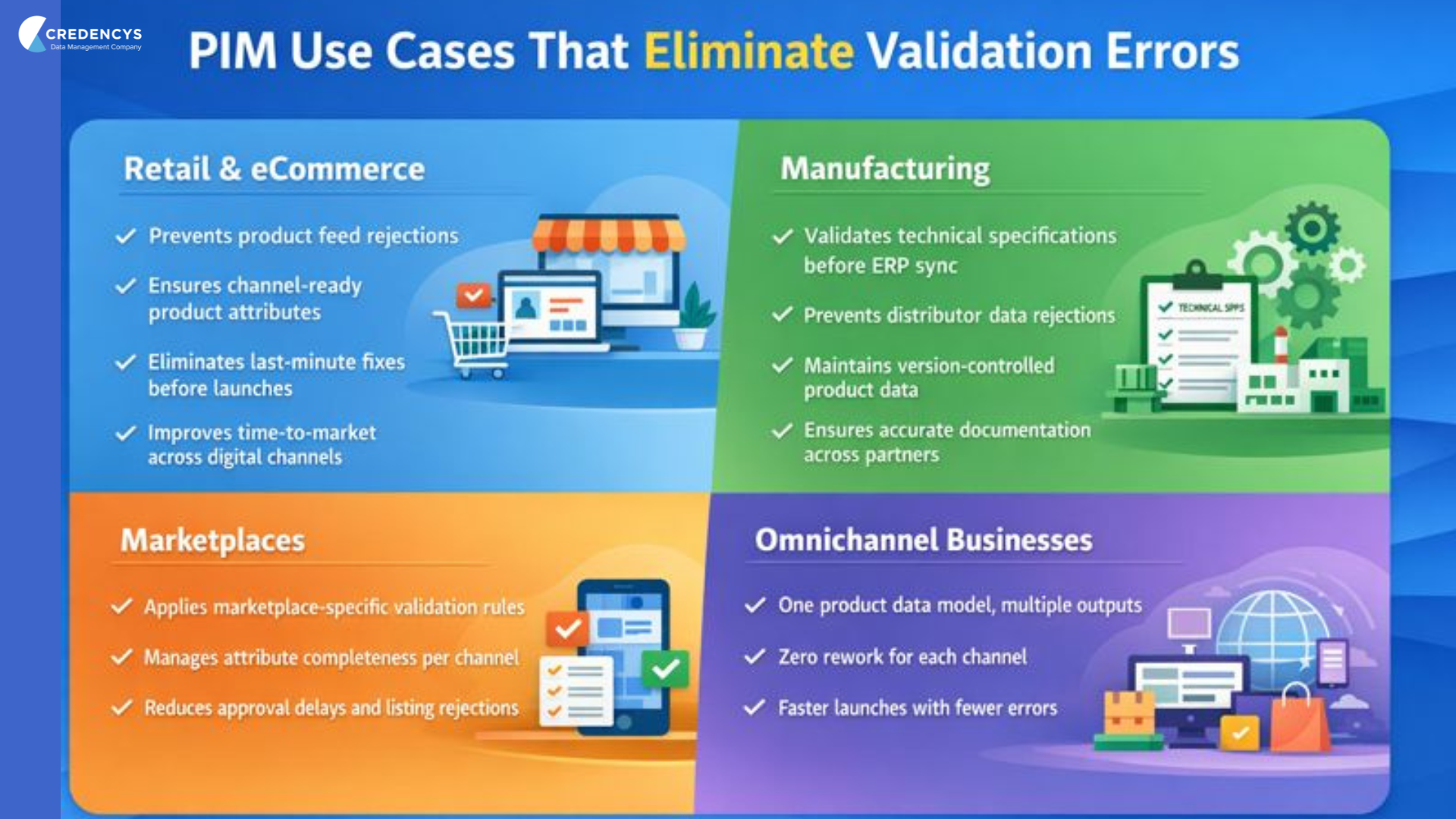
How a PIM System Helps Prevent Validation Issues
A Product Information Management system provides a structured approach for managing and validating product data before it reaches downstream systems.
By centralizing product information, a PIM ensures that all teams work from the same data set. Updates are made in a single pass and applied consistently, reducing discrepancies across platforms and channels.
A PIM helps prevent validation issues through:
1. Mandatory Attribute Enforcement
Teams can define required attributes by product type, category, or channel. Products cannot progress in the workflow until all required fields are completed, ensuring completeness before publication.
2. Attribute Level Validation
Validation rules can be applied to individual attributes to ensure correct formats, units of measure, and data types. This helps align product data with system expectations early in the process.
3. Consistent Attribute Definitions
A PIM enforces standardized attribute names and definitions across teams. This consistency allows downstream systems to interpret product data reliably.
4. Channel and Regional Readiness
Product data can be prepared for specific channels and regions, including localized content and platform-specific requirements. This reduces the chance of rejections during uploads or syndication.
5. Workflow and Data Ownership
Built-in workflows make it clear who is responsible for creating, reviewing, and approving product data. Validation becomes part of the process rather than a separate step.
6. Ongoing Quality Monitoring
Completeness and quality indicators help teams identify gaps early and address them before product data is distributed.
Final Thoughts
If “product information not valid” messages appear regularly, it often indicates that product data processes have outgrown manual management.
Individual corrections may resolve isolated cases, but long-term consistency requires centralized validation, governance, and ownership.
With a structured product data foundation in place, product information can be moved reliably across systems and channels, enabling faster launches and consistent customer experiences.







Tags: