


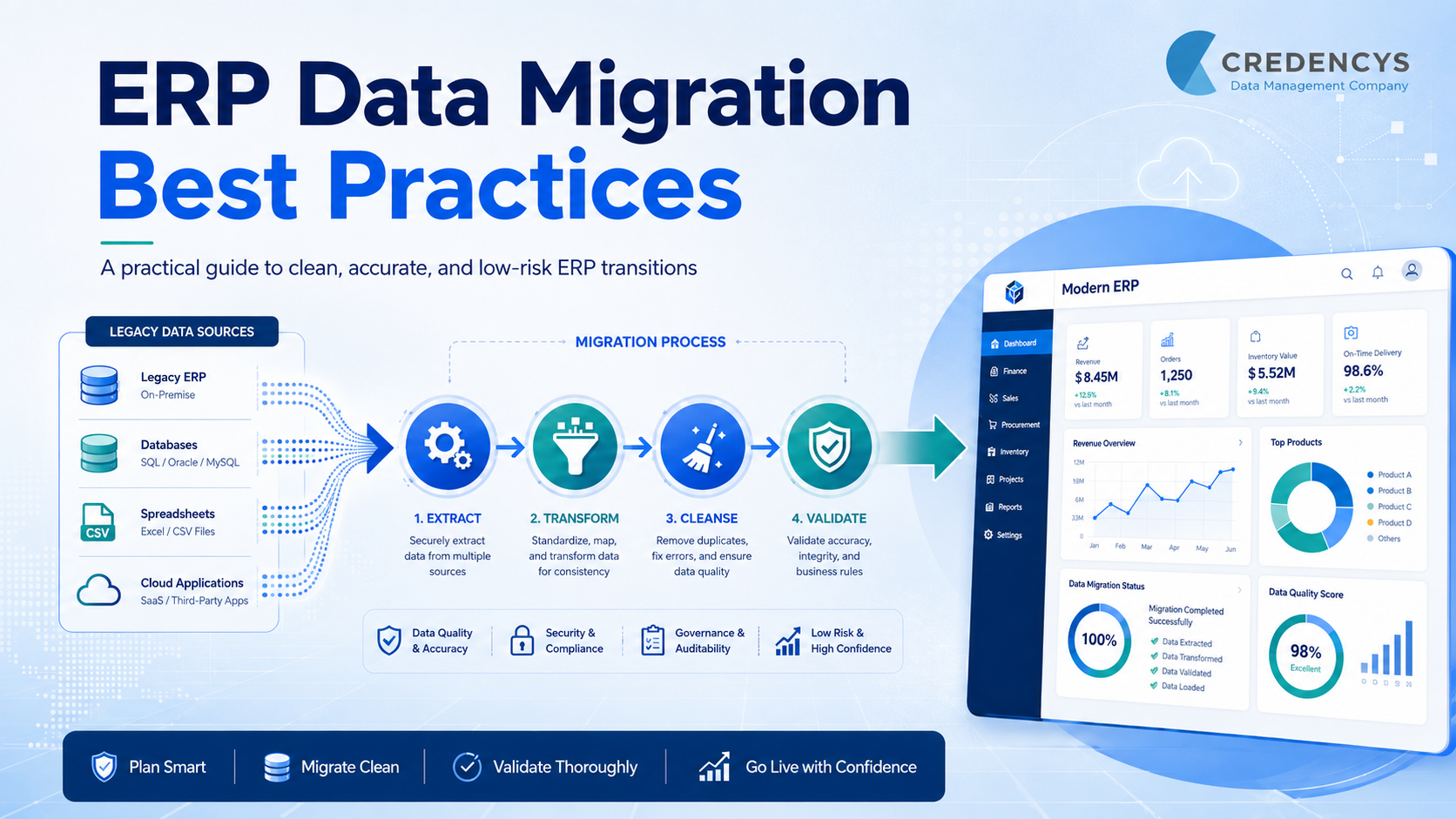
ERP Data Migration Best Practices: How to Move Business-Critical Data Without Risk
ERP data migration is one of the most critical steps in any ERP implementation, upgrade, or modernization project. It involves moving business-critical data such as customer records, vendor details, inventory data, financial transactions, product information, employee records, and historical business data from legacy systems into a new ERP platform. When done right, it creates a clean, reliable foundation for better operations, reporting, automation, and decision-making.
However, ERP data migration is also one of the biggest risk areas in an ERP project. Poor planning, duplicate records, incomplete mapping, inaccurate master data, and weak validation can lead to reporting errors, process disruptions, compliance issues, and low user trust after go-live.
According to Gartner, poor data quality costs organizations an average of $12.9 million every year, making data quality a business problem, not just a technical issue.
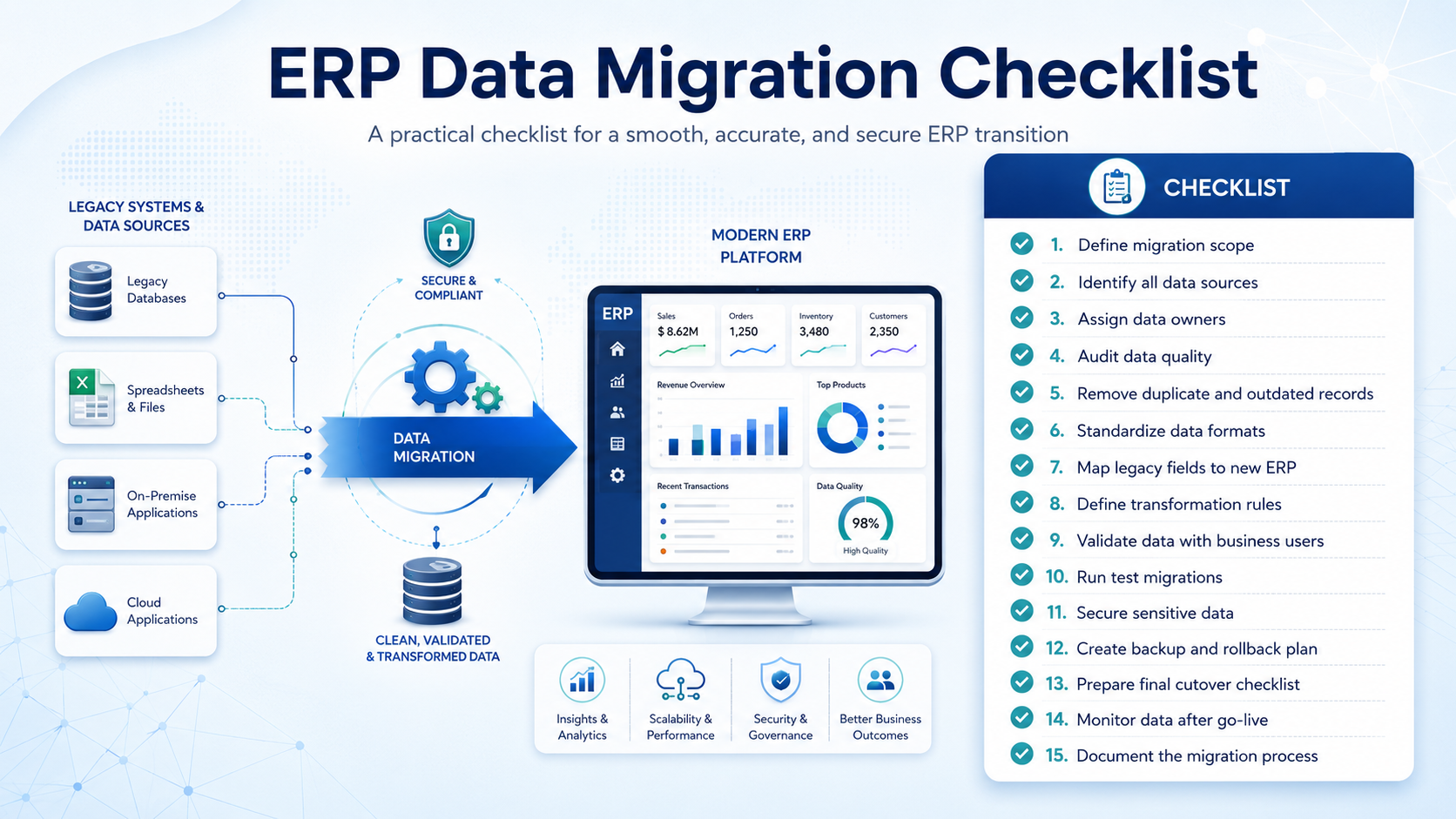
That is why following the right ERP data migration best practices is essential. A successful migration is not just about moving data. It requires proper planning, data cleansing, mapping, validation, testing, and post-migration monitoring to ensure the new ERP system runs on accurate, complete, and trusted data.
What is ERP Data Migration?
ERP data migration is the process of transferring data from existing systems, spreadsheets, legacy ERP platforms, or disconnected business applications into a new ERP system. This data may include customer information, supplier records, product catalogs, inventory details, financial data, purchase history, sales orders, employee records, and operational workflows.
But ERP data migration is not just a technical copy-paste activity. Before the data is moved, it must be reviewed, cleaned, structured, mapped, validated, and tested to make sure it fits the new ERP environment correctly.
A well-planned ERP data migration helps businesses:



Tags: