


Migrating to a new ERP system is one of the most important technology decisions a business can make. A successful ERP migration can improve operational efficiency, data accuracy, reporting speed, process visibility, and business scalability.
But ERP migration is also complex. It affects finance, procurement, inventory, sales, supply chain, HR, customer service, reporting, and several other business-critical functions.
If the migration is not planned properly, businesses may face data loss, process disruptions, integration failures, user resistance, and delayed go-live timelines. Before building a migration roadmap, businesses should first understand the broader ERP migration process, including planning, data preparation, testing, and go-live execution.
That is why ERP migration should not be treated as a simple software replacement project. It should be approached as a structured business transformation initiative.
This guide explains how to migrate to a new ERP system using a step-by-step roadmap that helps reduce risk, improve data quality, minimize downtime, and ensure a smoother transition.
What Does It Mean to Migrate to a New ERP System?
ERP migration is the process of moving business data, workflows, processes, integrations, reports, and users from an existing system to a new Enterprise Resource Planning platform. This may include migration from:
- A legacy ERP to a modern ERP system
- An on-premises ERP to a cloud ERP
- A custom-built ERP to a standardized ERP platform
- Spreadsheets and disconnected tools to a centralized ERP
- One ERP platform to another, such as Odoo, SAP, Oracle NetSuite, Microsoft Dynamics 365, or Infor
However, ERP migration is not only about transferring data from one system to another. It also involves evaluating existing business processes, cleaning and preparing data, mapping data to the new ERP structure, modernizing integrations, testing workflows, training users, and supporting the business after go-live.
A successful ERP migration ensures that the new system is not just live, but also reliable, usable, scalable, and aligned with business goals.
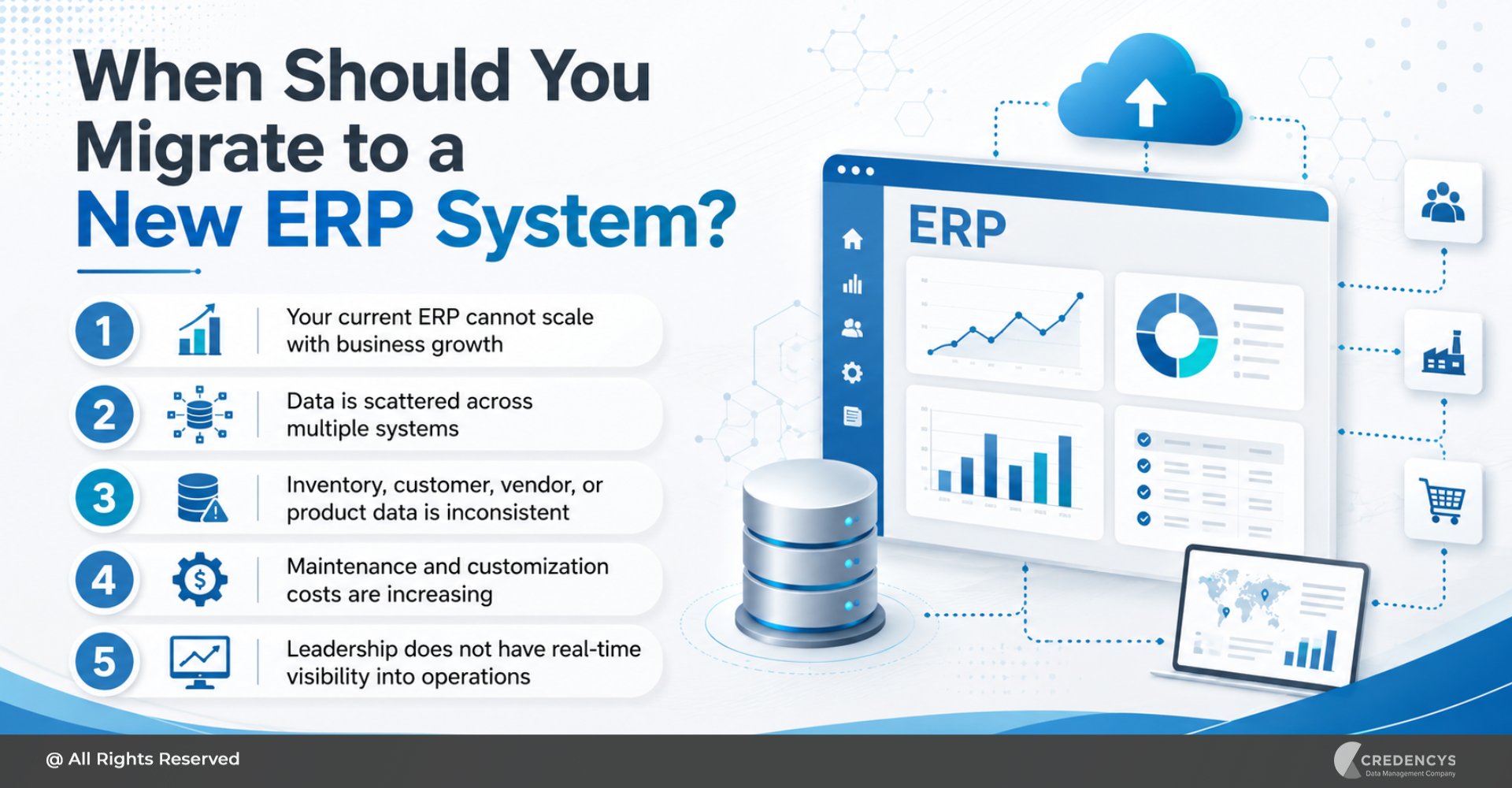
When Should You Migrate to a New ERP System?
Businesses usually consider ERP migration when their existing system can no longer support growth, efficiency, or visibility. Here are some common signs that it may be time to migrate to a new ERP system:
- Your current ERP cannot scale with business growth
- Data is scattered across multiple systems
- Inventory, customer, vendor, or product data is inconsistent
- Maintenance and customization costs are increasing
- Leadership does not have real-time visibility into operations
If these challenges are affecting daily operations, customer experience, or decision-making, an ERP migration may be necessary to build a more flexible, future-ready business foundation.
How to Migrate to a New ERP System: 10-Step Roadmap
Migrating to a new ERP system requires a clear roadmap. The following steps can help businesses plan, execute, and optimize ERP migration with greater confidence.
Step 1: Assess the Existing ERP Environment
The first step is to understand your current ERP environment in detail. Before selecting a new platform or starting migration, businesses should assess how the existing system supports current operations and where it creates limitations.
This assessment should include:
- Current ERP architecture
- Existing modules and customizations
- Reports and dashboards
- Manual workarounds
- Compliance and security requirements
This step helps identify what should be migrated, improved, and eliminated. Many businesses make the mistake of moving everything from the old ERP into the new system.
This often results in carrying forward outdated processes, duplicate records, and poor-quality data. The goal should not be to copy the old ERP environment.
The goal should be to build a cleaner, more efficient, and more scalable ERP ecosystem.
Step 2: Define Business Goals and Migration Scope
ERP migration should always begin with clear business goals. Without defined objectives, migration projects can easily become too technical, too broad, or disconnected from business outcomes.
Start by identifying what the business wants to achieve from the new ERP system. Common ERP migration goals include:
- Improving operational visibility
- Increasing data accuracy
- Improving financial reporting
- Enabling automation
- Improving customer service
- Preparing for future growth
Once the goals are clear, define the migration scope. The scope should clarify:
- Which departments are included
- Which data sets will be migrated
- Which reports need to be recreated
- Which customizations are necessary
- What will be included in phase one, and can be handled in later phases
A well-defined scope helps reduce delays, cost overruns, and project confusion. It also helps stakeholders stay aligned throughout the migration journey.
Step 3: Select the Right ERP Platform
Choosing the right ERP platform is one of the most critical decisions in the migration process. The new ERP system should not only meet current business needs but also support future growth, process complexity, integrations, and reporting requirements.
While selecting an ERP platform, businesses should evaluate:
- Industry fit
- Cloud readiness
- Integration flexibility
- User experience
- Security and compliance
- Total cost of ownership
Popular ERP platforms include Odoo, SAP, Oracle NetSuite, Microsoft Dynamics 365, Infor, and other industry-specific ERP solutions. The right choice depends on your business model, operational structure, data complexity, industry requirements, and long-term digital transformation goals.
Businesses planning to move from legacy systems to Odoo should also evaluate their Odoo ERP migration partner’s experience, methodology, and support model. For example, a retail business may prioritize inventory visibility, product data management, POS integration, ecommerce connectivity, and multi-location support.
A manufacturing business may focus more on production planning, bill of materials, procurement, quality control, and supply chain visibility.
ERP selection should not be based only on software features. It should be based on business fit.
Step 4: Build a Detailed ERP Migration Plan
Once the ERP platform is selected, the next step is to build a detailed migration plan. This plan acts as the execution roadmap for the entire project.
It defines the activities, responsibilities, timelines, dependencies, risks, and success criteria. A strong ERP migration plan should include:
- Migration goals
- Stakeholder roles
- Process redesign plan
- Testing strategy
- Cutover plan
- Communication plan
- Post-go-live support plan
The plan should also identify dependencies between teams. For example, the data migration team may need finalized business rules before mapping data.
The integration team may need API details before testing workflows. Business users may need sample data before user acceptance testing.
ERP migration requires close collaboration between IT, business users, department heads, data teams, implementation partners, and leadership. The more detailed the plan, the easier it becomes to manage risks and avoid last-minute surprises.
Step 5: Audit and Clean ERP Data
Data is one of the biggest success factors in ERP migration. If inaccurate, duplicate, outdated, or incomplete data is moved into the new ERP system, the business will continue to face reporting errors, operational inefficiencies, and user distrust.
That is why data audit and cleansing should happen before migration. Businesses should review and clean data, such as:
- Customer records
- Product data
- Pricing data
- Employee records
- Sales orders
- Warehouse data
- Tax and compliance data
Common data issues include:
- Duplicate records
- Incorrect formats
- Inconsistent naming conventions
- Mismatched customer records
- Unstructured legacy data
Data cleansing helps ensure that only accurate, relevant, and usable data is moved into the new ERP system. Working with experienced ERP data migration experts can help businesses clean, standardize, map, and validate data before it is entered into the new ERP system.
To avoid carrying duplicate, incomplete, or inconsistent data into the new platform, follow proven ERP data migration best practices before go-live. For example, product categories, customer names, SKUs, units of measurement, location codes, pricing formats, and vendor details should follow consistent rules before migration.
Clean data improves reporting, automation, user adoption, and decision-making after go-live.
Step 6: Map Data to the New ERP System
After the data is cleaned, it must be mapped to the new ERP system. Data mapping defines how information from the old system will fit into the new ERP’s structure.
This includes mapping:
- Source fields to target fields
- Legacy modules to new ERP modules
- Custom fields to standard or custom fields
- Master data to new hierarchies
For example, the old ERP may store customer addresses in one format, while the new ERP requires separate fields for billing address, shipping address, region, tax zone, and country code. Similarly, product data may need to be restructured to align with the new ERP’s product hierarchy, category structure, variant logic, or inventory rules.
Data mapping should be carefully reviewed by both technical teams and business users. This ensures that the migrated data is not only technically correct but also meaningful for daily operations.
A strong data mapping process reduces migration errors, import failures, reporting gaps, and post-go-live confusion.
Step 7: Modernize Integrations and Workflows
ERP systems rarely operate in isolation. Most businesses connect ERP with several other systems, such as:
- CRM
- POS systems
- MDM platforms
- Supplier portals
- HRMS
- Business intelligence platforms
During migration, these integrations need to be reviewed and modernized. The goal is not only to reconnect old integrations but to improve how data flows across the business.
Businesses should evaluate:
- Which integrations are still required
- Which workflows can be automated
- Which APIs need to be created or updated
- Which systems should act as the source of truth
For businesses moving data across multiple systems, a structured data migration services approach can help preserve data integrity and reduce disruption.
For example, a retail company migrating to a new ERP may need to integrate ecommerce orders, POS transactions, warehouse inventory, product data, customer records, and financial reporting into a single ecosystem. Poor integration planning can lead to order delays, inventory mismatch, duplicate data entry, and reporting errors.
That is why integration modernization should be included early in the ERP migration strategy.
Step 8: Run Pilot Migration and Testing
Before full migration, businesses should run a pilot migration. A pilot migration allows teams to test the migration process with a smaller data set, selected modules, or specific business units before moving everything to the new ERP system.
This helps identify issues related to:
- Data mapping
- Import logic
- Workflow accuracy
- User experience
Testing should include multiple layers.
- Functional Testing: This checks whether ERP modules and workflows are working as expected.
- Data Validation Testing: This verifies that migrated data is complete, accurate, and correctly structured.
- Integration Testing: This checks whether the new ERP connects properly with other business systems.
- Performance Testing: This evaluates how the ERP performs under real business conditions.
- User Acceptance Testing: This allows business users to test whether the new ERP supports their daily tasks.
- Reconciliation Testing: This compares old and new system data to confirm the accuracy of the migration.
Testing should not be rushed. ERP migration affects business-critical operations.
Any unresolved issue before go-live can create major disruption after launch. If your ERP migration involves cloud modernization, a structured ERP cloud migration strategy can help reduce downtime, improve planning, and support long-term scalability.
Step 9: Execute Go-Live with a Cutover Plan
Go-live is the stage where the business officially moves from the old ERP system to the new one. This step requires careful coordination.
A go-live plan should include:
- Final data backup
- Final migration run
- User access setup
- Integration checks
- Support team availability
- Communication plan
A cutover plan defines how the transition will happen. It should answer questions such as:
- When will the old system stop being used?
- Who will validate the migrated data?
- What happens if a critical issue appears?
- How will business continuity be maintained?
Some businesses choose a big-bang migration, where all users and processes move to the new ERP at once. Others prefer a phased migration, where departments, locations, or modules are migrated gradually.
The right approach depends on business complexity, risk tolerance, data readiness, and operational requirements.
Step 10: Optimize After Migration
ERP migration does not end at go-live. After the system is live, businesses need to monitor performance, resolve issues, support users, and optimize processes.
Post-migration activities include:
- Monitoring system performance
- Resolving data issues
- Fine-tuning workflows
- Improving dashboards
- Automating manual tasks
- Planning future enhancements
This stage is important because users may discover new requirements only after they start using the system in real business scenarios. Post-migration optimization ensures that the new ERP continues to deliver business value beyond implementation.
It also helps the organization improve adoption, reduce manual work, and build a stronger digital foundation.
Common ERP Migration Challenges
ERP migration can pose several challenges if not properly planned. Here are some common ERP migration risks and how to solve them:
| Challenge | Business Impact | How to Solve It |
|---|---|---|
| Poor data quality | Reporting errors, failed imports, and user distrust | Clean, standardize, deduplicate, and validate data before migration |
| Scope creep | Delays, budget overruns, and confusion | Define clear scope, governance, and approval processes |
| Complex integrations | Broken workflows and operational disruption | Map all system dependencies and modernize integrations early |
| User resistance | Low adoption and reduced productivity | Involve users early and provide role-based training |
| Downtime risk | Business disruption during go-live | Use a detailed cutover plan, backups, and rollback strategy |
| Incomplete testing | Errors after go-live | Run functional, integration, performance, UAT, and reconciliation testing |
| Weak governance | Inconsistent data and process issues | Define data ownership, business rules, and approval workflows |
The best way to reduce these risks is to treat ERP migration as a structured transformation program rather than a one-time technical task. Businesses with complex migration needs should compare ERP migration services providers based on industry experience, technical expertise, migration methodology, and post-go-live support.
ERP Migration Checklist
Here is a quick ERP migration checklist businesses can use before moving to a new system:

This checklist helps ensure that every critical part of the ERP migration process is planned, tested, and validated.
How Long Does ERP Migration Take?
The ERP migration timeline depends on business size, data complexity, number of systems, integration requirements, customization needs, and the selected ERP platform. A smaller business with limited data and fewer integrations may complete the migration faster.
A large enterprise with multiple locations, legacy systems, complex workflows, and years of historical data may require a longer migration timeline. Factors that influence ERP migration timelines include:
- Number of departments involved
- Quality of existing data
- Level of customization
- User training needs
- Migration approach
Instead of rushing the migration, businesses should focus on readiness. A well-planned migration with clean data, clear governance, and proper testing is more valuable than a fast migration that creates long-term operational issues.
How Credencys Helps Businesses Migrate to a New ERP System
Credencys helps businesses migrate to new ERP systems with a strong focus on data quality, migration readiness, integration modernization, and business continuity. Our ERP migration support includes:
- ERP migration assessment
- Data discovery and profiling
- Data standardization
- Data transformation
- Master data preparation
- Workflow modernization
- Go-live readiness support

We help businesses move from outdated, disconnected, and inefficient systems to modern ERP platforms that support scalability, visibility, automation, and better decision-making. Whether you are migrating to Odoo, Oracle NetSuite, SAP, Microsoft Dynamics 365, Infor, or another ERP platform, Credencys can help prepare your data, reduce migration risks, and support a smoother transition.
Credencys helped a multi-location retailer reduce ERP migration errors by 82% with Odoo Migration and improve inventory visibility with clean, structured ERP data. Read Full Case Study.
Conclusion
Migrating to a new ERP system is a major business decision. It impacts processes, people, data, systems, and long-term growth.
A successful ERP migration requires more than moving data from one platform to another. It requires a clear strategy, clean data, strong governance, modern integrations, detailed testing, user training, and post-go-live optimization.
Businesses that plan ERP migration carefully can reduce operational risks, improve data accuracy, increase process efficiency, and build a scalable foundation for future growth. If you are planning to migrate to a new ERP system, start by assessing your current systems, data quality, workflows, and integration landscape.
The right migration strategy can help you avoid disruption and make your new ERP system a stronger foundation for business transformation.
FAQs
1. What is ERP migration?
ERP migration is the process of moving business data, processes, workflows, users, integrations, and reports from an existing system to a new ERP platform. It may involve migrating from a legacy ERP, a custom ERP, an on-premises ERP, or disconnected systems to a modern cloud-based ERP solution.
2. How do you migrate to a new ERP system?
To migrate to a new ERP system, businesses should assess the current ERP environment, define migration goals, select the right ERP platform, clean and prepare data, map data to the new system, modernize integrations, test workflows, train users, execute go-live, and optimize after migration.
3. What is the most important step in ERP migration?
Data preparation is one of the most important steps in ERP migration. If inaccurate, duplicate, or incomplete data is moved into the new ERP system, it can create reporting errors, workflow issues, and user adoption challenges after go-live.
4. What are the common challenges in ERP migration?
Common ERP migration challenges include poor data quality, scope creep, integration complexity, downtime risk, user resistance, incomplete testing, and weak governance. These challenges can be reduced with proper planning, data cleansing, testing, and change management.
5. How can businesses reduce ERP migration risks?
Businesses can reduce ERP migration risks by building a detailed migration roadmap, cleaning data before migration, defining governance rules, testing integrations, running pilot migrations, preparing a rollback plan, training users, and working with an experienced ERP migration partner.
6. How can Credencys help with ERP migration?
Credencys helps businesses with ERP migration assessment, data cleansing, data mapping, data transformation, validation, reconciliation, integration support, testing, go-live readiness, and post-migration optimization.



Tags: