

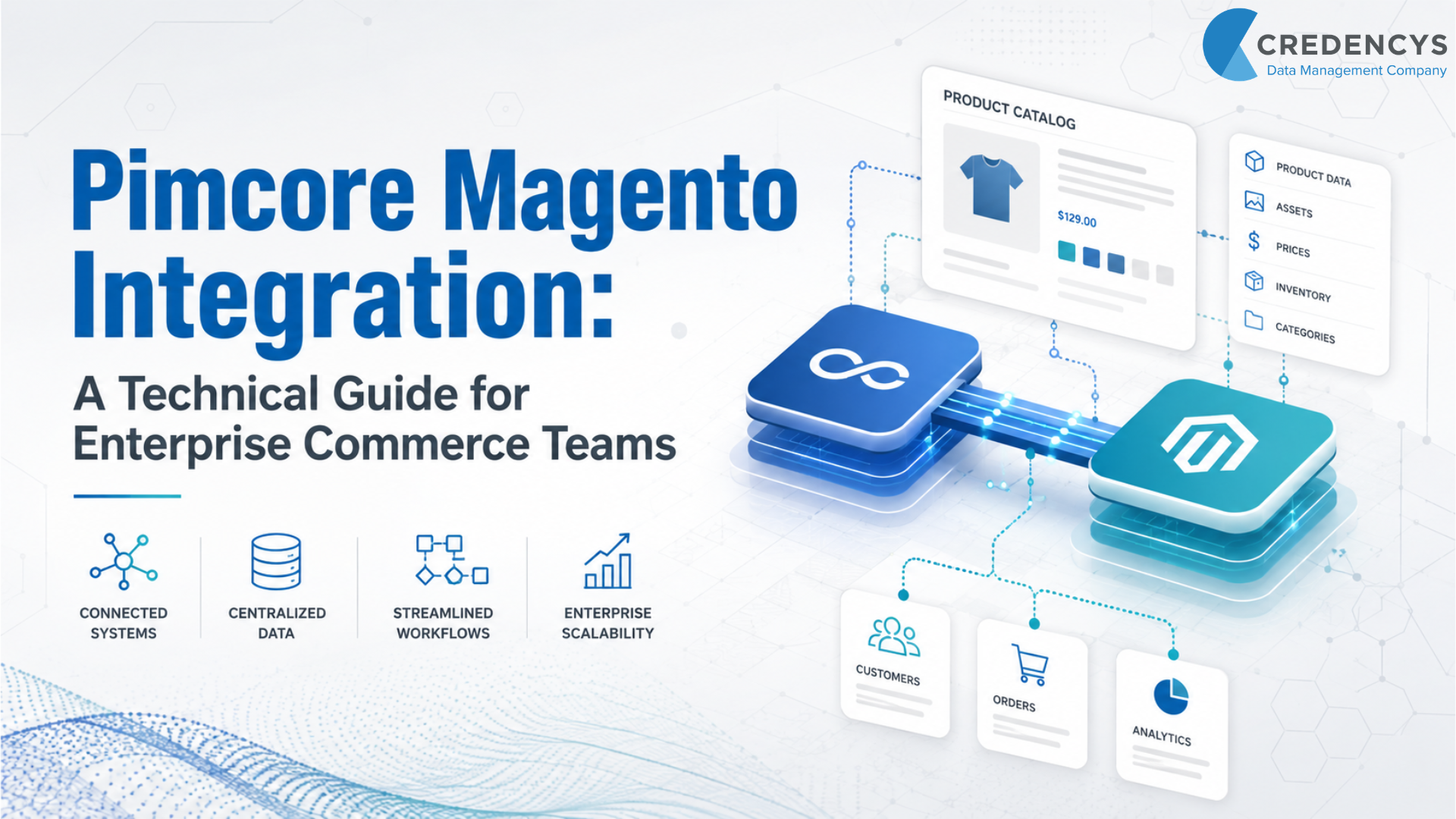
Pimcore Magento Integration: A Technical Guide for Enterprise Commerce Teams
For enterprise commerce teams, Magento is often the backbone of digital selling. It manages storefront experiences, carts, checkout, promotions, orders, and customer-facing commerce workflows.
But as product catalogs grow, Magento alone may not be enough to manage the full complexity of product information. Product data often comes from ERP systems, suppliers, spreadsheets, legacy databases, DAM platforms, regional teams, and marketplace feeds.
It includes product descriptions, technical specifications, images, videos, documents, variants, categories, attributes, translations, and compliance information. When all this data is managed directly inside Magento, teams often face duplicate entries, inconsistent product content, slow catalog updates, weak governance, and delayed product launches.
That is where Pimcore Magento integration becomes valuable. By integrating Pimcore with Magento, enterprises can centralize, enrich, validate, approve, and publish commerce-ready product information to Magento.
Pimcore becomes the product data and digital asset foundation, while Magento continues to handle commerce execution. For CTOs and architects, this is an architecture decision that defines data ownership, system responsibilities, integration patterns, governance rules, and scalability.
For enterprises planning scalable commerce architecture, working with an experienced Pimcore development services partner can help define the right data model, integration pattern, and publishing workflow.
What is Pimcore Magento Integration?
Pimcore Magento integration connects Pimcore’s product information management, digital asset management, and master data management capabilities with Magento or Adobe Commerce.
The integration enables product data, categories, attributes, variants, and digital assets to be managed centrally in Pimcore and published to Magento storefronts. Instead of using Magento as the primary product data management system, enterprises can use Pimcore to prepare accurate, complete, and channel-ready product information before it goes live.
In simple terms, Pimcore manages product truth. Magento delivers the commerce experience. This approach helps businesses improve product data quality, reduce manual catalog work, support multistore commerce, and accelerate product launches across digital channels.
Why Magento Needs Pimcore for Enterprise Product Data
Magento is a powerful commerce platform. It supports complex eCommerce operations, storefront management, pricing, promotions, checkout, and order workflows.
However, enterprise product data management requires more than basic catalog administration. Large organizations often deal with:
- Thousands or millions of SKUs
- Complex configurable products
- Multiple brands and product families
- Regional catalogs
- Multilingual product content
- Supplier-driven data onboarding
- High volumes of images, videos, and documents
- Technical product specifications
- Data validation and approval workflows
- Different product data requirements across channels
When Magento product management becomes difficult to scale, enterprises often need a dedicated Pimcore Product Information Management layer to centralize product attributes, descriptions, categories, variants, and assets. Magento is designed to power commerce.
Pimcore is designed to manage product data, digital assets, and master data across channels. When both platforms are integrated properly, each system does what it does best.
Pimcore becomes the central hub for product content, assets, taxonomy, relationships, enrichment, and governance. Magento consumes approved product data and uses it to deliver high-performing commerce experiences.
How Pimcore Magento Integration Works
A successful integration depends on reliable product data integration and app integration that connects Pimcore, Magento, ERP, DAM, supplier systems, and other enterprise applications. The typical Pimcore Magento integration follows a structured data flow.
First, product data is imported into Pimcore from internal and external systems. Next, Pimcore standardizes and enriches the data.
Product managers can add descriptions, specifications, images, videos, documents, translations, attributes, and relationships. Teams can also define completeness rules to ensure that mandatory product information is available before publishing.
After enrichment, Pimcore validates the data through workflows and approval processes. Only approved product records should move forward to Magento.
Then, product data is mapped from Pimcore objects to Magento entities. This includes products, categories, attributes, media galleries, configurable products, and store-specific content.
Once the data is approved and mapped, it is synchronized with Magento through a connector, custom API integration, middleware, or integration platform. Magento then uses this information to display accurate, commerce-ready product pages across storefronts.
A well-designed integration also includes monitoring, logging, error handling, and retry mechanisms. These are critical for enterprise environments where failed syncs can affect product launches, pricing accuracy, customer experience, and revenue.
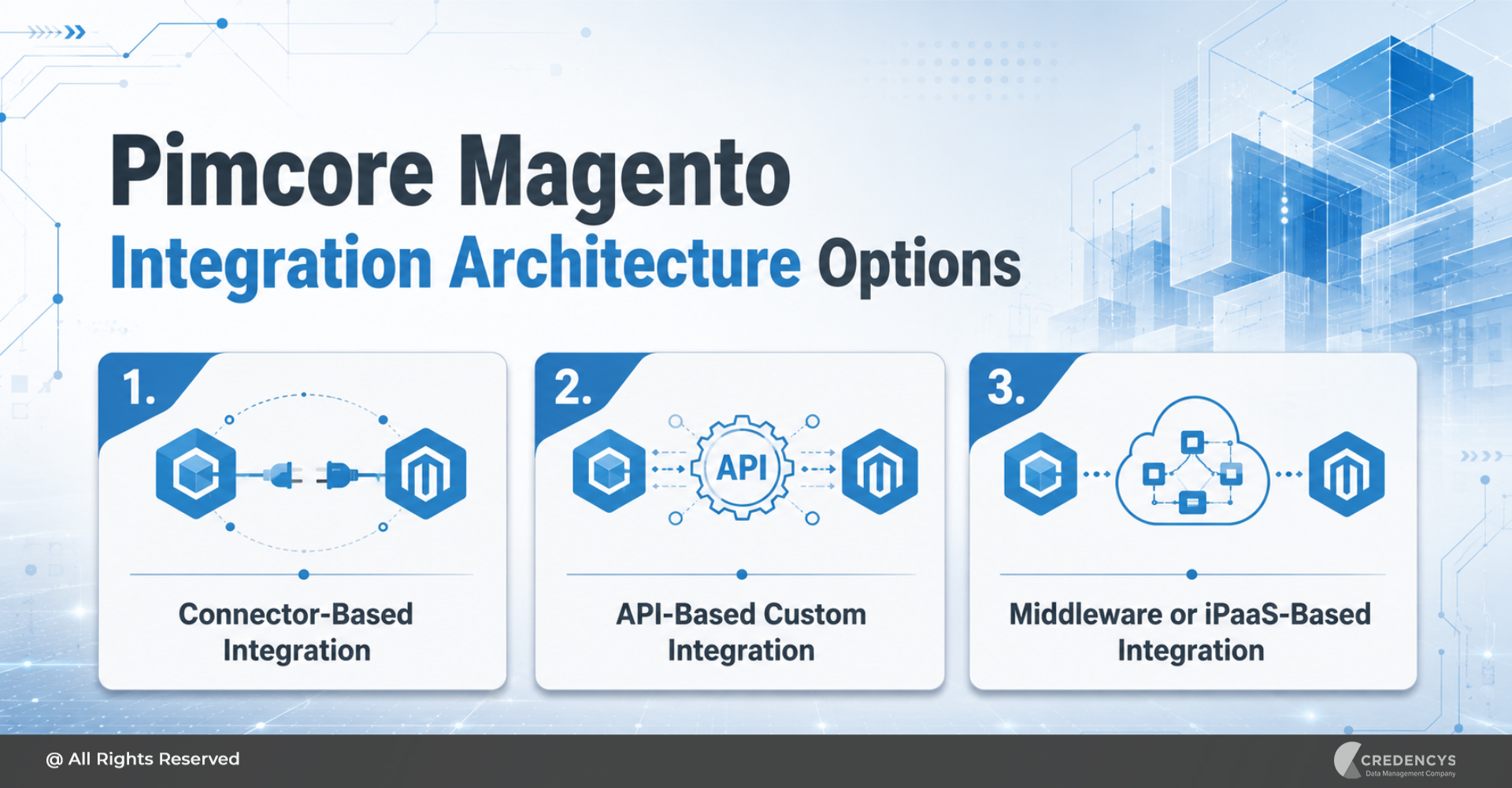
Pimcore Magento Integration Architecture Options
There are multiple ways to integrate Pimcore with Magento. The right approach depends on catalog complexity, system landscape, scalability needs, and business requirements.
For complex environments involving ERP, OMS, WMS, marketplaces, and analytics platforms, enterprises may need Data Integration consulting services to design a scalable API or middleware-based architecture.
1. Connector-Based Integration
A connector-based approach is suitable when the integration requirements are relatively standard. It helps synchronize product data, categories, attributes, and assets between Pimcore and Magento with less custom development.
This approach works well when:
- Magento is the primary commerce platform
- Pimcore is the central PIM and DAM system
- Product data flows mainly from Pimcore to Magento
- Standard Magento catalog structures are sufficient
- Faster implementation is a priority
- Custom transformation logic is limited
Connector-based integration can reduce implementation time. However, architects should still evaluate data mapping, extensibility, compatibility, and long-term maintainability before choosing this approach.
2. API-Based Custom Integration
An API-based integration is better suited for complex enterprise environments. It gives teams more control over data transformation, synchronization rules, exception handling, and system behavior.
This approach works well when:
- Multiple systems are involved
- Product data requires a complex transformation
- There are custom Magento modules or extensions
- Business rules vary by region, store, or product type
- Integration must support advanced monitoring and retries
- Data flow is not limited to Pimcore-to-Magento publishing
API-based integration requires more planning and development effort, but it can support a more flexible and scalable commerce architecture.
3. Middleware or iPaaS-Based Integration
Middleware or integration platform-based architecture is useful when Pimcore and Magento are part of a larger digital ecosystem. This approach works well when product data must also flow to ERP, marketplaces, CRM, OMS, WMS, analytics platforms, mobile apps, or partner portals.
Middleware can help centralize orchestration, routing, transformation, logging, and monitoring. It is especially useful for enterprises that need to manage multiple integrations without creating point-to-point complexity.
Pimcore Magento Integration: One-Way or Two-Way Sync?
One-way (Pimcore to Magento) is the usual choice. Pimcore owns product content and Magento only displays it. It is simpler and has fewer conflicts.
Two-way is used when some data is created in Magento and has to come back, such as reviews, sales ranks or merchandising fields. Each field still has one owner. Two-way sync means some fields flow back; it never means both systems edit the same field.
What Data Can Be Synchronized Between Pimcore and Magento?
The exact data flow depends on business needs and integration design. However, most Pimcore Magento integration projects involve synchronization of core catalog data.
This may include:
- Simple products
- Configurable products
- Grouped products
- Product names
- Short and long descriptions
- Product attributes
- Attribute sets
- Categories
- Product images
- Videos
- Documents and manuals
- Technical specifications
- Product relationships
- Store-specific product content
- Multilingual product information
- Metadata for SEO
- Product status and publishing readiness
Some businesses may also consider synchronizing pricing, inventory, or availability. However, these domains require careful architecture decisions.
In many enterprise environments, pricing may be owned by ERP, CPQ, or Magento. Inventory may be owned by ERP, OMS, or warehouse systems.
Orders are usually owned by Magento, OMS, or ERP. That is why every integration project should begin with a definition of the source of truth.
Not every field should be managed in Pimcore. Not every data point should be pushed to Magento.
Architects must decide which system owns which domain.
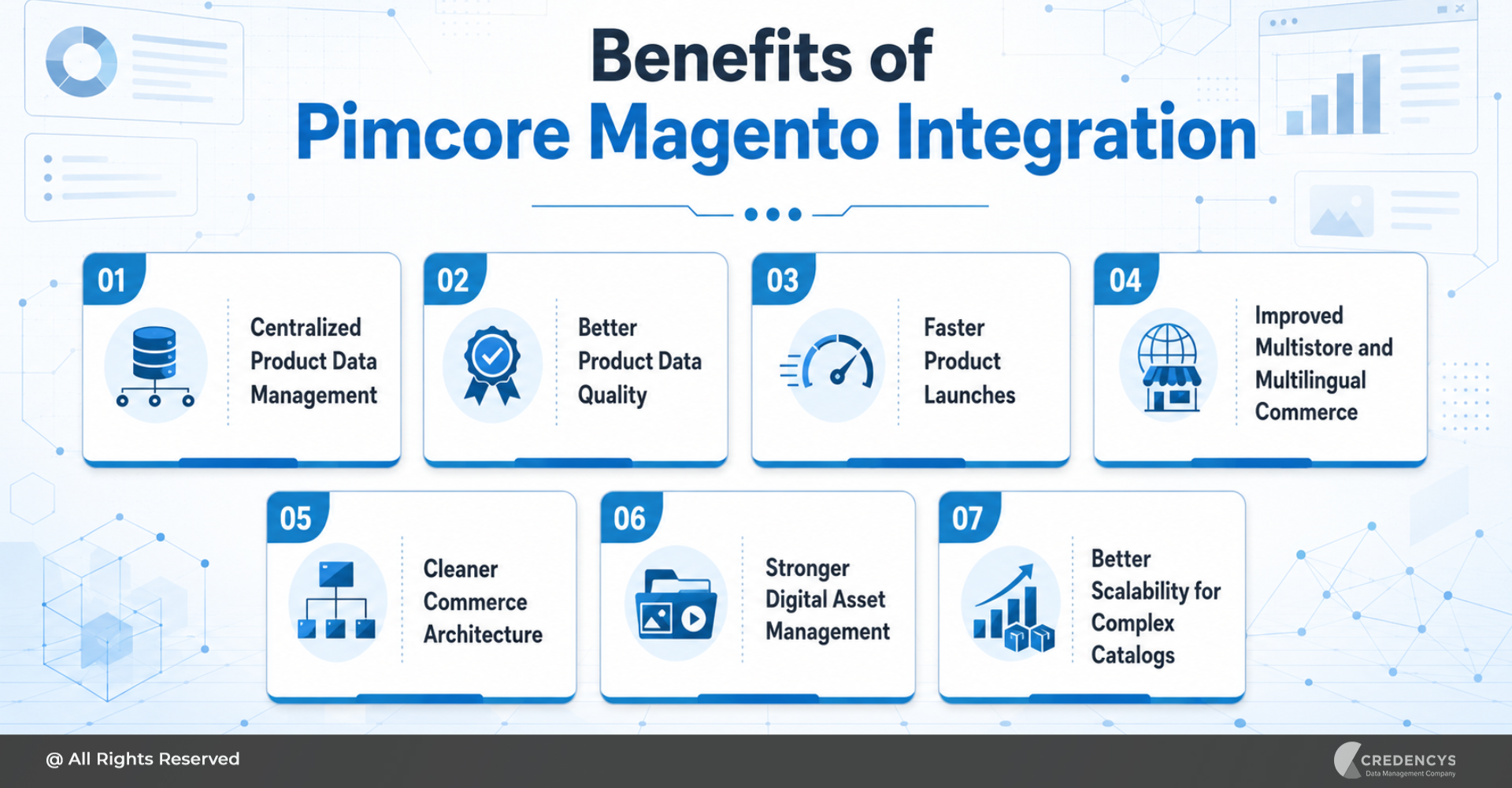
Benefits of Pimcore Magento Integration
Pimcore Magento integration delivers value beyond simple data synchronization. It improves the way product data is governed, enriched, published, and scaled across digital commerce channels.
1. Centralized Product Data Management
Pimcore allows teams to manage product descriptions, attributes, taxonomy, specifications, variants, and assets in one place. This reduces scattered product data and provides business teams with a more reliable foundation for product information.
2. Better Product Data Quality
With validation rules, workflows, and completeness checks, teams can ensure that product data is accurate before it reaches Magento. This helps reduce incomplete product pages, inconsistent attributes, missing images, and incorrect specifications.
3. Faster Product Launches
Manual product updates across multiple Magento stores can slow down launches. Pimcore helps streamline enrichment, approvals, and publishing so teams can introduce new products faster.
4. Improved Multistore and Multilingual Commerce
Enterprises often manage multiple brands, regions, languages, and stores. Pimcore can help structure localized product content and store-specific information before publishing to Magento.
5. Cleaner Commerce Architecture
By separating product data management from commerce execution, the enterprise architecture becomes easier to maintain. Pimcore handles product truth.
Magento handles customer-facing transactions.
6. Stronger Digital Asset Management
Product experience depends heavily on images, videos, documents, and rich media. Pimcore DAM helps centralize and organize digital assets so that approved media can be linked to the right products and published to Magento.
7. Better Scalability for Complex Catalogs
As product catalogs grow, manual management becomes inefficient. Pimcore Magento integration supports structured product data management at scale, especially for businesses with large SKU volumes, configurable products, and frequent catalog changes.
Step-by-Step Pimcore Magento Integration Roadmap
A successful integration requires more than installing a connector. It requires a clear roadmap.
Step 1: Define Business and Technical Objectives
Start by identifying what the integration must achieve. Common goals include faster product launches, improved product data quality, centralized asset management, better multistore publishing, and reduced manual catalog work.
Technical leaders should also define expectations for performance, scalability, security, monitoring, and maintainability.
Step 2: Define Source of Truth
Clarify which system owns each data domain. For example, Pimcore may own product descriptions, specifications, images, categories, and product relationships.
ERP may own pricing and inventory. Magento may own cart, checkout, promotions, and orders.
This step prevents duplicate ownership and conflicting updates.
Step 3: Audit Existing Product Data
Before integration, assess the current state of product data. Identify missing fields, duplicate records, inconsistent attributes, outdated images, poor categorization, and incomplete translations.
Poor-quality data should not simply be pushed from one system to another. Cleanse and standardize it before synchronization.
Step 4: Design the Pimcore Data Model
Create a product data model that reflects business requirements. Define product classes, attributes, variants, categories, relationships, mandatory fields, localization rules, and asset relationships.
The data model should support current requirements and future scalability.
Step 5: Map Pimcore Objects to Magento Entities
Define how Pimcore data will map to Magento products, categories, attributes, attribute sets, media galleries, and store views. This mapping should be documented clearly.
It becomes the foundation for development, testing, troubleshooting, and future enhancements.
Step 6: Choose the Right Integration Pattern
Select the architecture based on complexity. Use a connector when requirements are standard. Use APIs when business logic is complex.
Use middleware when multiple systems are involved. In some cases, a hybrid approach may be the best option.
Step 7: Configure Validation and Approval Workflows
Set rules to ensure that only approved product data is published to Magento. Define responsibilities for product managers, content teams, category managers, and regional teams.
This helps prevent incomplete or inaccurate product data from reaching the storefront.
Step 8: Run a Pilot Sync
Start with a limited product category, brand, or region. Validate mapping, data accuracy, performance, media synchronization, variant behavior, and store-view output.
A pilot helps identify issues before full-scale rollout.
Step 9: Test Error Handling and Performance
Enterprise integrations must be resilient. Test failed syncs, duplicate records, missing attributes, large media files, API errors, and rollback scenarios.
Also test performance for large catalog updates and incremental synchronization.
Step 10: Go Live and Monitor Continuously
After go-live, monitor sync status, failed jobs, API errors, catalog completeness, product launch speed, and data quality metrics. Integration is not a one-time activity.
It requires continuous monitoring and optimization.
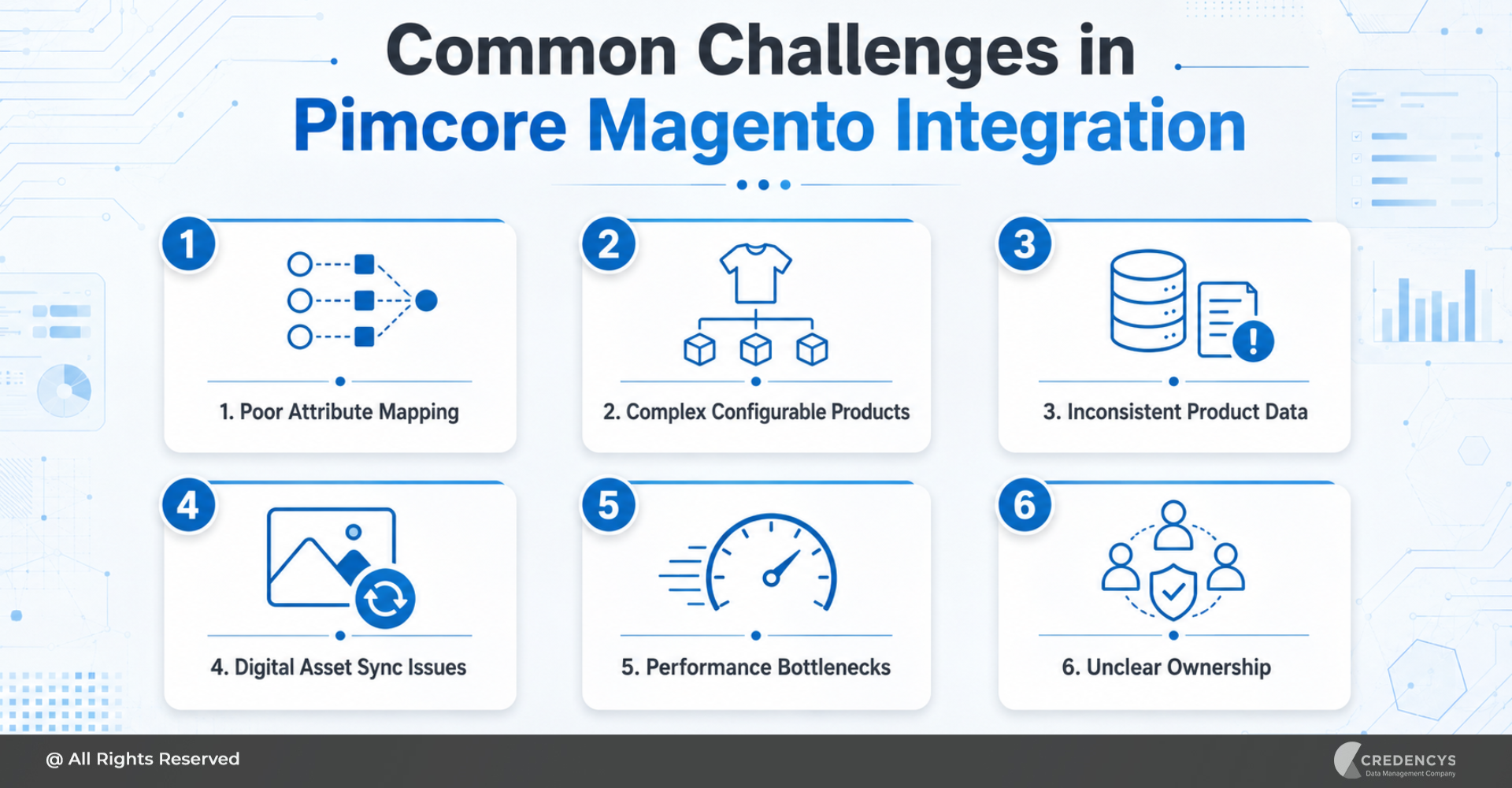
Common Challenges in Pimcore Magento Integration
Pimcore Magento integration can deliver significant value, but only when common risks are handled early.
Poor Attribute Mapping
If Pimcore attributes and Magento attributes are not aligned, product data may appear incorrectly on the storefront. Teams should create detailed mapping documents and test with real product examples.
Complex Configurable Products
Configurable products can be difficult to model and sync correctly. Size, color, material, packaging, and technical variations must be clearly structured in Pimcore before publishing to Magento.
Inconsistent Product Data
Legacy product data often contains duplicates, missing values, and inconsistent formats. Data cleansing should happen before integration, not after.
Digital Asset Sync Issues
Images and videos may fail to sync if naming, metadata, or product relationships are poorly managed. DAM governance should be part of the integration plan.
Performance Bottlenecks
Large catalog updates can affect synchronization performance. Use batch processing, queues, incremental sync, and monitoring to improve reliability.
Unclear Ownership
If multiple systems can update the same field, teams may face data conflicts. Define ownership for every product data domain before implementation.
Best Practices for Pimcore Magento Integration
To make the integration scalable and maintainable, follow these best practices:
- Start with architecture, not connector installation.
- Define the source of truth for every data domain.
- Keep Pimcore focused on product data, assets, and governance.
- Keep Magento focused on commerce execution.
- Avoid syncing fields that Magento does not need.
- Use incremental synchronization wherever possible.
- Design for multistore and localization from the beginning.
- Test with complex, real-world products.
- Document field mappings and transformation rules.
- Monitor sync failures and build retry mechanisms.
- Include business users in workflow and data quality decisions.
- Review performance before full catalog rollout.
These practices help reduce rework and improve long-term integration stability.
When Should You Integrate Pimcore with Magento?
Pimcore Magento integration is a strong fit for organizations that have outgrown basic Magento catalog management. You should consider the integration if:
- Product data is spread across multiple systems
- Your catalog has a large number of SKUs
- Product attributes are complex
- You manage multiple stores, brands, or regions
- Product images and documents are difficult to organize
- Product launches are delayed due to manual work
- Business users need better workflows and approvals
- Magento product management has become operationally inefficient
- You want to improve product experience across digital channels
However, the integration may not be necessary for every business. If your catalog is small, product data rarely changes, and Magento already meets your operational needs, a full Pimcore Magento integration may not be required.
Pimcore Magento Integration Use Cases
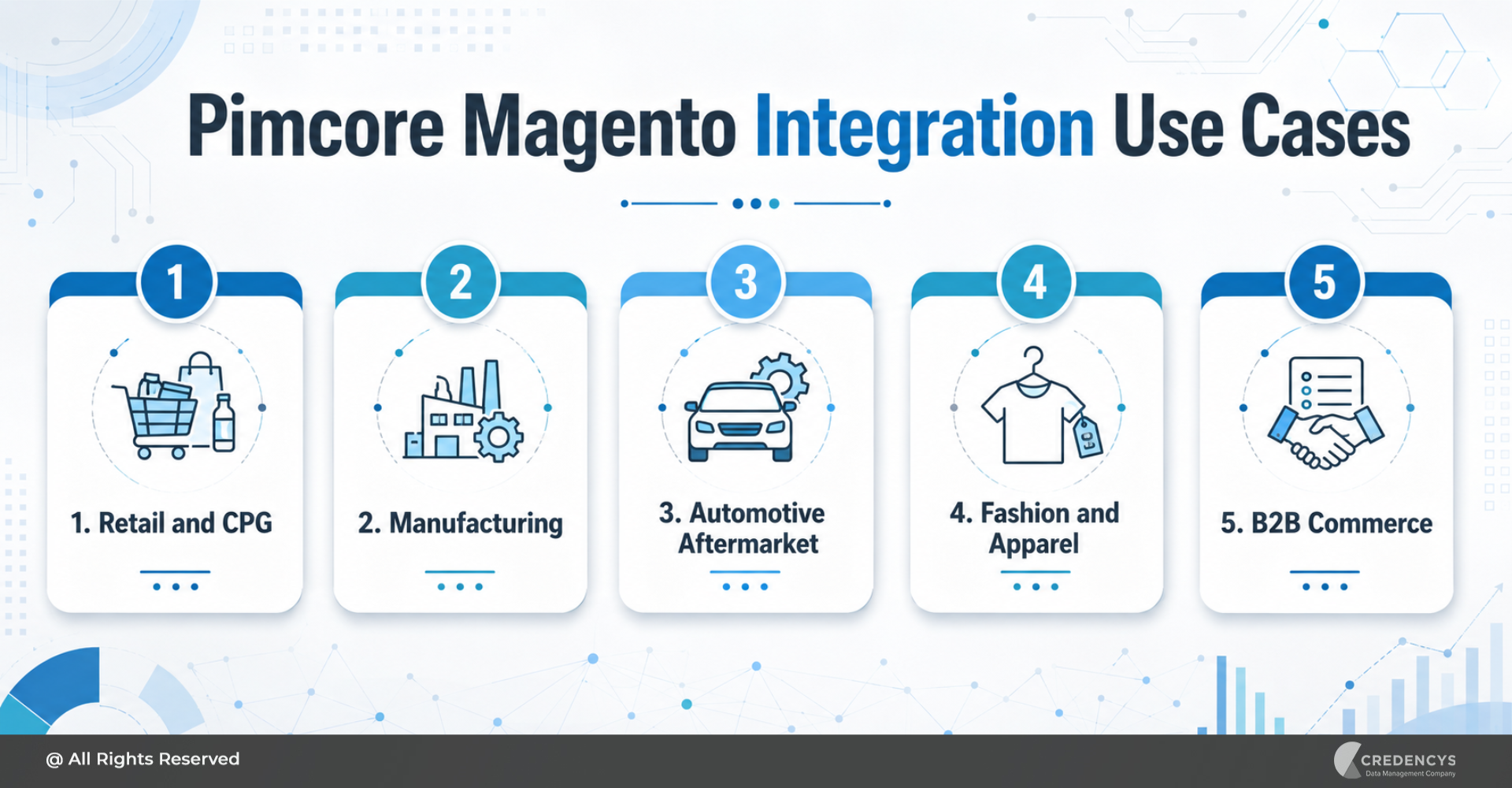
Retail and CPG
Retail and CPG businesses can use Pimcore to manage product descriptions, packaging details, images, ingredients, labels, regional content, and compliance data before publishing to Magento.
Manufacturing
Manufacturers can manage technical specifications, product documents, spare parts, certifications, and complex product relationships in Pimcore and publish commerce-ready data to Magento.
Automotive Aftermarket
Automotive businesses can manage fitment data, part numbers, images, compatibility details, and product attributes more efficiently with Pimcore as the product data hub.
Fashion and Apparel
Fashion brands can manage colors, sizes, collections, seasonal catalogs, material details, and localized product content in Pimcore before synchronizing with Magento stores.
B2B Commerce
B2B businesses can use Pimcore to manage complex SKUs, technical documentation, product hierarchies, customer-specific catalog data, and detailed specifications.
How Long Does a Pimcore Magento Integration Take?
A focused first release typically takes 3 to 6 months. Larger programmes with several stores, an ERP and approval workflows run in phases over 6 to 12 months or more. Discovery takes a few weeks. For a cost range, use the PIM cost calculator.
How Credencys Helps with Pimcore Magento Integration
Credencys helps enterprises design, implement, and optimize Pimcore Magento integration for scalable digital commerce. Our team supports businesses across the complete integration lifecycle, including architecture consulting, Pimcore data model design, Magento entity mapping, connector evaluation, custom API development, middleware integration, DAM implementation, workflow configuration, product data migration, testing, monitoring, and ongoing optimization.
We help CTOs and architects build a clean integration architecture where Pimcore becomes the trusted product data foundation and Magento continues to deliver high-performing commerce experiences. Whether you are modernizing your product data operations, launching a new Magento storefront, consolidating product information, or scaling multistore commerce, Credencys can help you design and implement a future-ready Pimcore Magento integration.
Conclusion
Pimcore Magento integration helps enterprises create a stronger foundation for scalable digital commerce. It allows teams to centralize product data, improve data quality, manage digital assets, support multistore commerce, and publish accurate product information to Magento.
For CTOs and architects, the key is to approach the integration as an architecture initiative, not just a connector implementation. When Pimcore and Magento have clearly defined responsibilities, the commerce ecosystem becomes easier to scale, govern, and maintain.
Pimcore manages product truth. Magento delivers the customer-facing commerce experience.
Together, they help enterprises build accurate, consistent, and high-performing product experiences across digital channels.
FAQs
1. What is Pimcore Magento integration?
Pimcore Magento integration connects Pimcore to Magento or Adobe Commerce, enabling product data, categories, attributes, assets, and related catalog information to be managed in Pimcore and published to Magento storefronts.
2. Can Pimcore be used as a PIM for Magento?
Yes. Pimcore can act as a centralized PIM for Magento by managing product information, attributes, variants, categories, and assets before publishing approved data to Magento.
3. What data can be synced between Pimcore and Magento?
Commonly synced data includes products, categories, attributes, descriptions, images, videos, documents, configurable products, grouped products, localized content, and store-specific product information.
4. What are the main challenges in Pimcore Magento integration?
Common challenges include poor data quality, complex attribute mapping, handling configurable products, asset synchronization issues, unclear data ownership, performance bottlenecks, and weak monitoring.
5. Is Pimcore Magento integration suitable for B2B commerce?
Yes. It is especially useful for B2B commerce businesses that manage complex SKUs, technical specifications, product documents, customer-specific catalogs, and large product hierarchies.
6. Does Pimcore replace Magento?
No. Pimcore manages product data and assets; Magento runs the storefront, checkout and orders.
7. Can Pimcore sync images to Magento?
Yes. Images, videos and documents are managed in Pimcore’s DAM and published with each product.
8. Does this work for Magento 2 and Adobe Commerce?
Yes. Both use the same catalog model and APIs, so the same integration approach applies.
Related: Magento PIM integration, Pimcore development services and PIM integration services.
9. What is a Magento Pimcore connector?
A Magento Pimcore connector is a ready-made extension or integration service that moves product data, categories, attributes and images from Pimcore to Magento (Adobe Commerce) without building every API call from scratch. It suits standard catalogs; complex data models, B2B pricing or several Magento stores often need the connector extended or an API-based integration. See the architecture options above, or our Magento PIM integration service.






Tags: