

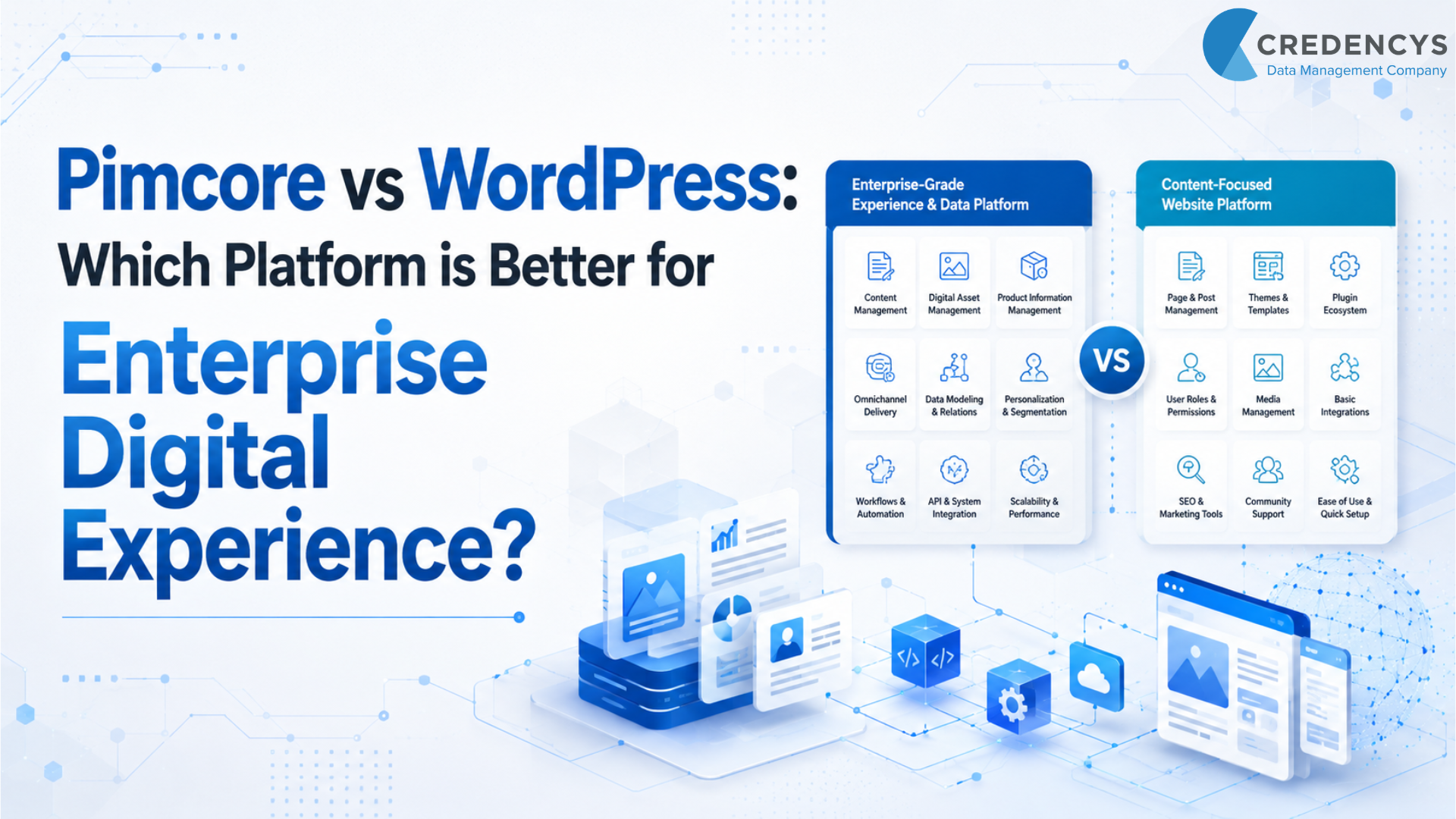
Pimcore vs WordPress: Product Catalogs, Content Sites, or Both?
Short answer: Pimcore vs WordPress is a choice between two different jobs. WordPress runs content sites: pages, blogs, landing pages and, with WooCommerce, an online store. Pimcore manages product data: large catalogs with many attributes, variants, images and documents that feed several sales channels. If your site already runs on WordPress, you may not have to choose. You can keep WordPress as the website and let Pimcore hold the product data behind it.
Updated November 2026
Pimcore vs WordPress is not a like-for-like contest, because the two are built for different needs. WordPress is a strong content management system for websites, blogs, landing pages, corporate pages, and content-led digital marketing. It is easy to use, flexible, and supported by a large ecosystem of themes, plugins, and developers.
Pimcore is a broader enterprise platform. It combines product information management, master data management, digital asset management, customer data management, digital experience management, and commerce capabilities.
For eCommerce, product data and IT leads at manufacturers, distributors, brands and retailers, the question is not simply, “Which CMS is better?” The better question is: Is a content management system enough for your product catalog, or do you need a platform built to manage product data, digital assets, and content for every sales channel? If your business needs a website or blog, WordPress may be enough.
If your business manages complex product data, large catalogs, digital assets, supplier data, technical information, dealer portals, or omnichannel product experiences, Pimcore is the stronger choice. For enterprises evaluating whether WordPress is enough or whether they need a broader data and experience platform, working with the right Pimcore development services partner can help define the right architecture from the beginning.
Pimcore or WordPress: Signs Your Catalog Has Outgrown the Website
Most readers of this comparison already run a WordPress site and wonder whether it can carry a growing product range. Four signs that it no longer can:
- Product information is typed into WooCommerce or into product pages by hand, one SKU at a time.
- The same product details sit in the ERP, in spreadsheets and on the website, and they no longer match.
- You need to store product data and digital assets in a single repository and sync them to WooCommerce, eBay and Amazon.
- You sell on Amazon and run more than one brand website, and each needs the same product information in its own format.
If none of these applies, and your site is mostly pages and blog posts with a small product range, WordPress on its own may be all you need. The sections below say where that is the case.
What is Pimcore?
Pimcore is an open-core data and experience management platform. It helps enterprises manage structured data and deliver consistent digital experiences across channels.
It brings together:
- Product Information Management
- Master Data Management
- Digital Asset Management
- Customer Data Platform
- Digital Experience Platform / CMS
- Digital Commerce
This makes Pimcore highly useful for product-centric businesses. Retail companies can use Pimcore to manage product descriptions, images, videos, attributes, categories, variants, localized content, and marketplace-ready product information.
Manufacturing companies can use Pimcore to manage technical specifications, spare parts, manuals, CAD files, product hierarchies, supplier data, and dealer-facing catalogs. In short, Pimcore is built for businesses where digital experience depends on accurate, governed, and reusable enterprise data. Pimcore includes a CMS as well; our guide to what Pimcore is covers the whole platform.
What is WordPress?
WordPress is one of the most widely used content management systems. It helps businesses create and manage websites, blogs, landing pages, and marketing content.
It is popular because it is easy to use, cost-effective to start with, and highly extensible through plugins and themes. The core software is free to download from WordPress.org; the cost sits in hosting, plugins and development.
This makes it a strong option for content teams, marketers, publishers, and businesses that need fast website management. However, WordPress remains CMS-first.
It can be extended for eCommerce, multilingual websites, SEO, forms, personalization, and integrations, but many advanced capabilities depend on plugins or custom development. For enterprise product data, master data, digital asset governance, and omnichannel product experiences, WordPress usually needs support from external systems.
Is WordPress a PIM?
No. WordPress is a content management system. WooCommerce, custom fields or a WordPress PIM plugin can hold product attributes, and that works for a small, simple catalog sold on one store. A PIM does a different job: it collects product data from suppliers and the ERP, checks it for gaps and errors, and supplies every sales channel from one approved record.
Pimcore vs WordPress: Quick Comparison
| Comparison Area | Pimcore | WordPress |
|---|---|---|
| Core Purpose | Data and experience management platform | Content management system |
| Best For | PIM, DAM, MDM, DXP, commerce, omnichannel data | Websites, blogs, landing pages, and content publishing |
| Ideal Users | eCommerce, product data, and IT teams | Marketing teams, content editors, website teams |
| Product Data Management | Native PIM capabilities | Requires plugins or external PIM |
| Digital Asset Management | Enterprise DAM capabilities | Basic media library; advanced DAM needs plugins |
| Master Data Management | Supports complex enterprise data models | Not designed for enterprise MDM |
| eCommerce | Suitable for complex product-led commerce | Usually handled through plugins |
| Omnichannel Readiness | Strong | Limited without integrations |
| Governance | Strong workflows, validation, and data control | Basic editorial governance |
| Implementation Effort | Higher | Lower for standard websites |
| Built On | PHP (Symfony framework) | PHP |
| Cost Model | Open-core with paid editions, plus implementation | Free core, plus hosting, plugins, and development |
| Best Fit | Retail and manufacturing enterprises with complex data | Content-led websites and marketing platforms |
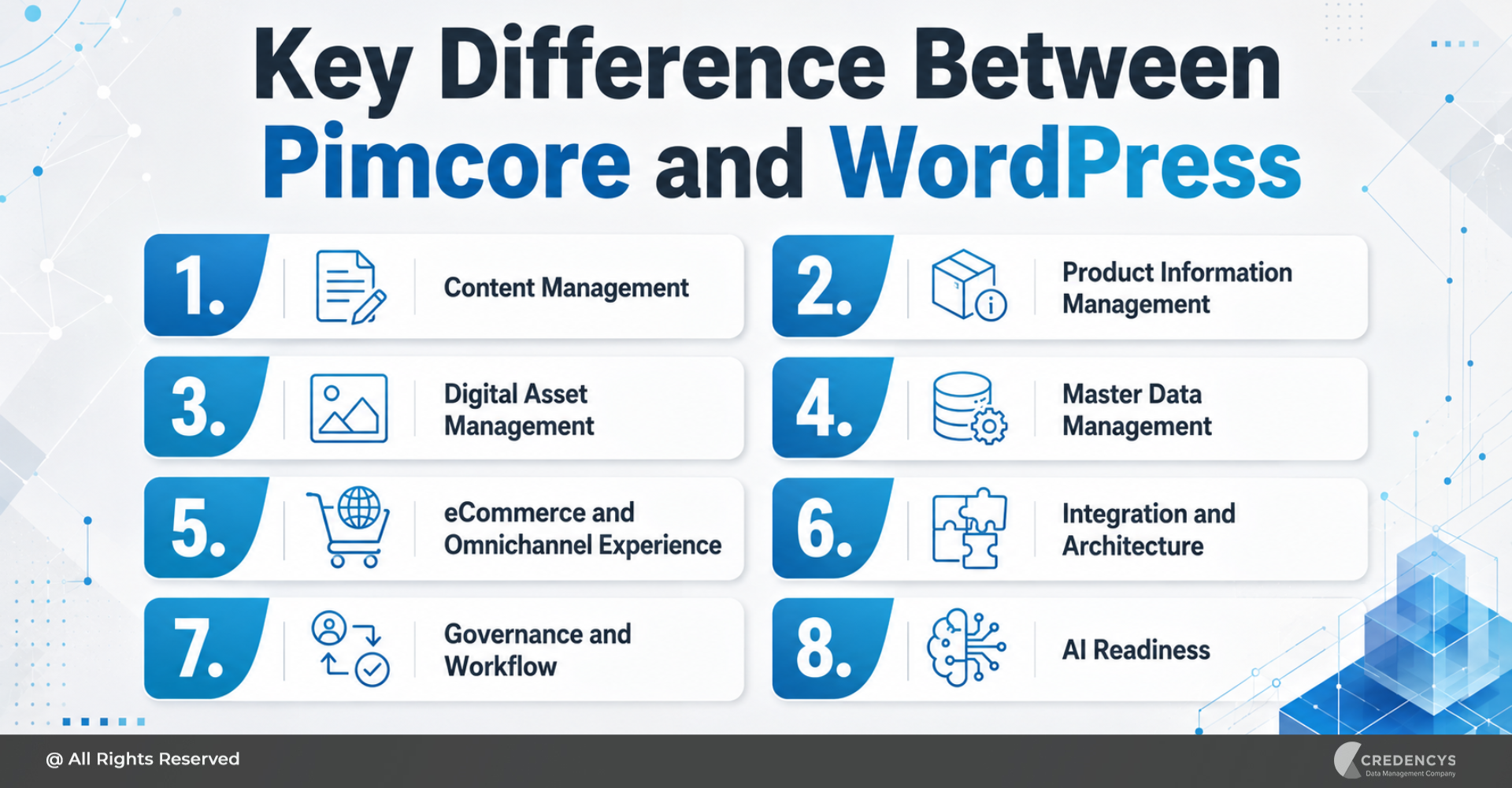
Key Difference Between Pimcore and WordPress
The biggest difference between Pimcore and WordPress is scope. WordPress is designed to manage website content.
Pimcore is designed to manage enterprise data and digital experiences together. This difference matters because modern digital experience is no longer limited to website pages.
In retail and manufacturing, customers, dealers, distributors, and internal teams expect accurate information across eCommerce stores, mobile apps, marketplaces, product catalogs, dealer portals, customer service systems, and sales channels. If the source data is inconsistent, every digital experience suffers.
WordPress can help publish content. Pimcore can help create a governed foundation for the data, assets, content, and product experiences behind every channel.
1. Content Management
WordPress is excellent for content management. It allows teams to create pages, blogs, landing pages, resources, and campaign content with ease.
It is a strong fit for:
- Corporate websites
- SEO blogs
- Resource centers
- Campaign landing pages
- Newsrooms
- Thought leadership content
Pimcore also offers CMS and digital experience capabilities, but its CMS is part of a larger platform. It becomes more valuable when content must be connected with product data, digital assets, customer segments, or commerce workflows.
Verdict: WordPress is better for simple and content-heavy websites. Pimcore is better when content must connect with enterprise data and omnichannel experiences.
2. Product Information Management
This is where Pimcore has a clear advantage. For retail and manufacturing enterprises, Pimcore Product Information Management helps centralize, enrich, validate, and distribute product data across digital channels.
Without a PIM, the same product is kept in spreadsheets, the ERP and the website at the same time. This creates problems such as:
- Incomplete product descriptions
- Inconsistent product attributes
- Duplicate product records
- Wrong product images
- Poor marketplace listings
- Delayed product launches
- Manual data correction
With Pimcore, teams can manage product attributes, variants, categories, taxonomies, relationships, specifications, localized content, and channel-specific product information from one platform.
WordPress can manage basic product information through plugins or custom post types. But as data complexity grows, this approach becomes harder to govern and scale.
Verdict: Pimcore is better for enterprise product information management.
3. Digital Asset Management
WordPress includes a media library for images, videos, PDFs, and website files. This works well for basic website publishing. However, retail and manufacturing businesses often need advanced asset management.
They may need to manage:
- Product images
- Lifestyle images
- Videos
- Technical documents
- Manuals
- Datasheets
- CAD files
- Packaging assets
- Compliance documents
- Brand assets
Pimcore’s DAM capabilities allow enterprises to organize, enrich, transform, and distribute assets across channels. Assets can also be linked with products, categories, catalogs, and digital experiences.
This helps ensure the right asset is used in the right place, across every customer and partner touchpoint.
Verdict: WordPress is enough for basic website media. Pimcore is better for enterprise DAM.
4. Master Data Management
WordPress is not built for enterprise master data management. It can store structured content, but it is not designed to manage complex data domains such as products, suppliers, materials, locations, customers, dealers, parts, or product hierarchies.
Pimcore supports complex data models and relationships, making it useful for businesses that need stronger data governance. When retail and manufacturing businesses need to govern product, supplier, customer, location, and reference data, Master Data Management consulting services become critical to building a trusted data foundation.
Verdict: Pimcore is the better choice when master data quality and governance are business priorities.
5. eCommerce and Omnichannel Experience
WordPress can support eCommerce through plugins such as WooCommerce. This works well for small and mid-sized stores or simple online selling needs.
But enterprise retail and manufacturing commerce often requires more than a storefront. It may involve complex catalogs, product variants, B2B pricing, customer-specific catalogs, dealer portals, marketplace syndication, ERP integration, product content workflows, and regional content variations.
Pimcore is better suited for these scenarios because it connects product data, assets, content, and commerce workflows. For product-led businesses, a connected digital commerce platform can help deliver consistent product experiences across eCommerce, marketplaces, mobile apps, and distributor channels.
If you plan to keep WooCommerce as the store, see how a WooCommerce PIM integration works.
Verdict: WordPress is suitable for web-first commerce. Pimcore is better for complex omnichannel commerce.
6. Integration and Architecture
WordPress has a large plugin ecosystem. This makes it easy to quickly add SEO tools, forms, analytics, caching, eCommerce, personalization, and marketing integrations.
But plugin-heavy architecture can create long-term challenges around performance, security, compatibility, and maintenance. Pimcore is better suited for enterprises that need deeper integrations with ERP, CRM, eCommerce platforms, marketplaces, supplier systems, data warehouses, and business intelligence platforms.
A successful Pimcore implementation requires the right data model, integration architecture, migration plan, workflow design, and post-launch optimization. For IT leads, Pimcore offers a stronger foundation for building a connected enterprise data and experience ecosystem.
Verdict: WordPress is easier to extend quickly. Pimcore is better for complex enterprise architecture.
7. Governance and Workflow
Enterprise teams need control over who can create, edit, approve, enrich, and publish data or content. In WordPress, governance usually depends on roles, permissions, editorial plugins, and custom workflows.
In Pimcore, governance can be applied across structured product data, master data, digital assets, and content workflows. For example, a product manager can update specifications, a marketing team can enrich descriptions, a legal team can review compliance content, and a regional team can localize product information before publishing.
This is highly valuable for retail and manufacturing companies where errors in product information can affect customer experience, compliance, returns, and revenue.
Verdict: Pimcore is stronger for governed enterprise workflows.
8. AI Readiness
AI readiness depends on data quality. If product data is incomplete, duplicated, inconsistent, or scattered across systems, AI initiatives will produce unreliable results.
Pimcore helps create a cleaner data foundation by centralizing and governing product, master, customer, and digital assets. This can support use cases such as AI-assisted product enrichment, personalized product experiences, product recommendations, better search, automated content generation, and improved product discovery.
In WordPress, AI tools are mostly focused on the website and content layer unless the site is connected with enterprise data systems.
Verdict: For AI work on website content, WordPress is enough. For AI work that depends on product data, the governed data in Pimcore matters more.
Pimcore vs WordPress for Retail
Retail businesses need accurate product data across websites, marketplaces, mobile apps, stores, catalogs, and customer service channels. Pimcore is a strong fit for retailers that manage large catalogs, product variants, images, videos, localized content, marketplace feeds, and omnichannel product experiences.
WordPress is a good fit for retail brands that need content marketing, blogs, brand websites, campaign pages, and simple online stores. For enterprise retail, Pimcore is usually the better strategic platform when product data and digital assets drive the customer experience.
Pimcore vs WordPress for Manufacturing
Manufacturing companies often deal with complex product structures, technical documentation, spare parts, and dealer or distributor networks. Pimcore helps manage technical specifications, product hierarchies, manuals, CAD files, supplier data, compliance documents, and B2B catalogs.
WordPress is useful for manufacturing websites, thought leadership content, product overview pages, and lead generation campaigns. For manufacturers, WordPress can support marketing content, but Pimcore is better for managing the structured data that powers digital operations.
When Should You Choose WordPress?
Choose WordPress when your main requirement is content publishing and website management. WordPress is a good choice if:
- You need a corporate website or blog.
- Your product data is simple.
- Your site is marketing-led.
- You want quick deployment.
- Your team already understands WordPress.
- You rely heavily on SEO content.
- You do not need enterprise PIM, MDM, or DAM.
WordPress is practical, flexible, and cost-effective for content-first websites. Put plainly: a brochure site, a blog, or a WooCommerce store with a small, simple catalog on one sales channel does not need Pimcore.
When Should You Choose Pimcore?
Choose Pimcore when your digital experience depends on accurate, governed, and reusable enterprise data. Pimcore is a better choice if:
- You manage large product catalogs.
- Product data comes from multiple systems.
- You need PIM, DAM, MDM, DXP, and commerce capabilities.
- You manage multiple brands, regions, or languages.
- You need stronger workflows and approvals.
- You want to reduce data silos.
- You need omnichannel product data distribution.
- You want a scalable foundation for AI-ready data.
Pimcore is ideal when businesses want to move beyond fragmented systems and build a unified data and experience foundation.
The cost models differ too. WordPress has a free core, and you pay for hosting, plugins and development. Pimcore is open-core with paid editions, and a project also needs implementation: the data model, integrations and data migration. For figures, see Pimcore pricing explained.
Pimcore and WordPress Integration: Can They Work Together?
Yes. Pimcore and WordPress can work together in some enterprise architectures. For example, Pimcore can manage product data, digital assets, and master data, while WordPress manages blogs, campaign pages, or corporate content.
For a business whose site already runs on WordPress or WooCommerce, this means the website can stay as it is. Each system keeps the job it is built for:
| Job | Where it lives |
|---|---|
| Product data: attributes, variants, categories, translations | Pimcore |
| Product images, manuals and data sheets | Pimcore |
| Pages, blog and campaign landing pages | WordPress |
| Product pages, cart and checkout | WordPress with WooCommerce, filled with product data from Pimcore |
| Product data for other channels, such as marketplaces, dealer portals and catalogs | Supplied from Pimcore |
A Pimcore and WordPress integration connects the two by API. Pimcore makes product data and assets available through its APIs, and WordPress and WooCommerce have REST APIs that can receive them. The integration creates and updates products on the website, on a schedule or whenever a product changes. Product data is edited in one place, Pimcore, and the website shows what Pimcore sends.
However, this setup requires careful integration planning. Without the right architecture, businesses may create duplicate content, inconsistent data, and higher maintenance efforts. Settle three things before you build:
- Which system owns each field, so nobody edits a description or a specification in two places.
- How often the website updates, and what happens when a sync fails.
- Who maintains the integration after a WordPress, plugin or Pimcore update.
Pimcore vs WordPress: Final Verdict
There is no universal winner. WordPress is the better choice for content-led websites, blogs, landing pages, and marketing experiences.
Pimcore is the better choice for enterprises that need product information management, digital asset management, master data management, digital experience management, commerce, and omnichannel data governance. For retailers, distributors and manufacturers with large catalogs, Pimcore is often the stronger strategic choice because the biggest challenge is not only publishing content.
It is managing the product data, digital assets, workflows, and integrations that power every digital touchpoint. If your business needs a website, choose WordPress.
If your business needs a scalable platform for product data, content, assets, commerce, and omnichannel experiences, choose Pimcore. If you need both, run both: WordPress for the website and Pimcore for the product data behind it.
How Credencys Helps Businesses Implement Pimcore
Credencys is a Pimcore Strategic Partner with 80+ certified Pimcore experts. We help retail and manufacturing enterprises implement Pimcore as a scalable data and experience management platform. We help enterprises assess their current systems, design scalable Pimcore architecture, and hire Pimcore developers for implementation, customization, integration, and long-term support.
With the right Pimcore implementation partner, businesses can improve data quality, reduce operational complexity, accelerate product launches, and deliver consistent digital experiences across every channel.
One result from a Credencys project: for a medical equipment company, Dynamics 365 and Pimcore together brought a 40% shorter time to market. To talk through your own WordPress and Pimcore setup, contact our Pimcore team.
Pimcore vs. Competitors
Do you want to understand how Pimcore stands out from its competitors? Here are some detailed comparisons of Pimcore with other technology platforms to help you pick the right platform that supports your consistent business growth and success.
- Pimcore vs. Akeneo
- Pimcore vs. Drupal
- Pimcore vs. Magento
- Pimcore vs. inriver
- Pimcore vs. PrestaShop
- Pimcore vs. Shopify
- Pimcore vs. Plytix
- Pimcore vs. Stibo Systems
- Pimcore vs. Syndigo
- Pimcore vs. EnterWorks (now part of Precisely)
- Pimcore vs. Salsify
For guides on choosing, implementing and running a PIM, see our PIM resources hub.
Pimcore vs WordPress: Frequently Asked Questions
These are the questions people type into Google about Pimcore and WordPress.
1. Is Pimcore better than WordPress?
Pimcore is better for enterprises that need PIM, DAM, MDM, DXP, commerce, and omnichannel product data management. WordPress is better for content-driven websites and blogs. Neither is better across the board: it depends on whether your problem is publishing content or managing product data.
2. Can Pimcore replace WordPress?
Yes, Pimcore can replace WordPress when the business needs advanced data and experience management. For simple websites and blogs, WordPress may still be easier and more cost-effective.
3. Is WordPress good enough as an enterprise CMS?
Yes, WordPress can support enterprise websites with the right hosting, security, architecture, and governance. However, it may not be enough for complex product data and omnichannel commerce needs.
4. Can Pimcore and WordPress be integrated?
Yes. Pimcore holds the product data and assets, WordPress stays the website, and an API integration keeps the product pages up to date. Before building it, decide which system owns each field, how often the website updates and who maintains the integration after a WordPress, plugin or Pimcore update.
5. Is there a PIM plugin for WordPress that does the same job?
A WordPress PIM plugin can add product fields inside WordPress, which helps a single store with a simple catalog. The product data stays inside the website. When the same data also has to reach marketplaces, retailers, dealers or print catalogs, or arrives from suppliers and an ERP, that is the job of a separate PIM such as Pimcore.
6. Does Pimcore work with WooCommerce?
Yes. Pimcore works with WooCommerce through an API integration: Pimcore supplies products, variants, images and documents, and WooCommerce, which runs on WordPress, handles the storefront, cart and checkout.
7. Is Pimcore or WordPress free?
WordPress: yes, the core software is free, and the cost sits in hosting, plugins and development. Pimcore: not for every company. It is open-core, with a Community Edition and paid editions, and Pimcore’s license terms decide whether the Community Edition is free for your organization. A project also carries implementation, hosting and support costs. For the license terms and current figures, see Pimcore pricing explained.
8. Can WordPress work as a DAM, or do you need Pimcore for digital assets?
WordPress can hold the images, videos and PDFs a website uses, but its core media library is not built to link assets to products, manage versions and approvals, or send assets to marketplaces and print catalogs; DAM plugins add part of this. Pimcore includes digital asset management (DAM), so product images, manuals, CAD files and data sheets stay linked to their products and reach every channel from one place.






Tags: